XZAC4219-05 Service Manual
6-3
MECHANICAL ADJUSTMENTS
To simplify consultation, each adjustment is divided into:
• Machine status. Describes the status of the printer required to make the adjustment;
• Conditions to be checked. Indicates the points, values and tolerances to be complied with for correct
functioning of kinematics;
• Procedure. Lists the operations to be carried out to make the adjustment;
• Notes. Provide any references to adjustment sequences or checks.
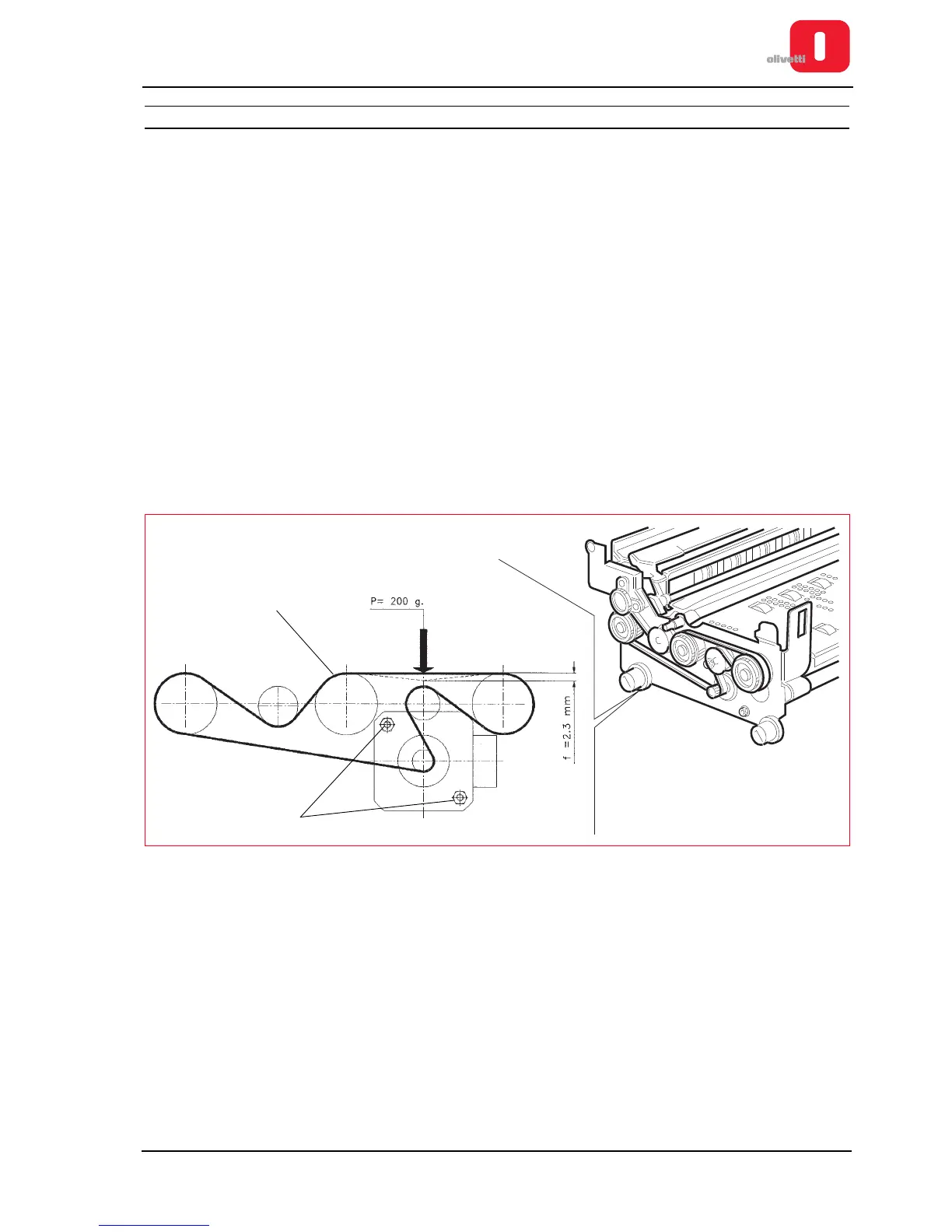
Adjusting the document drive belt
• MACHINE STATUS
Printer switched off and without casing
• CONDITIONS TO BE CHECKED
Cogged belt (1) tensioned so as to obtain a deflection of 2.9 mm with a force of 200 g applied at the center of
the span.
• PROCEDURE
– Disassemble the mechanical unit. See the section “Mechanical assy disassembly/reassembly” on page 7 - 6.
– Loosen the lock nuts of the motor (2).
– Establish conditions required and tighten the nuts.
Figure 6 - 2 Adjusting the document drive belt















 To Next Page