XZAC4219-05 Service Manual
6-13
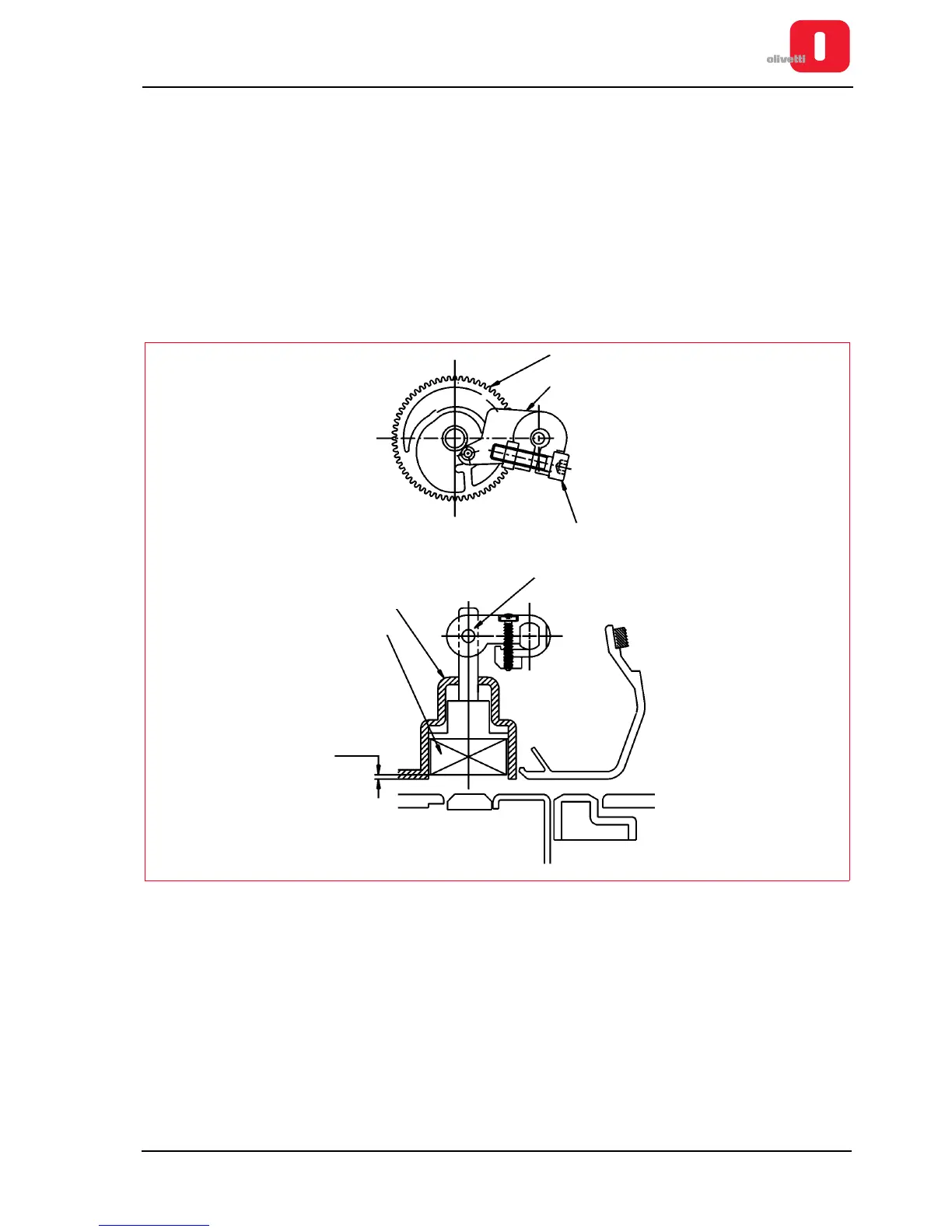
Positioning the horizontal magnetic/MICR pressure roller
• MACHINE STATUS
– Printer switched off and without casing.
– Pin of the bridge (4) on its minimum radius.
With regard to the above, position the pressure roller (1) inside the conveyor (2) with a recess of 0.5-1 mm
and, then phase the cam (3) so as to bring the pin of the bridge (4) on its minimum radius. With its screw (5)
fasten the bridge on the shaft (check that the recess of the pressure roller is across the entire paper path).
• CONDITIONS TO BE CHECKED
Pressure roller in work position.
• PROCEDURE
Rotate the cam so as to bring the pin of the bridge (4) on its maximum radius; then check that with the pressure
roller resting on the paper sliding surface, there is play in the coupling of point "A".
Figure 6 - 12 Positioning the horizontal magnetic/MICR pressure roller















 To Next Page