XZAC4219-05 Service Manual
2-9
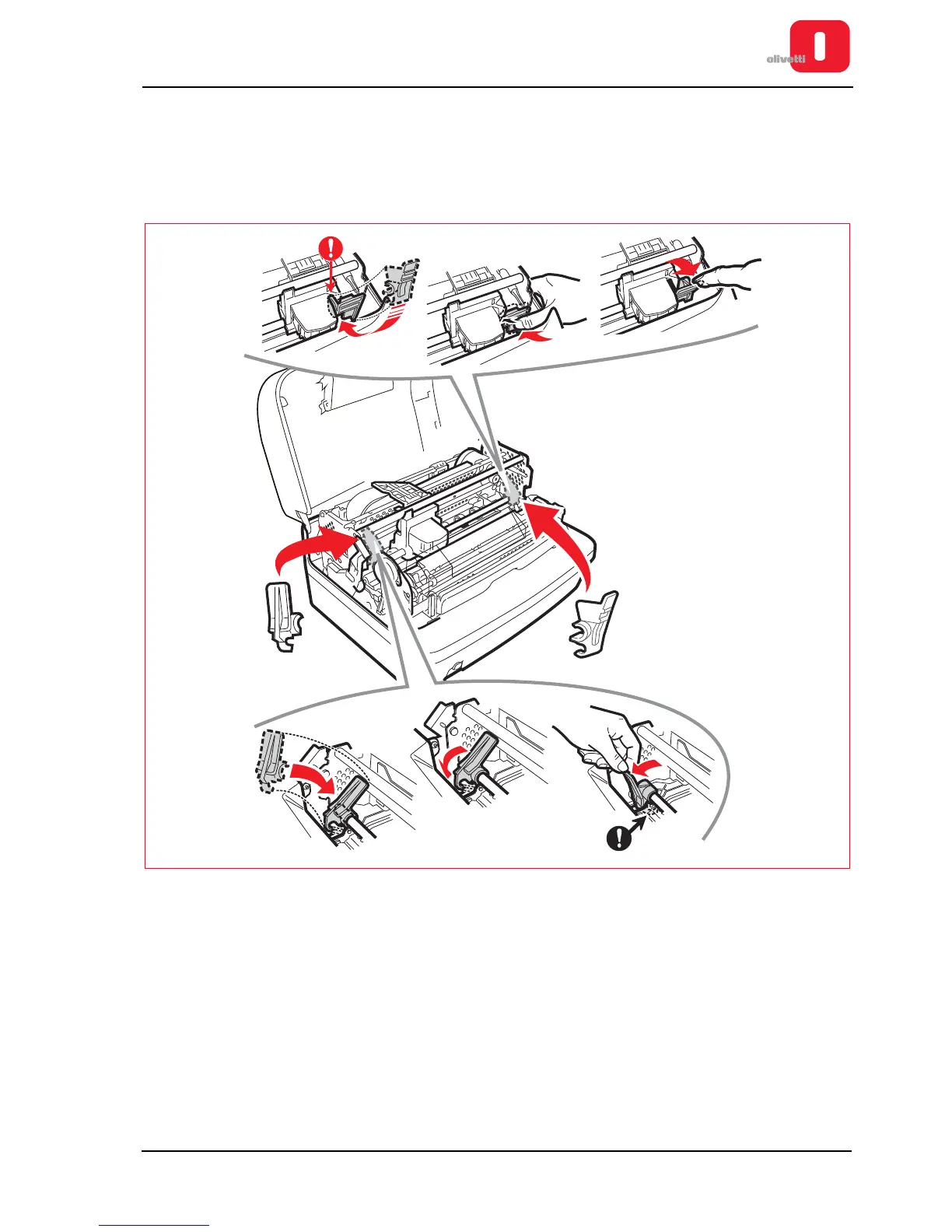
Reinserting the transportation blocking devices
1. If present, remove the ribbon cartridge. Refer to section “REPLACING THE RIBBON CARTRIDGE” on page 3 -
8.
2. Actioning the lever, lower fully the upper part of the printer. Refer to the previous figure.
3. Remount the two red plastic stop brackets for transportation.
Figure 2 - 12 Reassembling the blocking devices for transportation
4. Put back into position the two foam paddings and the card. Refer to the
Figure 2 - 3
.
5. Close again the upper cover of the printer.















 To Next Page