XZAC4219-05 Service Manual
4-5
5. Press the STATION1 key to save the new configuration.
6. IThe value for the parameter changed is saved and, at the
same time, the procedure exits from the «CONFIG.» menu.
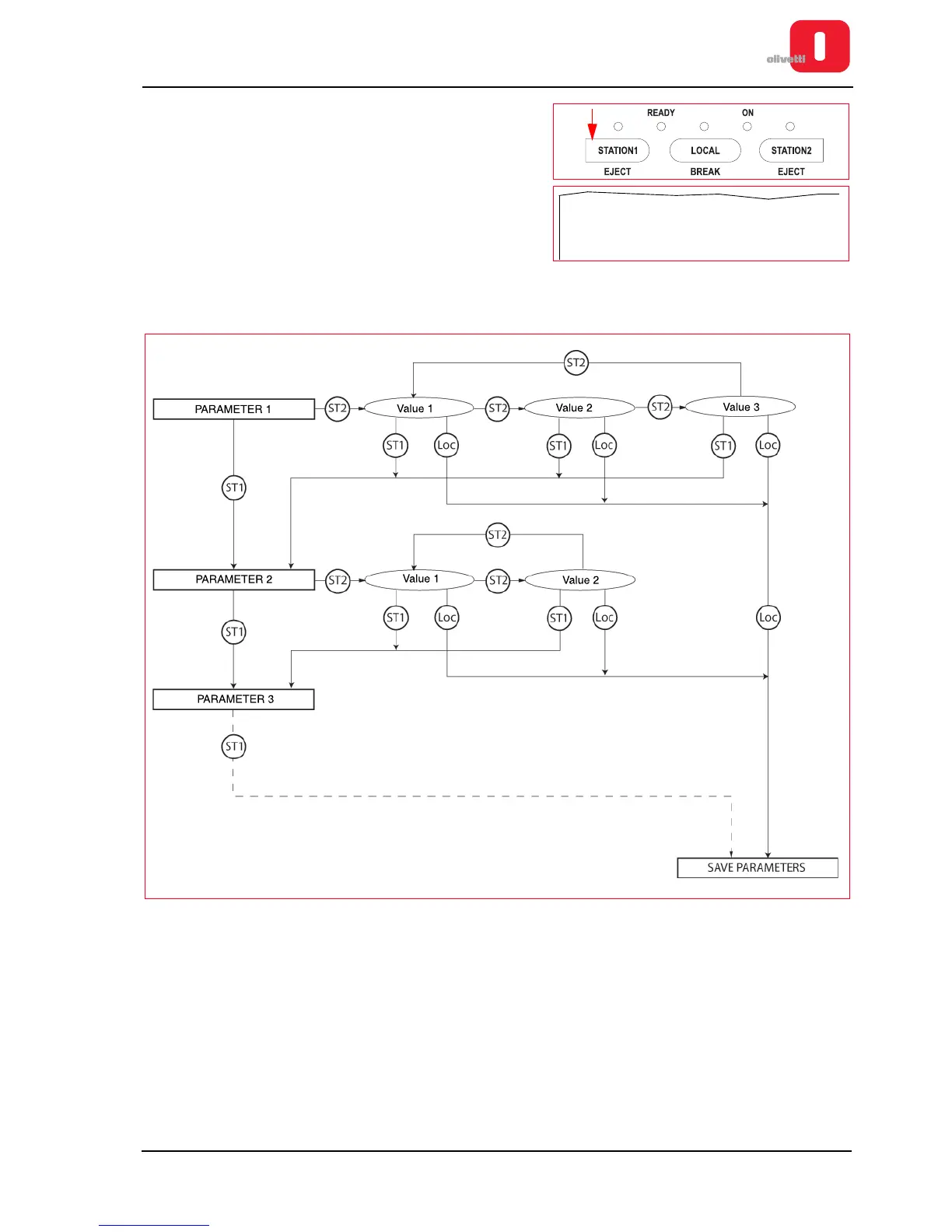
The following diagram summarises graphically the procedure for changing the values of the configuration
parameters.
Figure 4 - 1 Diagram indicating the procedure to follow to change the parameter values
Exiting from the Configuration menu
To exit from the Configuration menu, switch off the printer.
Switch on the printer again to eject the sheet.















 To Next Page