XZAC4219-05 Service Manual
2-13
Parallel interface ieee 1284
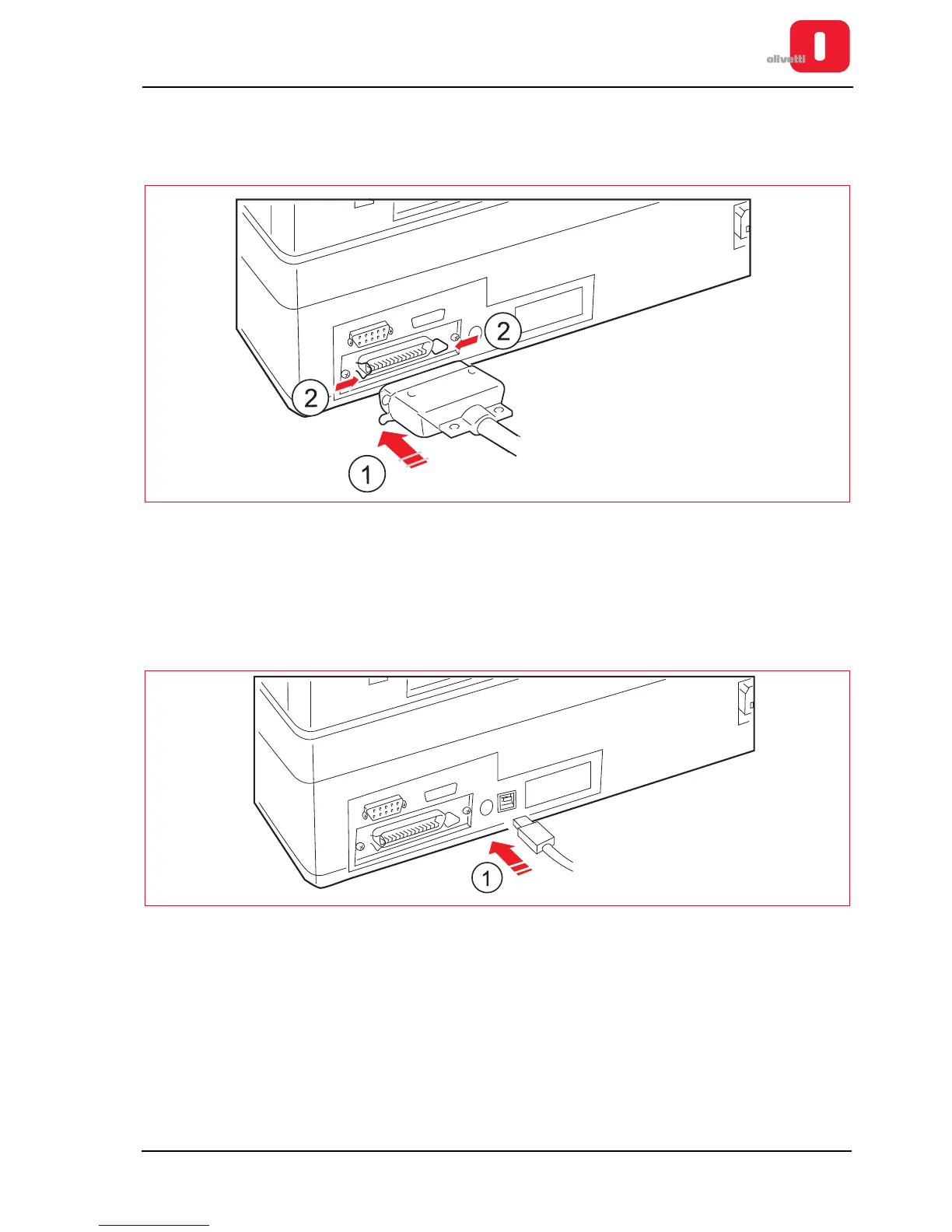
The parallel interface requires a 36-wire Centronics connector for the connection.
1. Connect the parallel cable to the connector located at the rear of the printer.
Figure 2 - 15 Connector for parallel interface
2. From Set-up, program the following interface parameters: PARALLEL; STROBE ACTIVE (refer to section
“CONFIGURING THE OPERATION PARAMETERS” on page 4 - 1).
USB Interface
1. Connect the USB cable to the connector located at the rear of the printer.
Figure 2 - 16 Connector for USB interface
2. From Set-up, program the following interface parameters: USB (refer to section “CONFIGURING THE
OPERATION PARAMETERS” on page 4 - 1).















 To Next Page