3-4 Service Manual
XZAC4219-05
Key functions during powering on and resetting phases
During the procedures for configuring the printer, or during calibration (see the chapter “PROGRAMMING AND
CALIBRATION” on page 4 - 1) the console keys have different uses with respect to normal operation, which depend
on the type of activity in course.
The following table indicates the meaning of the keys when they are pressed with the upper cover of the printer
raised, or during the first phases of powering on the printer.
Lever for lifting the upper part of the mechanism
The lever used to raise the upper part of the mechanism, positioned on the left-hand side of the machine, makes it
possible to lift the mechanism and to access the paper path inside the machine, with the possibility of recovering a
jammed document without having to switch off the printer. Refer to section “REPLACING THE RIBBON
CARTRIDGE” on page 3 - 8.
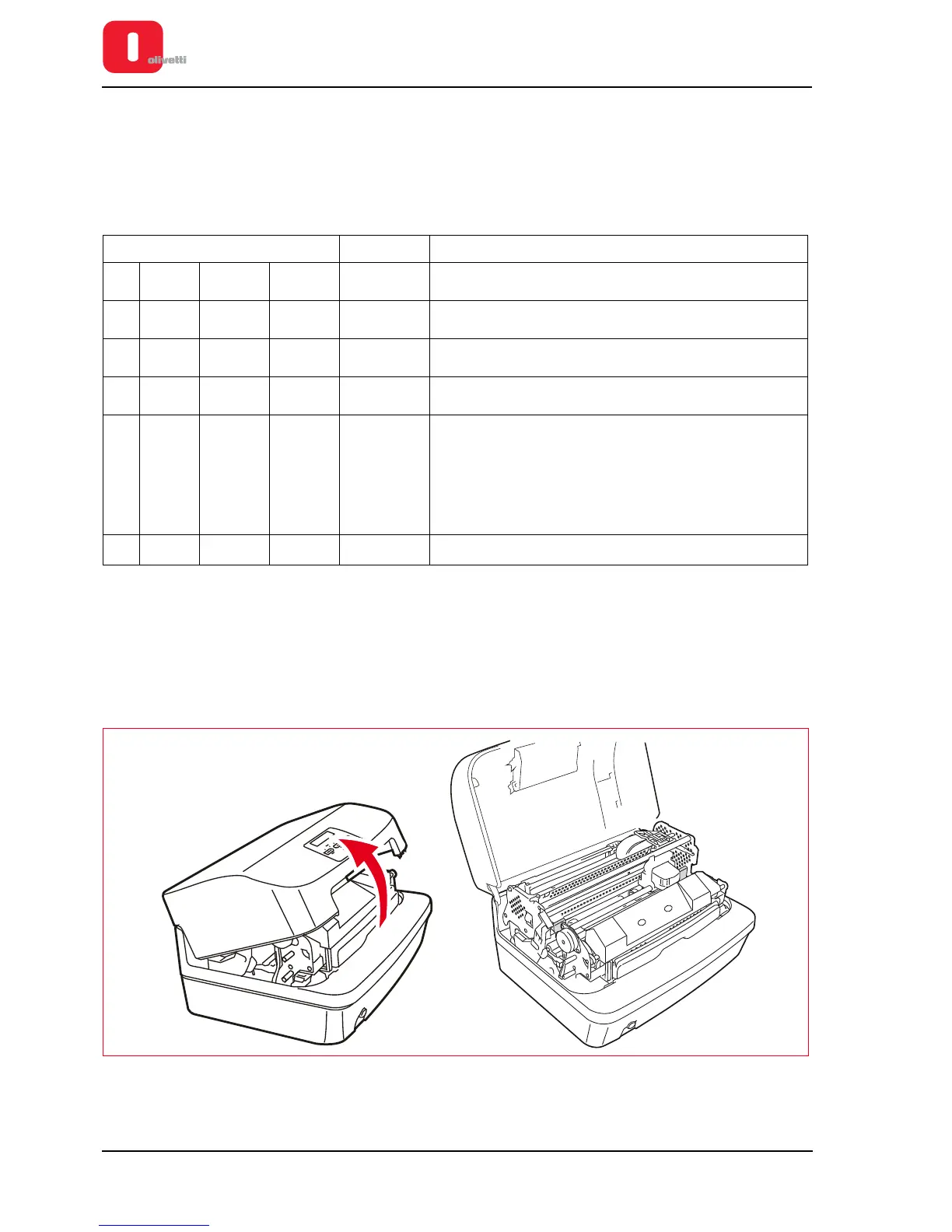
1. To access the lever, lift the cover of the machine rotating this to its stop position.
Figure 3 - 3 Opening the cover
Keys pressed Cover Function
ON STATION2 Closed
If the Station 2 key is pressed when the printer is switched on, a printing test is
printed reporting the printer configuration.
ON STATION1 STATION2 Closed
If pressed simultaneously with switching on the printer, the Configuration menu
is displayed.
ON STATION1 Open
Activates the procedure for removing paper jams. Refer to “PAPER JAM” on
page 3 - 11.
ON LOCAL STATION1 Open
Printer set up for firmware to be updated in forced online mode
(on Flash-EPROM).
ON LOCAL STATION1 STATION2 Open
Access to the following procedures:
• Calibration of the photosensors
• Calibration of the photosensors
• Setting of LH margin
• Measurement of document or passbook length
• Calibration of print alignments
• Printing of the calibration of the photosensors
• Prints the calibration values of the scanner.
• Prints the Jitter verification data.
ON LOCAL Open Cover open signal disabled















 To Next Page