XZAC4219-05 Service Manual
8-3
9. When the printer configuration is complete, activate the printing test (see the section “Activating and
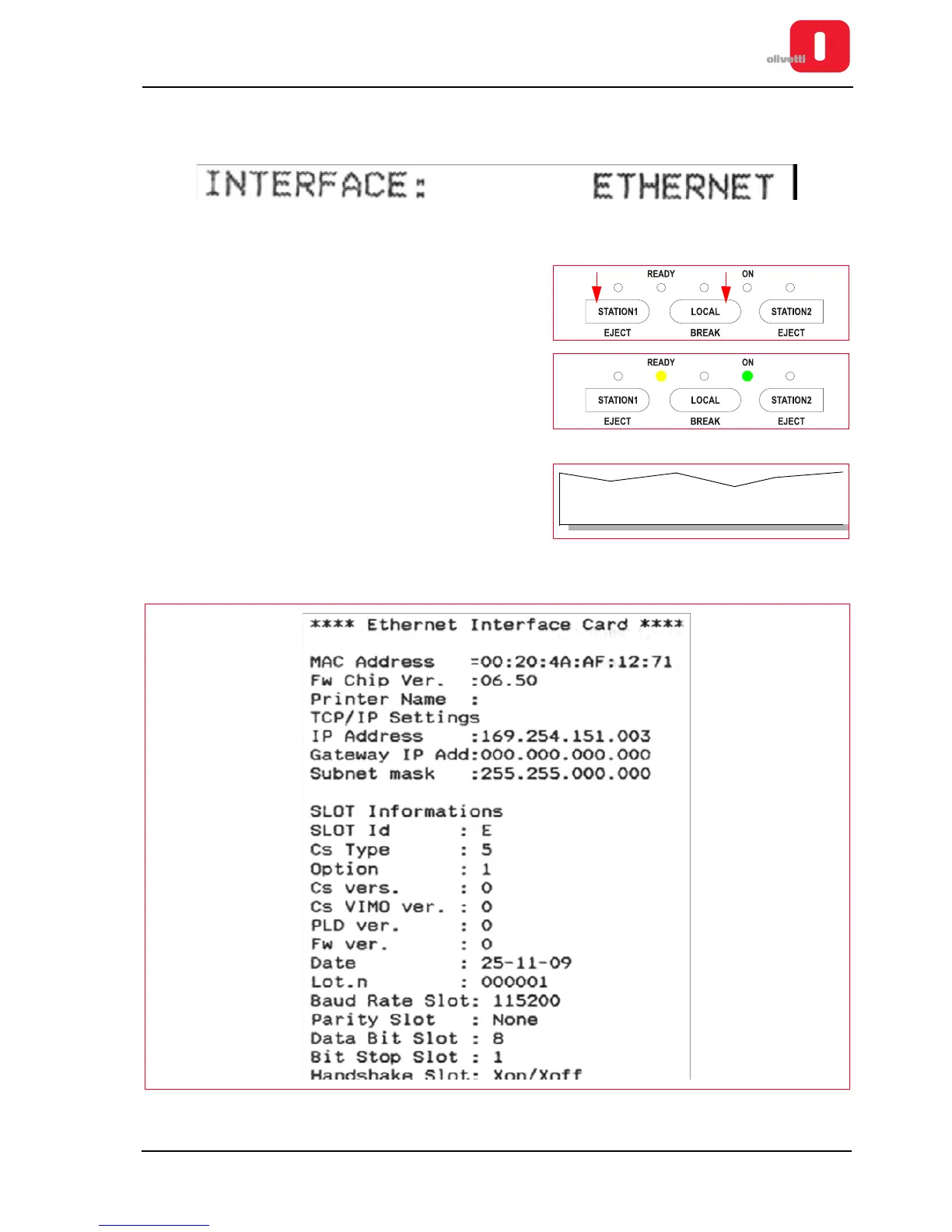
deactivating the print test” on page 2 - 10) in the CONFIG. section the following string should appear:
How to print Ethernet LAN card properties
1. Power on the printer with STATION1 and LOCAL keys
pressed together.
2. At the end of the phase for resetting the mechanics, check
that the ON and Ready LEDs are illuminated.
3. Insert a sheet in A4 format into the front slot.
4. A line of text is printed which indicates the functions of the
STATION1, STATION2 and LOCAL keys for the printer in the
current configuration.
5. Press STATION1 key and the printer will print the Ethernet LAN Card settings (insert a new A4 document if
needed).
Figure 8 - 4 Ethernet LAN Card settings















 To Next Page