6-12 Service Manual
XZAC4219-05
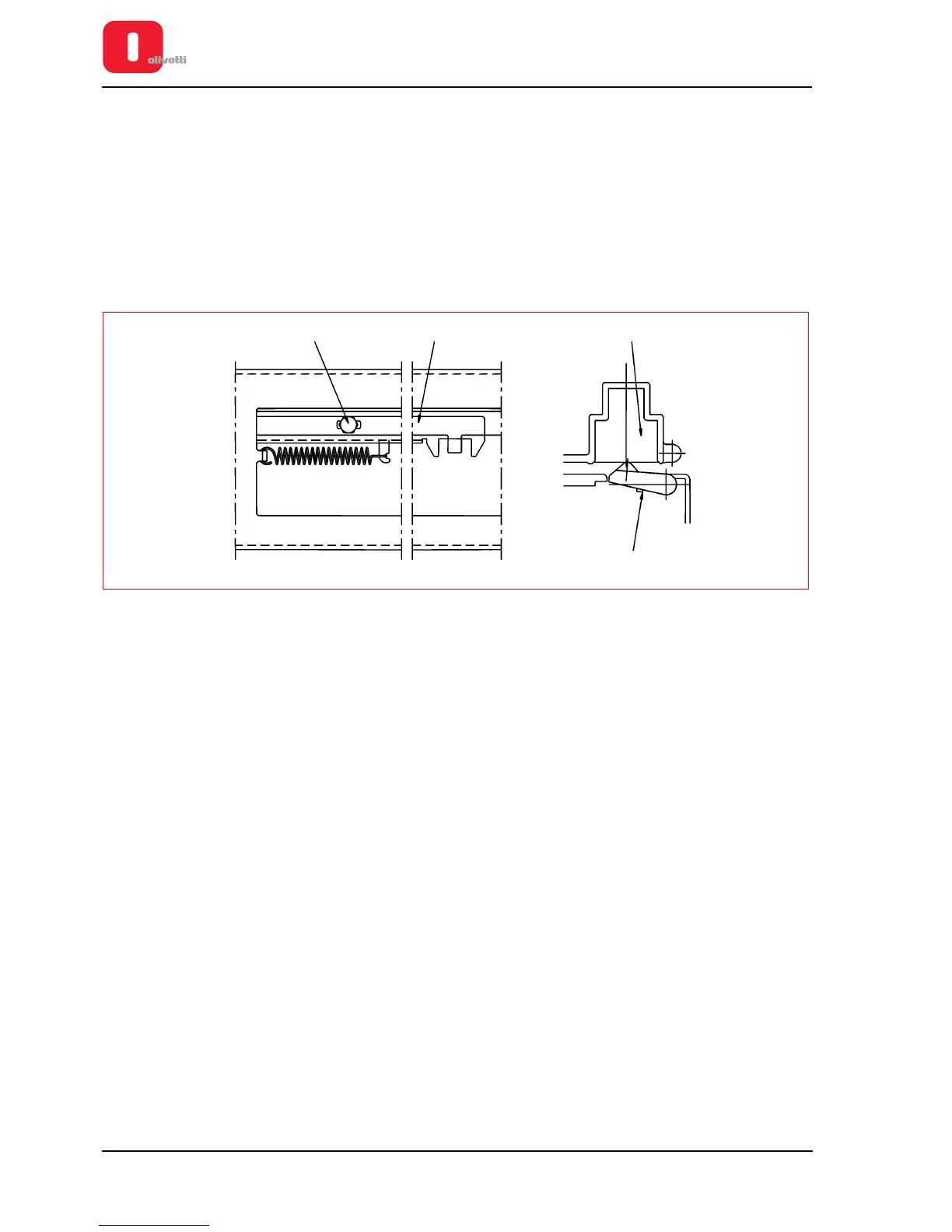
Adjusting the horizontal magnetic/MICR closing flap
• MACHINE STATUS
– Printer switched off and without casing..
– Read/write carriage in reset position (end of stroke motor side) and screw (1) which joins the semi tie-rods
loosened.
• CONDITIONS TO BE CHECKED
Co-planarity between the closing flap and the front surface of the structure.
• PROCEDURE
Position the flap (2) in contact with the slot (3) operating in the compartment between the fork and toothing of
the semi tie-rods (4); then, tighten the screw (1).
Figure 6 - 11 Adjusting the horizontal magnetic/MICR closing flap















 To Next Page