XZAC4219-05 Service Manual
4-23
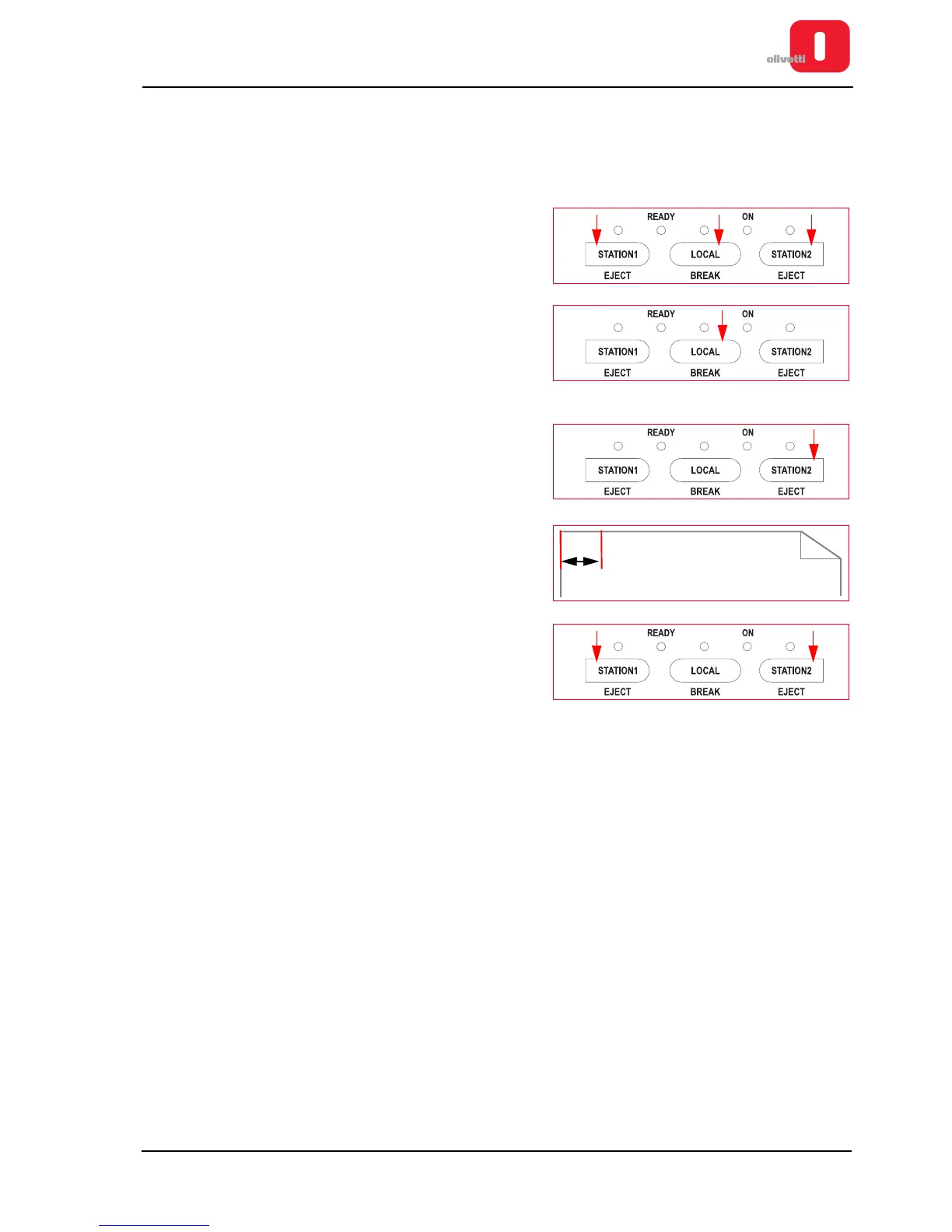
Calibrating the left margin
This calibration makes it possible to set the distance between the left-hand edge of the document and the first
character printed.
To carry out this calibration, proceed as follows:
1. Open the printer cover.
2. Power on the printer, with the cover open, keeping the three
console keys pressed.
3. Wait for the acoustic signal that indicates access to the
calibration and adjustment procedure, then close the cover.
4. Press the LOCAL button and wait until the end of the
machine reset procedure.
5. Press the STATION2 button.
6. Insert an A4 sheet and wait for the page to be printed. Check
that the left-hand margin is set to the measurement required.
7. Press the STATION1 and/or STATION2 keys to calibrate the
left printing margin.
•
Pressing the
STATION1
key you can decrease the left
margin.
•
Pressing the
STATION2
key you can increase it.
8. Repeat steps 6 and 7 in a cyclic fashion until you obtain a correct margin.
9. Press the LOCAL key to save permanently the left margin.















 To Next Page