XZAC4219-05 Service Manual
7-13
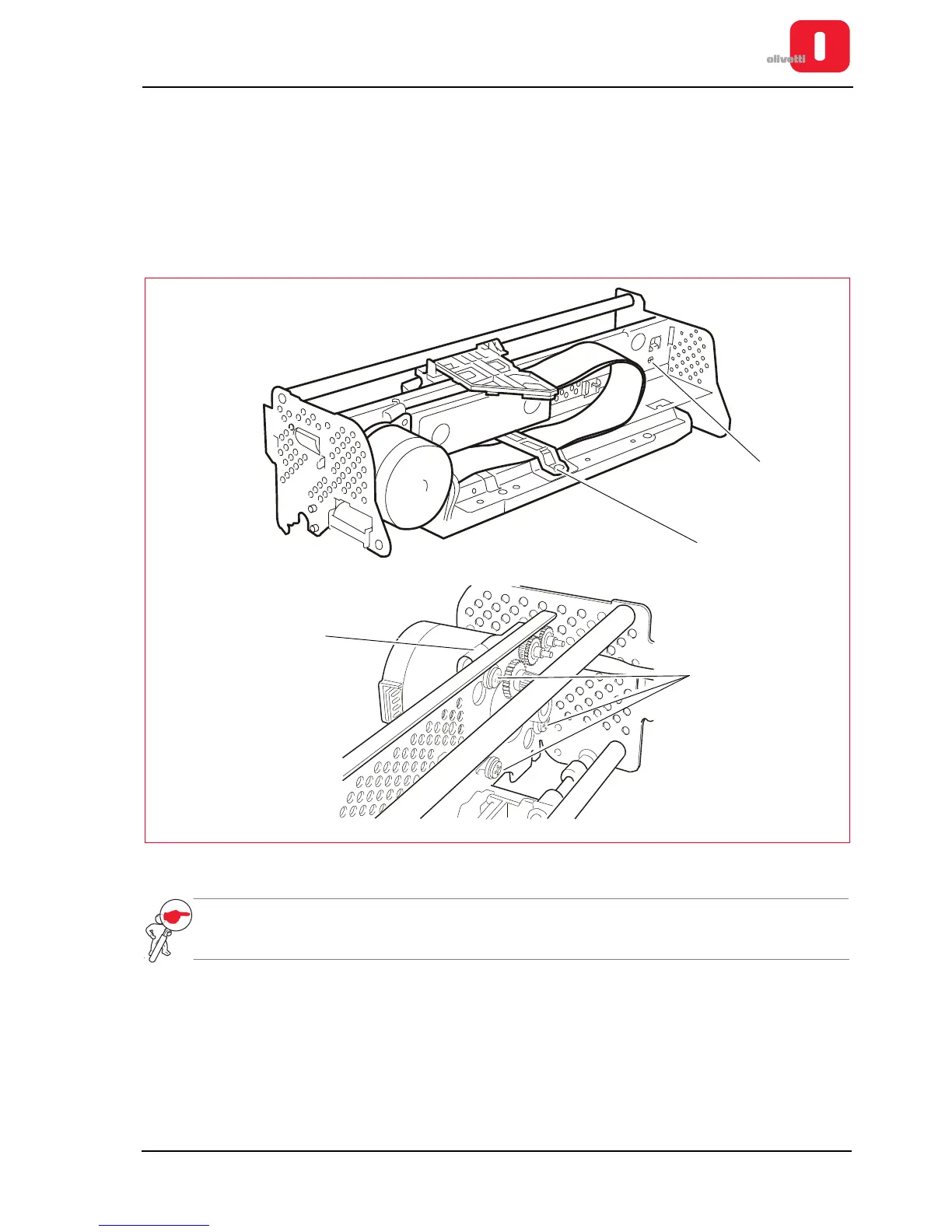
Printhead drive motor disassembly/reassembly
1. Remove the upper mechanical assy as explained above. See the section “Printhead disassembly/reassembly”
on page 7 - 10.
2. Loosen the lock-screw (1) of the idler pulley support slide and release the carriage movement belt from the
motor pinion.
3. Unhook the flat cable of the printhead loosening the screw (2).
4. Back off the three special lock-screws (3) and extract the printhead movement motor from its housing, taking
care not to damage the ribbon feed gears.
Figure 7 - 15 Removing the motor for printhead movement
NOTE: during reassembly, correctly reposition the ground clip (4) and adjust the carriage drive belt. See
the section “Replacement and adjustment of belt for carriage movement” on page 6 - 15.















 To Next Page