XZAC4219-05 Service Manual
6-9
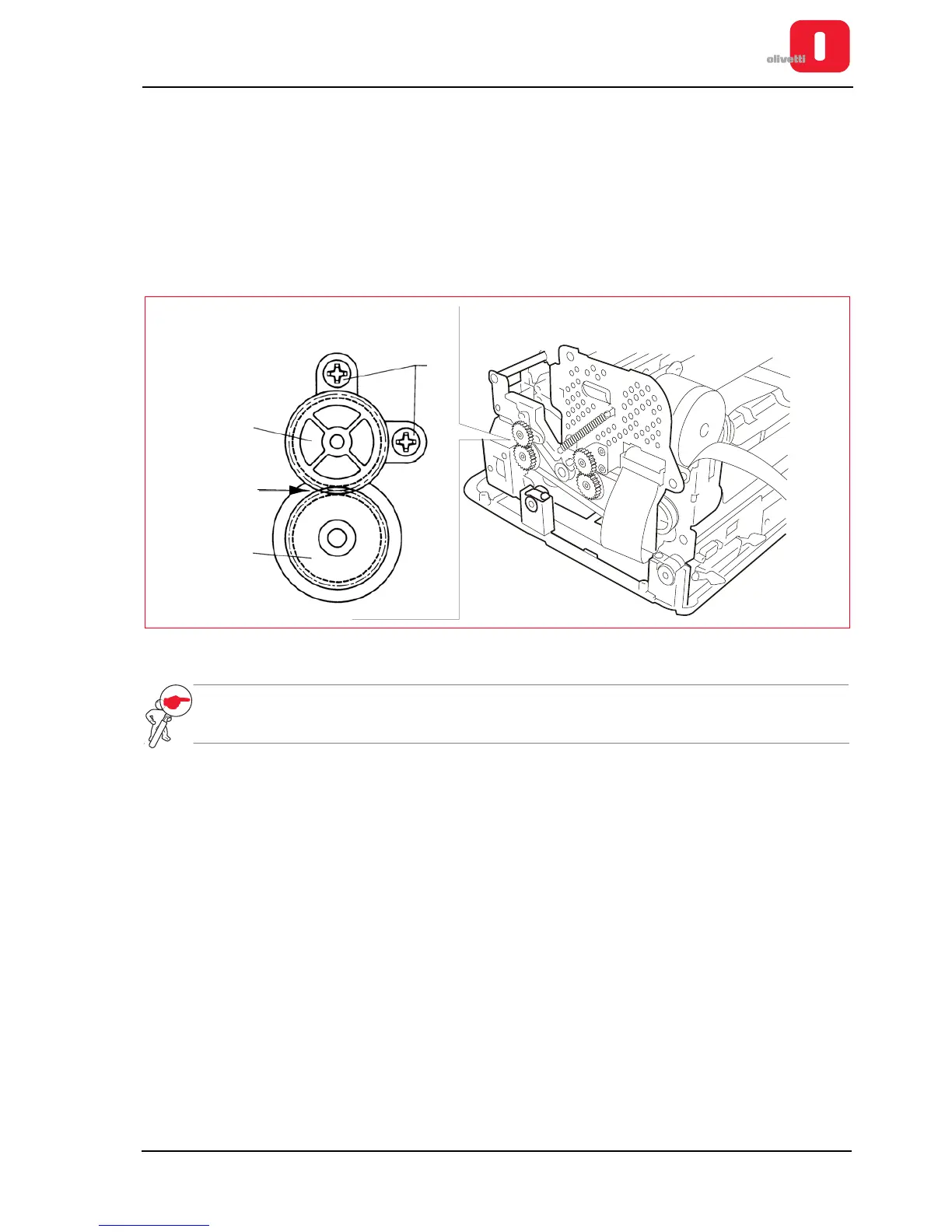
Adjusting the roller gears
• MACHINE STATUS
– Printer switched off and without casing.
– Upper part of the mechanism closed.
• CONDITIONS TO BE CHECKED
Gearing between the sprocket wheels (1) and (2) with a maximum radial play between the teeth of 0.2 mm.
Check for full rotation of wheels. Adjust the two couplings present on the right side of the printer.
• PROCEDURE
Work on the bushing blocking screws (3), tightening with a torque of 6 +0.5 Kgcm.
Figure 6 - 8 Adjusting the roller gears
NOTE: make this adjustment on both the gear pairs present on printer.
•















 To Next Page