7-14 Service Manual
XZAC4219-05
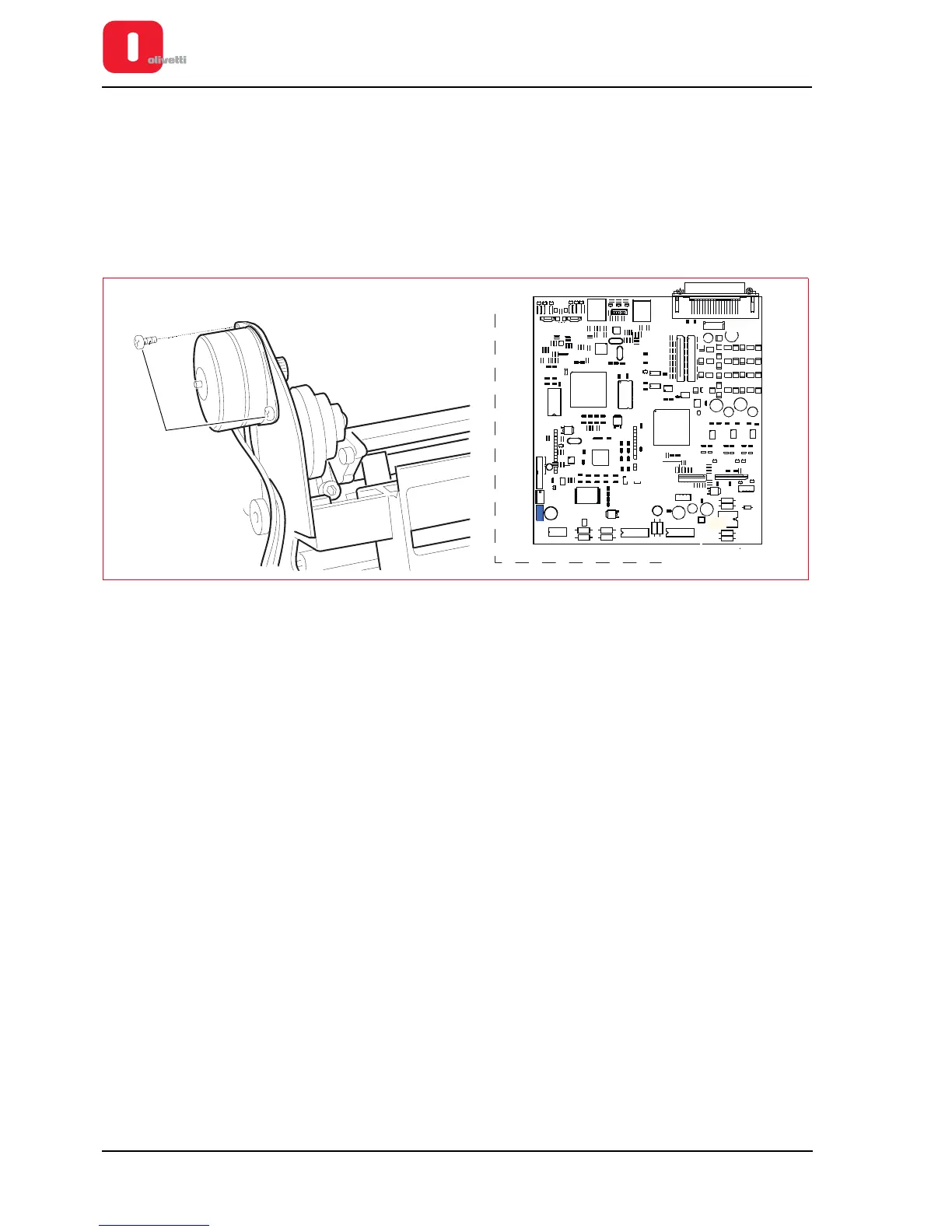
Services motor disassembly/reassembly
1. Disassembling the casing. See the section “Casing disassembly/reassembly” on page 7 - 4.
2. From the front, lift the entire mechanical assy from the base plate and rotate it partially so as to access the
connectors of the motherboard.
See the section “Mechanical assy disassembly/reassembly” on page 7 - 6.
3. Disconnect the cable that connects the services motor J26 to the motherboard.
4. Back off the two screws (1) that fasten of the motor to the left-hand side structure and remove it from the
machine.
Figure 7 - 16 Disassembling the services motor
+
+
1
+
+
1
+
+
1
RV1
DS39
6IF
2IF
1IF
7IF
TPCS2
J3
3IF
TPCS8
TPCS9
Mech2
CS7
CS6
5IF
J26
J18















 To Next Page