2-6 Service Manual
XZAC4219-05
Installing the ribbon cartridge
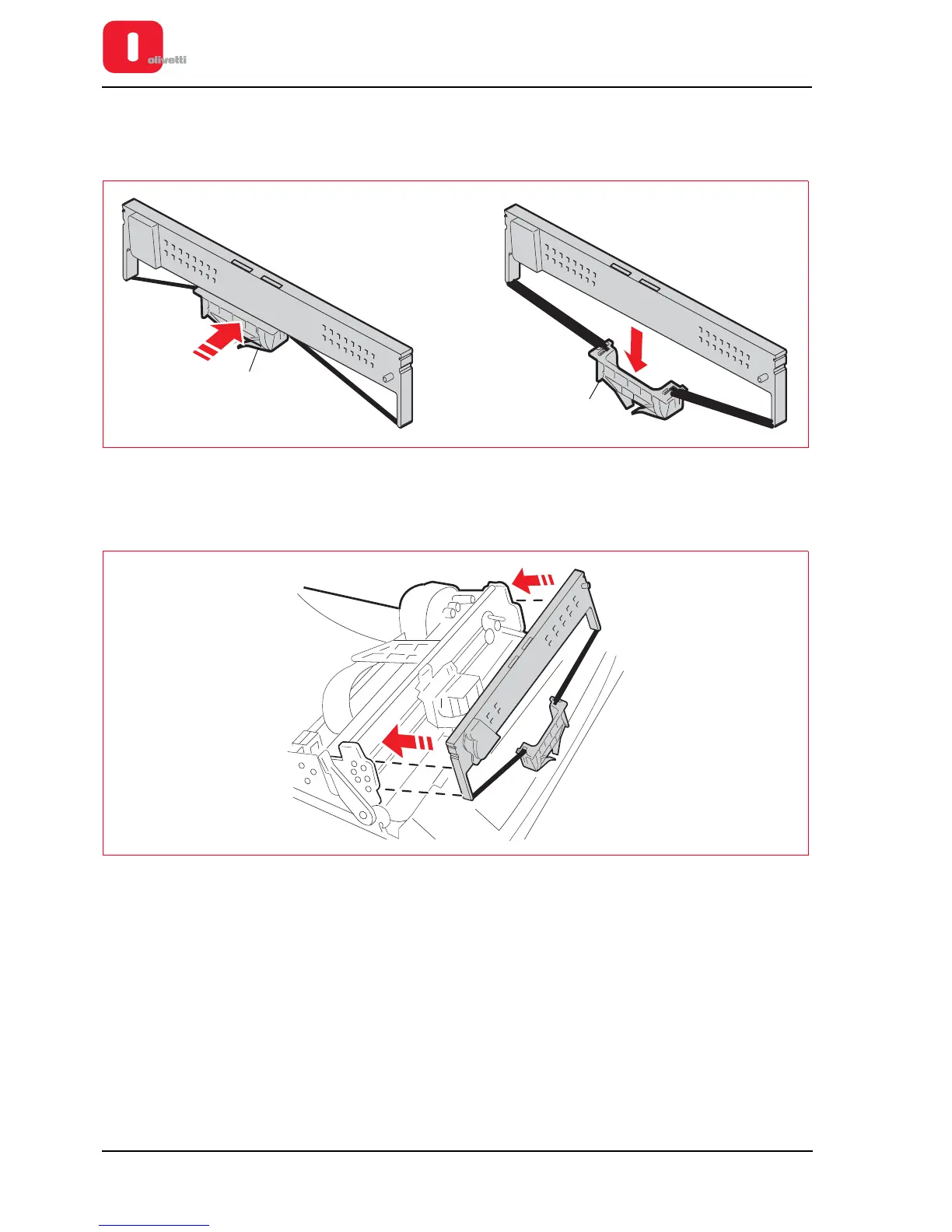
8. Take the ribbon cartridge and unhook the ribbon guide (1) pushing it to the back as illustrated in the following
figure.
Figure 2 - 7 Unhooking the ribbon guide
9. Move the printhead manually to the centre of the printer.
10. Insert the cartridge into the driving mechanism, fitting it laterally onto the two sides.
Figure 2 - 8 Fitting the ribbon cartridge















 To Next Page