XZAC4219-05 Service Manual
2-5
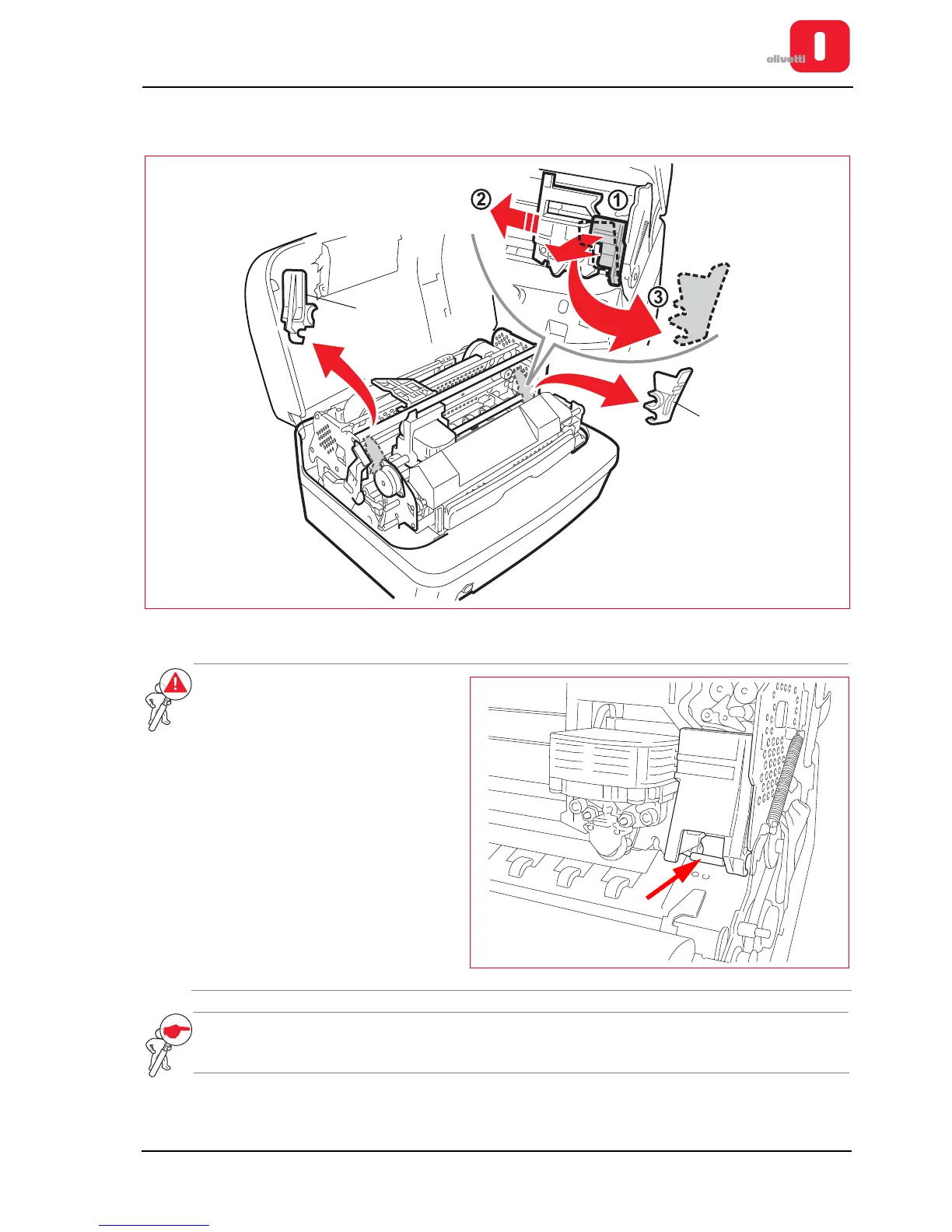
7. Remove the two red plastic stop brackets inserted for transportation (1). (These brackets block the printing
carriage and the upper mechanical assembly).
Figure 2 - 6 Removing the blocking devices inserted for transportation
WARNING: when removing the red
plastic bracket on the right,
be very careful not to
damage the component
indicated in the figure.
NOTE: bear in mind that before shipping or transporting the printer, you must always reinsert the blocking
devices. Refer to the section “Reinserting the transportation blocking devices” on page 2 - 9.















 To Next Page