2-4 Service Manual
XZAC4219-05
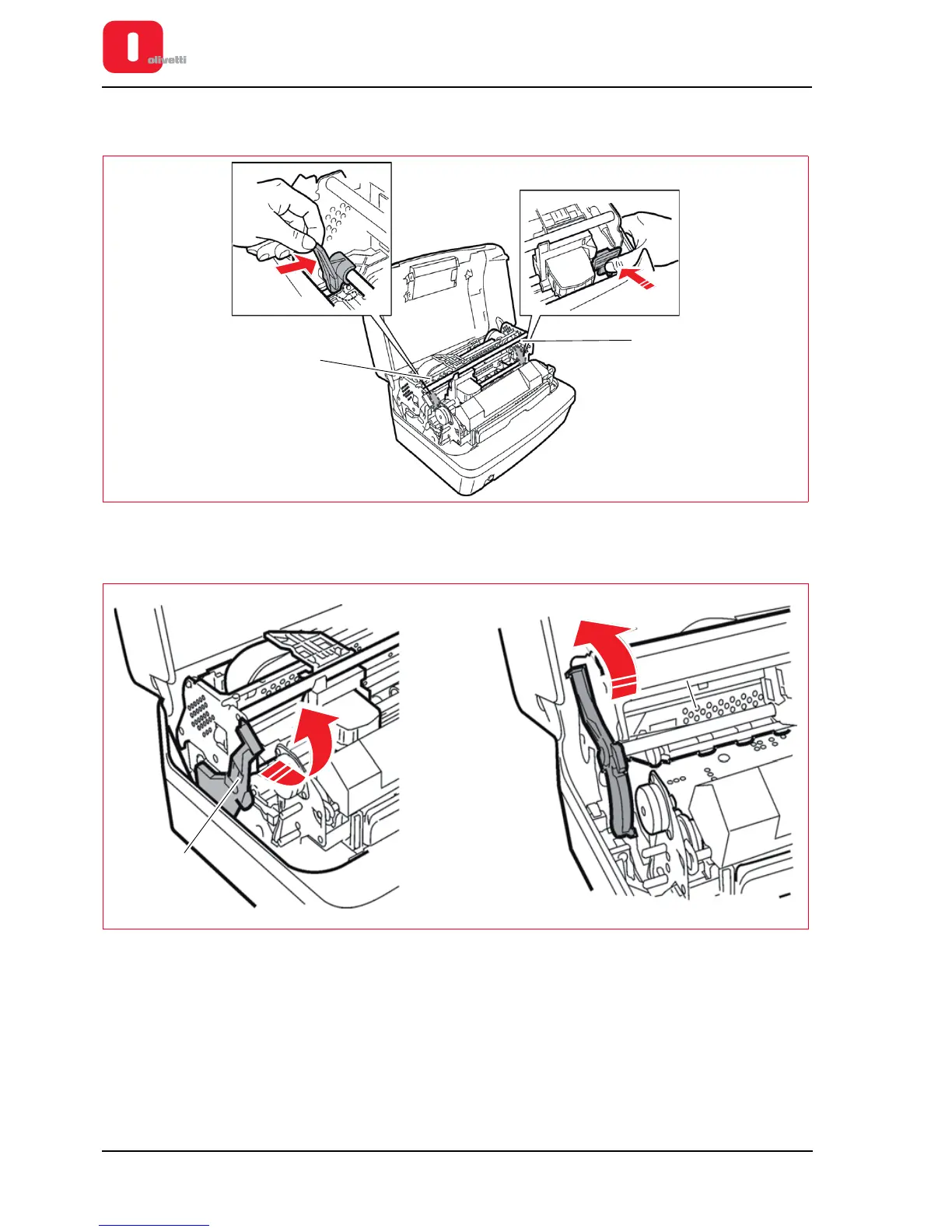
4. Release the two red plastic stop brackets inserted for transportation purposes (1). (These brackets block the
printing carriage and the upper mechanical assembly).
Figure 2 - 4 Removing transport blocking devices
5. Raise the upper group using the lever provided (1).
Figure 2 - 5 Lever for lifting upper mechanical assembly
6. Check that the printer has not been damaged during transport.















 To Next Page