XZAC4219-05 Sercice Manual
3-11
PAPER JAM
The paper may jam along the path inside the machine. Jamming may be caused by:
• Paper path obstructed (scraps of paper, for example)
• Paper fed crosswise
• Weight or format outside permitted limits
• Paper in bad conditions: creased, misshapen or in poor condition
• Paper with metal staples or paper clips (this condition may seriously damage the machine)
• Multicopy forms with incorrectly glued sheets
• Continuous form not correctly tightened on the tractor-feeder.
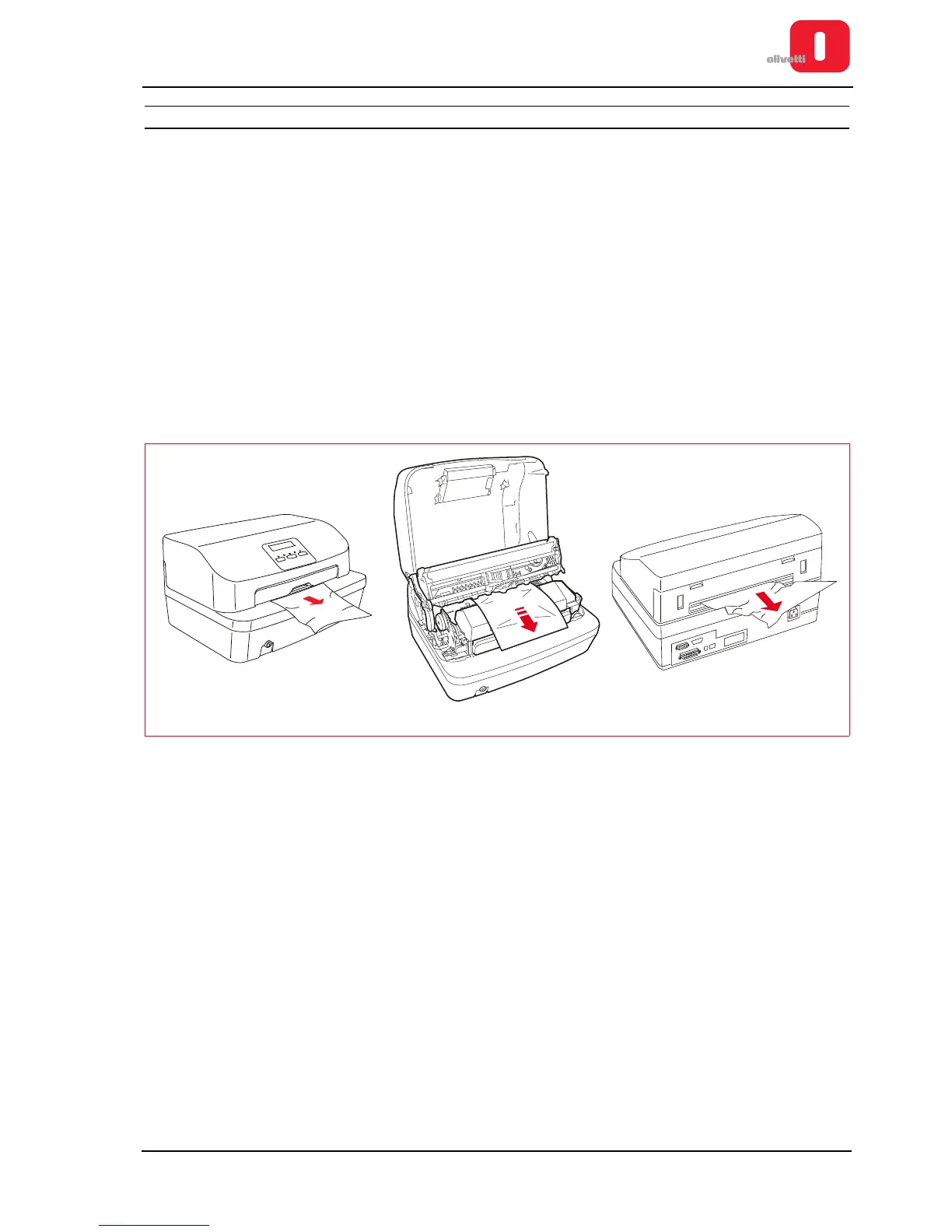
Possible areas of jamming:
• A area: initial feed area from front feeder
• B area: internal area of the printer
• C area: rear area towards the documents outfeed.
Figure 3 - 14 Possible areas where the paper could get jammed
If a paper jam occurs in any area: switch off the printer and remove the paper following the illustrated procedure
below.















 To Next Page