XZAC4219-05 Service Manual
7-15
Feeder photosensors disassembly/reassembly
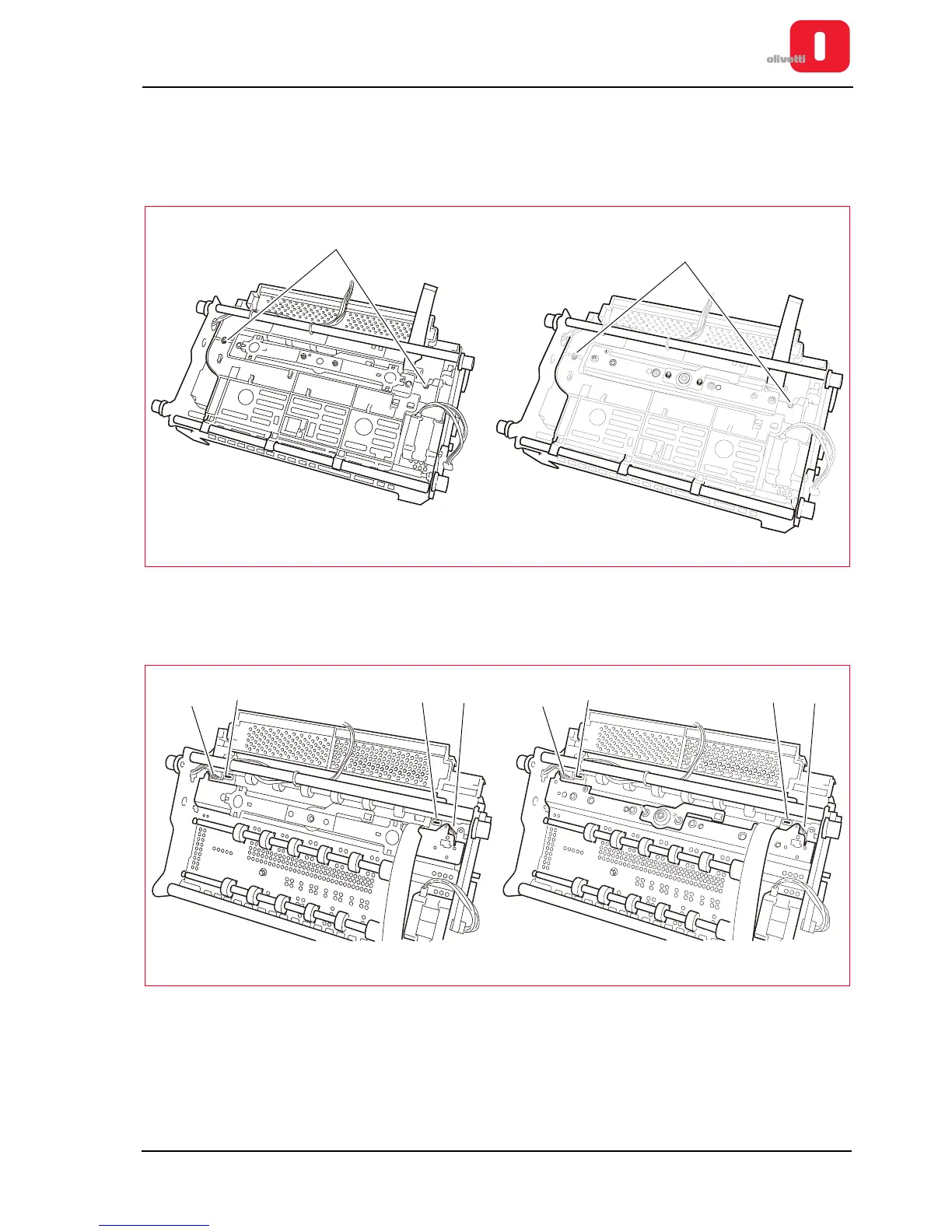
1. Remove the mechanical assy. See the section “Mechanical assy disassembly/reassembly” on page 7 - 6.
2. Remove the upper mechanical assy. See the section “Printhead disassembly/reassembly” on page 7 - 10.
3. Remove the roller guard, removing the related M3 lock-screws (1).
Figure 7 - 17 Disassembling the roller cover
4. Release the two springs (2) and slide out the document stop combs from their guides, after straightening the
two tabs that prevent sliding out of the paper (3).
Figure 7 - 18 Removing the document stop comb















 To Next Page