6-8 Service Manual
XZAC4219-05
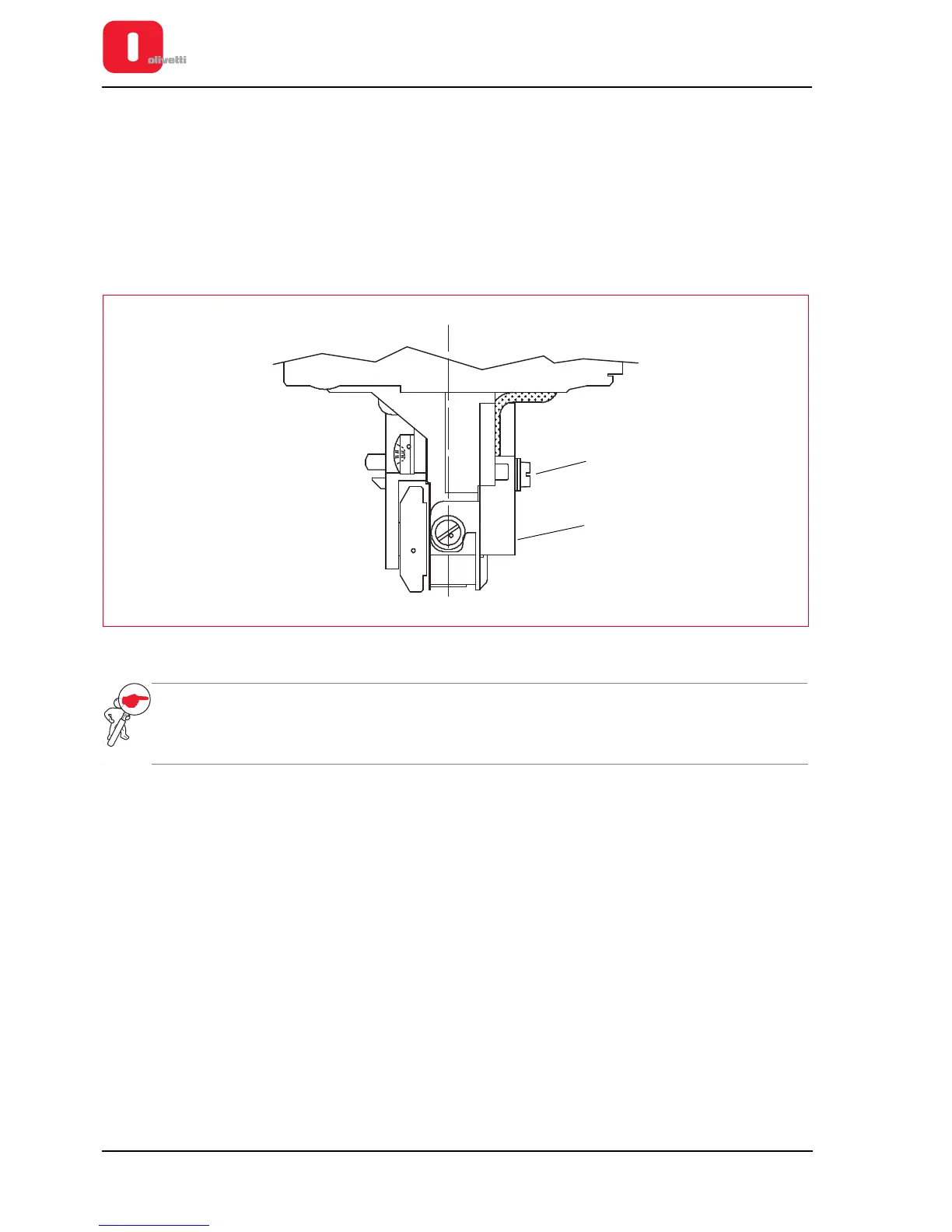
Adjusting Paper Photosensor
• MACHINE STATUS
Printer switched off and without casing.
• CONDITIONS TO BE CHECKED
Correct positioning of the paper photosensor on the printhead.
• PROCEDURE
– Using the screw (1), fix the photosensor (2) onto the printhead, maintaining it against the reference profile on
the ribbon protection flap.
– Make sure that the component rests on the whole width of the reference profile.
Figure 6 - 7 Adjusting Paper Photosensor
NOTE: make sure that the component rests on the whole width of the reference profile. Carry out this
operation after adjusting the print bar. See the previous section.
When replacing the photosensor, perform the calibration. See the section “CALIBRATING THE
PHOTOSENSORS” on page 4 - 18.















 To Next Page