3-2 Service Manual
XZAC4219-05
Console keys and LEDs
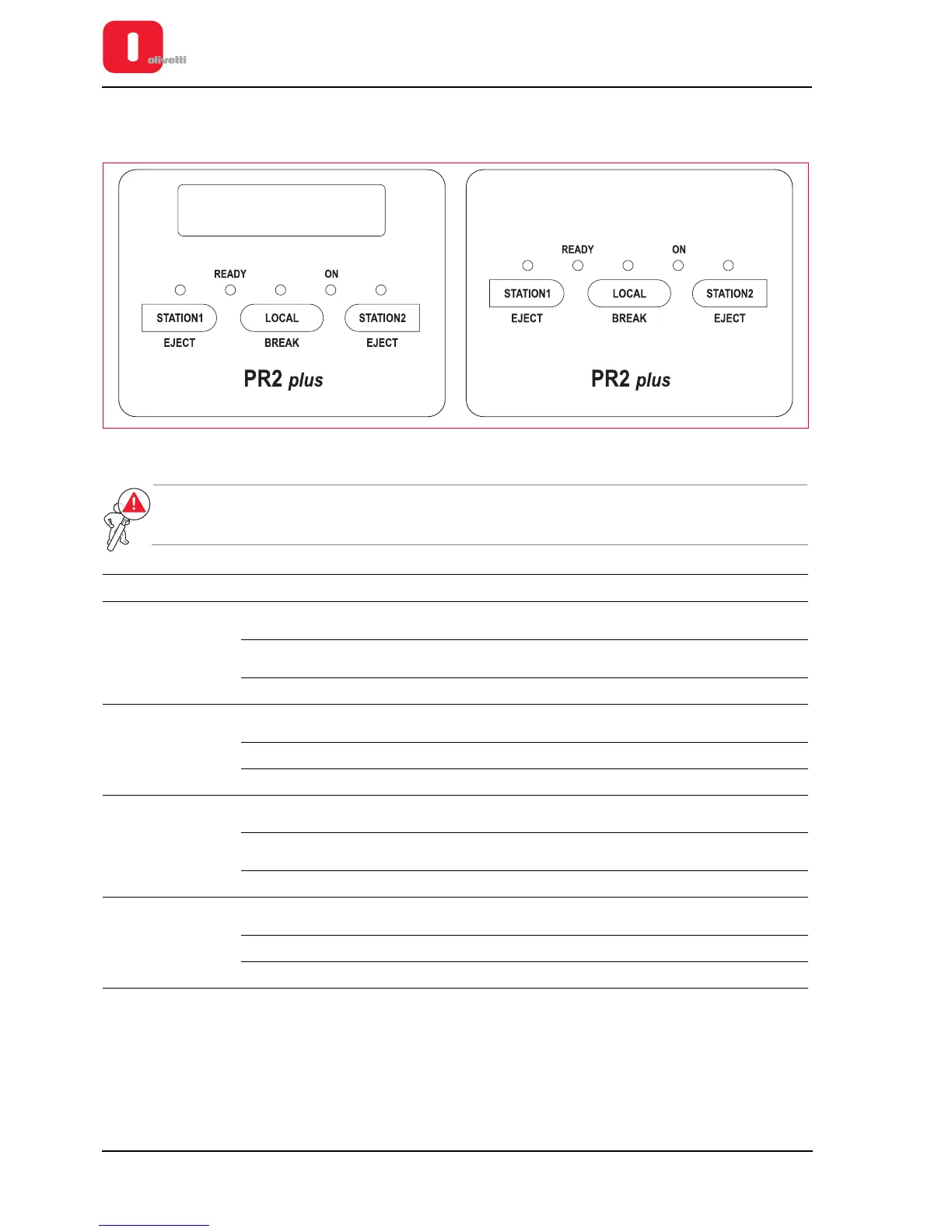
The console of the machine includes five LEDs and three keys.
Figure 3 - 2 Console
WARNING: the meaning of the keys and LEDs on the console varies according to the emulation
configured for the printer, as indicated in the following tables.
Emulation Keys Meaning
Olivetti Standard
STATION1 /
EJECT
• Books operator 1
• Ejects the document of operator 1
STATION2 / EJECT
• Books operator 2
• Ejects the document of operator 2
LOCAL / BREAK Switches the printer between on-line and off-line status
IBM 9068 (4722)
STATION1 /
EJECT
Assigns the printer to operator 1
STATION2 / EJECT Assigns the printer to operator 2
LOCAL / BREAK Switches the printer between on-line and off-line status
SNI 4915 (4904)
STATION1 /
EJECT
• Assigns the printer to operator 1
• Ejects the document of operator 1
STATION2 / EJECT
• Assigns the printer to operator 2
• Ejects the document of operator 2
LOCAL / BREAK Switches the printer between on-line and off-line status
IBM PROPRINTER II/X24
- EPSON LQ 2550
STATION1 /
EJECT
Ejects the document present
STATION2 / EJECT Not used
LOCAL / BREAK Switches the printer between on-line and off-line status















 To Next Page