4-24 Service Manual
XZAC4219-05
Measuring document length
It is necessary to measure the width of the form to permit faster management of the magnetic stripe of the
passbooks. Selecting, via set-up, the "STRIPE HANDLING: FAST" item, (see
page 4-17
) the value read with the
form measurement procedure will be used to determine the position of the magnetic stripe and for positioning of the
stripe above the magnetic head (without having to make several measurements of passbook width). This
considerably reduces passbook management time.
To carry out this calibration, proceed as follows:
NOTE: if this type of management is to function correctly, the same passbooks as measured must be
used.
To carry out this calibration, proceed as follows:
1. Open the printer cover.
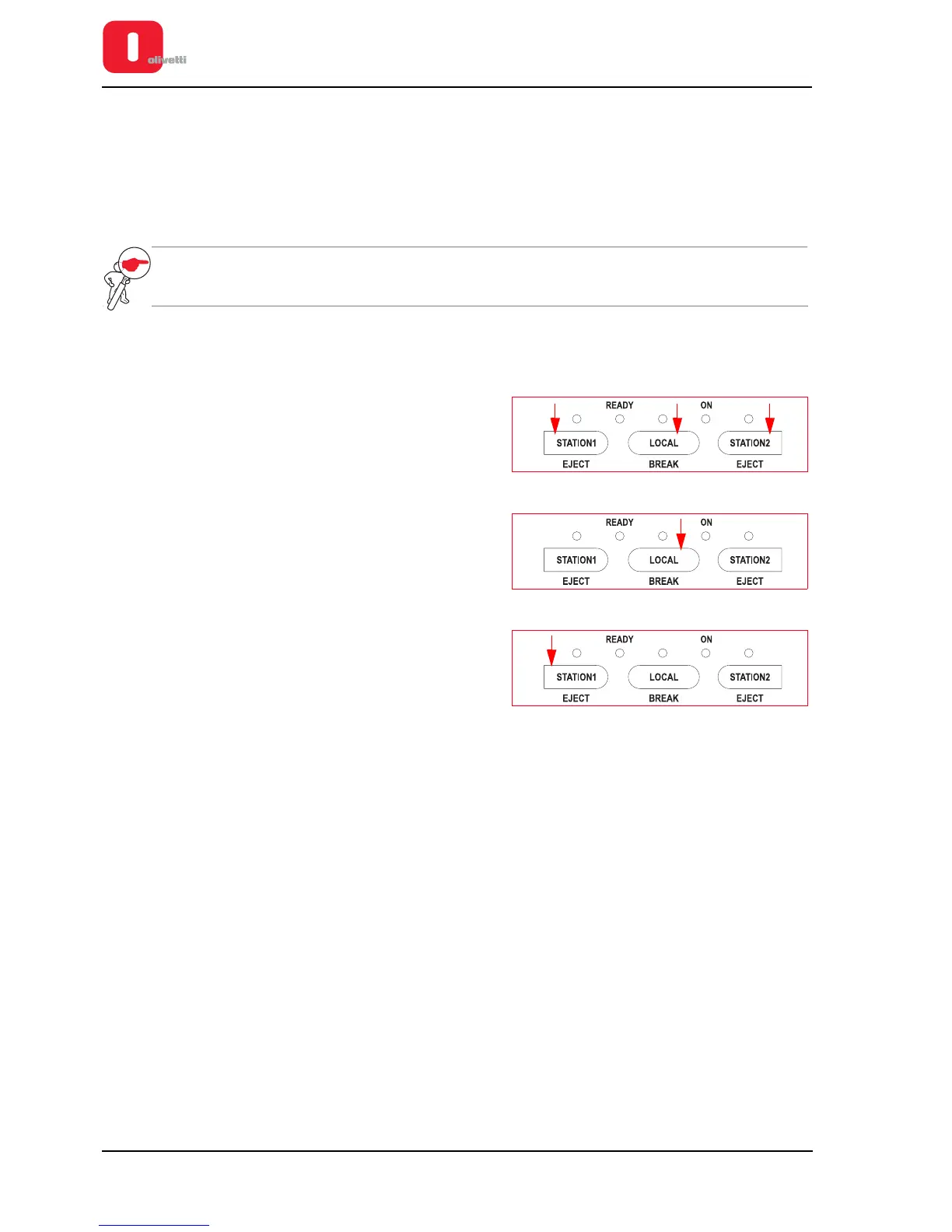
2. Power on the printer, with the cover open, keeping the three
console keys pressed.
3. Wait for the acoustic signal that indicates access to the
calibration and adjustment procedure, then close the cover.
4. Press the LOCAL button and wait for the end of the machine
reset procedure.
5. Press again the LOCAL key and wait until the end of the
reset procedure for the printer.
6. Insert an A4 sheet in the front slot and press STATION1. The
sheet will be introduced and ejected automatically.
7. If necessary, repeat point 6.
8. Press the LOCAL button to permanently save the value of
the form width measured and to move automatically to the
next calibration.















 To Next Page