XZAC4219-05 Service Manual
6-7
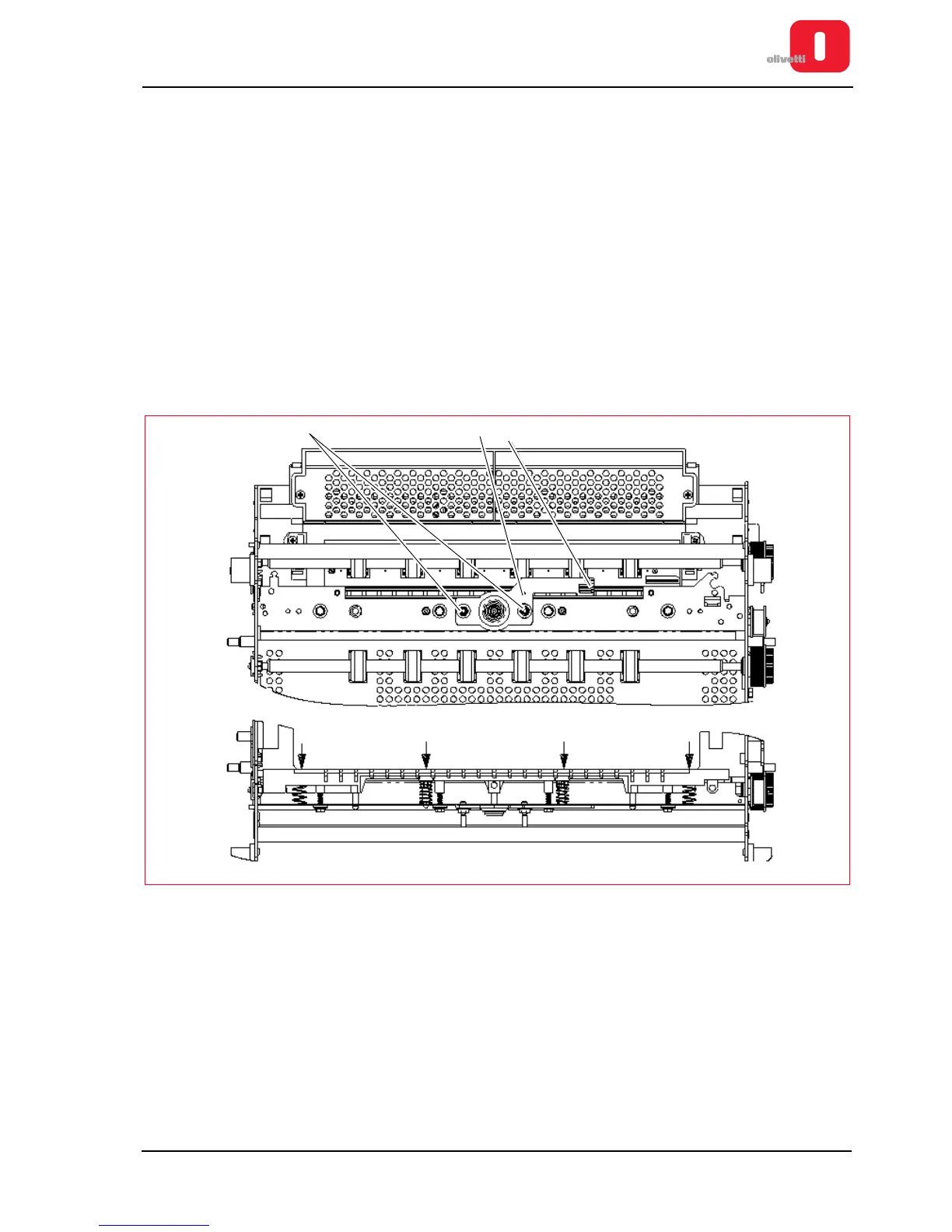
Adjusting parallelism of print bar (without torsion bar)
• MACHINE STATUS
Printer switched off and without casing.
• CONDITIONS TO BE CHECKED
Check print bar parallelism.
• PROCEDURE
– The bar perpendicularity adjustment lever (1) can be pre-regulated with tool code 9600303 according to
drawing code 395130U.
– For manual adjustment of the parallelism between the head and the print bar, rotate studs (2) counter
clockwise to move the bar close to the front of the matrix; rotate clockwise to move the bar to the rear of the
matrix.
– The parallelism indicator (3) can be used to check whether the corrections have been made.
– Move the carriage completely to the left and, using a comparator, push the print bar close to the feeler roller
with a dynamometer. A load of 350 g ± 20 g must correspond to a movement of 0.35 - 0.45 mm. Repeat the
procedure on the right of the bar. Repeat the procedure for every adjustment screw of the bar.
Figure 6 - 6 Adjusting parallelism of print bar















 To Next Page