XZAC4219-05 Service Manual
2-7
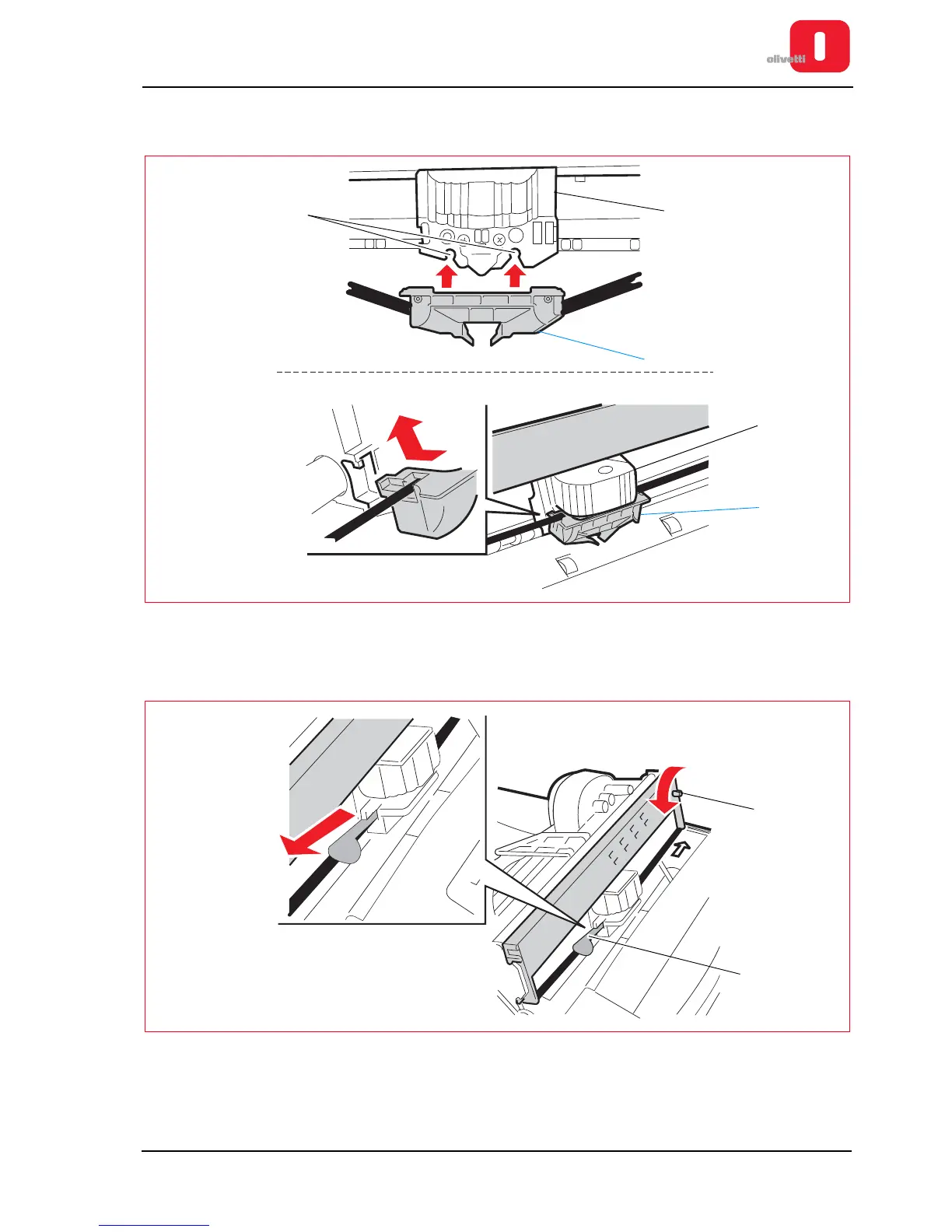
11. Insert the ribbon guide (2) from the front and then lift it so as to fasten it on the two flexible pins in the open slots
(3) of the cartridge (1) on the back of the print roller (a "click" is heard).
Figure 2 - 9 Attaching the ribbon guide
12. Turn the knob (1) of the cartridge in an anticlockwise directionuntil the ribbon is taut and then remove the
tab (2).
Figure 2 - 10 Ribbon tightening and tab removal















 To Next Page