A-6 Service Manual
XZA4219-05
Proceed as indicated below:
1. Switch on the PR2 Plus holding down the Station 2 key in order to print the Self Test and check that the machine
is set for USB data exchange (see the section
“Configuration mode menu "MENU: CONFIG." parameters” on
page 4 - 6 - Interface parameter). Otherwise, set the machine Set Up parameter correctly.
2. Sw
itch off the printer.
3. Switch the printer on again after checking that it is connected to the Host via the USB cable.
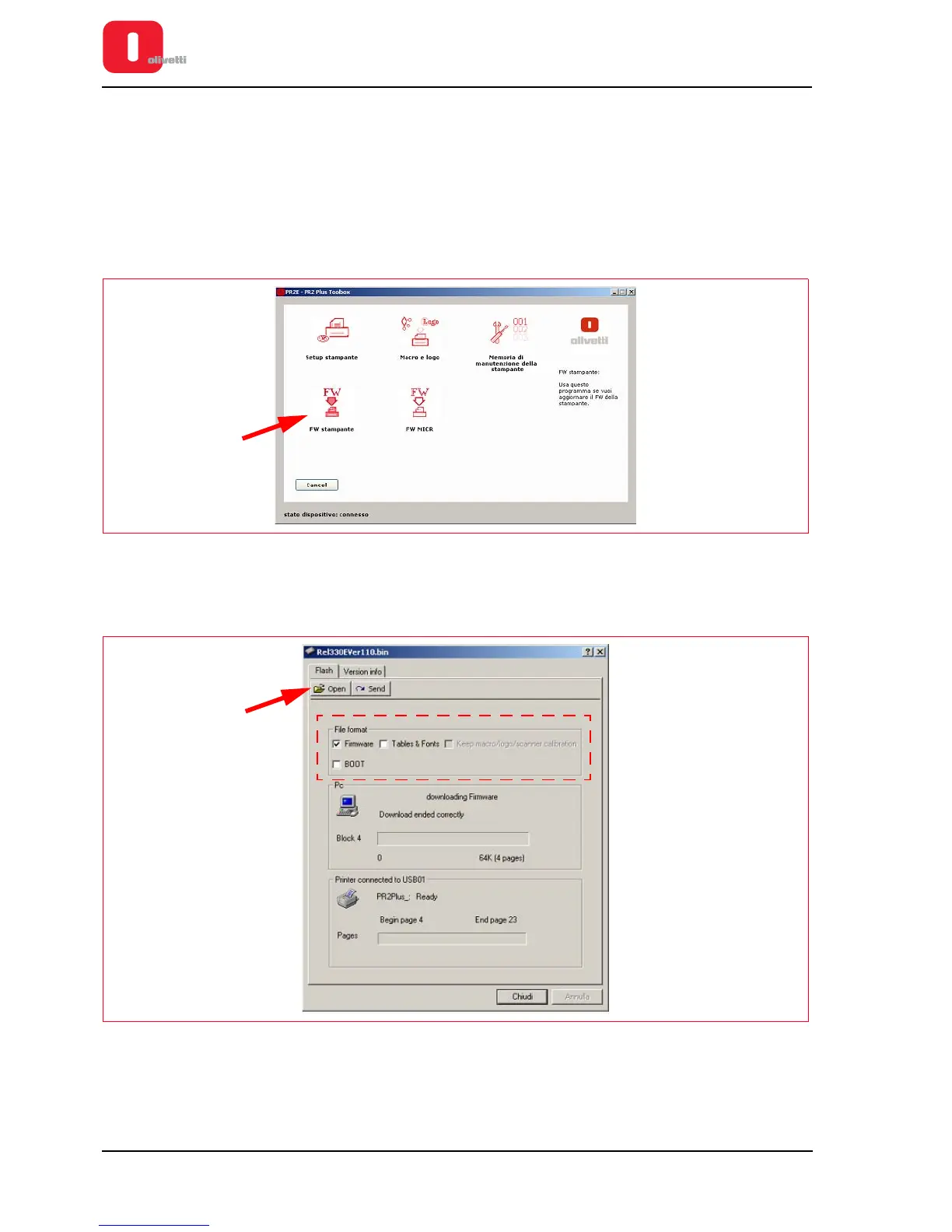
4. Start the Toolbox application and select the Resource Kit icon.
5. Select the printer FW icon.
Figure A - 2 Toolbox application display
6. Check that only the Firmware item has been selected in the File Format area.
7. Select the Open key.
Figure A - 3 Firmware update display















 To Next Page