XZAC4219-05 Sercice Manual
3-9
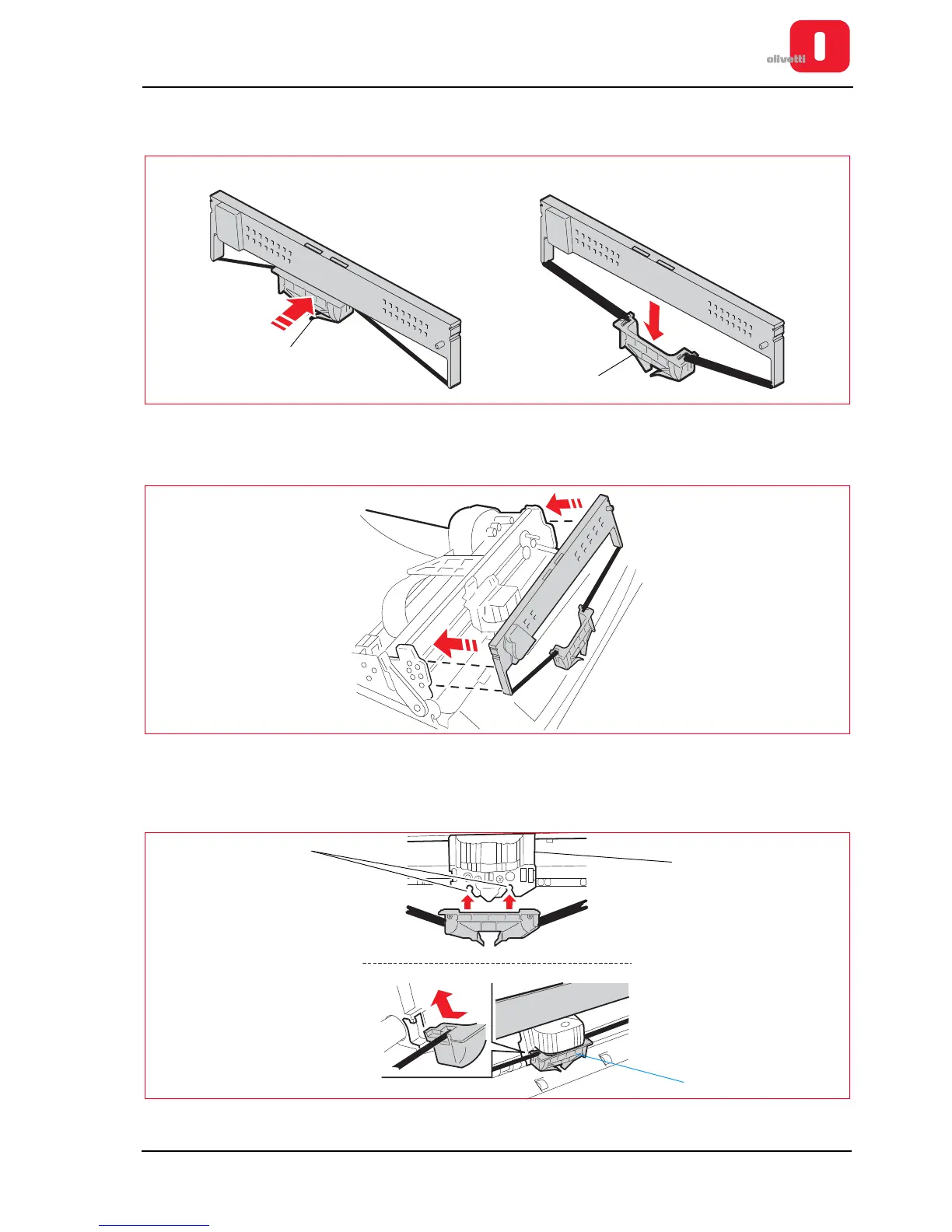
7. Extract the new cartridge from its container and unhook the ribbon guide (1), pushing it to the back as illustrated
in the following figure.
Figure 3 - 10 Unhooking the ribbon guide
8. Insert the new cartridge onto the feed pins, fitting it laterally onto the two sides.
Figure 3 - 11 Attaching the cartridge to the structure
9. Insert the ribbon guide (1) from the front, moving it upwards and applying sufficient force to fasten it onto the two
flexible pins in the open slots (3) of the carriage (2), at the back of the printhead roller (a click is heard ).
Figure 3 - 12 Fitting the ribbon guide\















 To Next Page