MULTI GAUGE CONTROLLER MAINTENANCE AND SERVICE
7.3.1 AUTO UPDATE
The auto-update feature compares the current version of main-board and bus irmware with soft-
ware. In case of any mismatch (for example if the micro SDHC card was swapped) the user will be
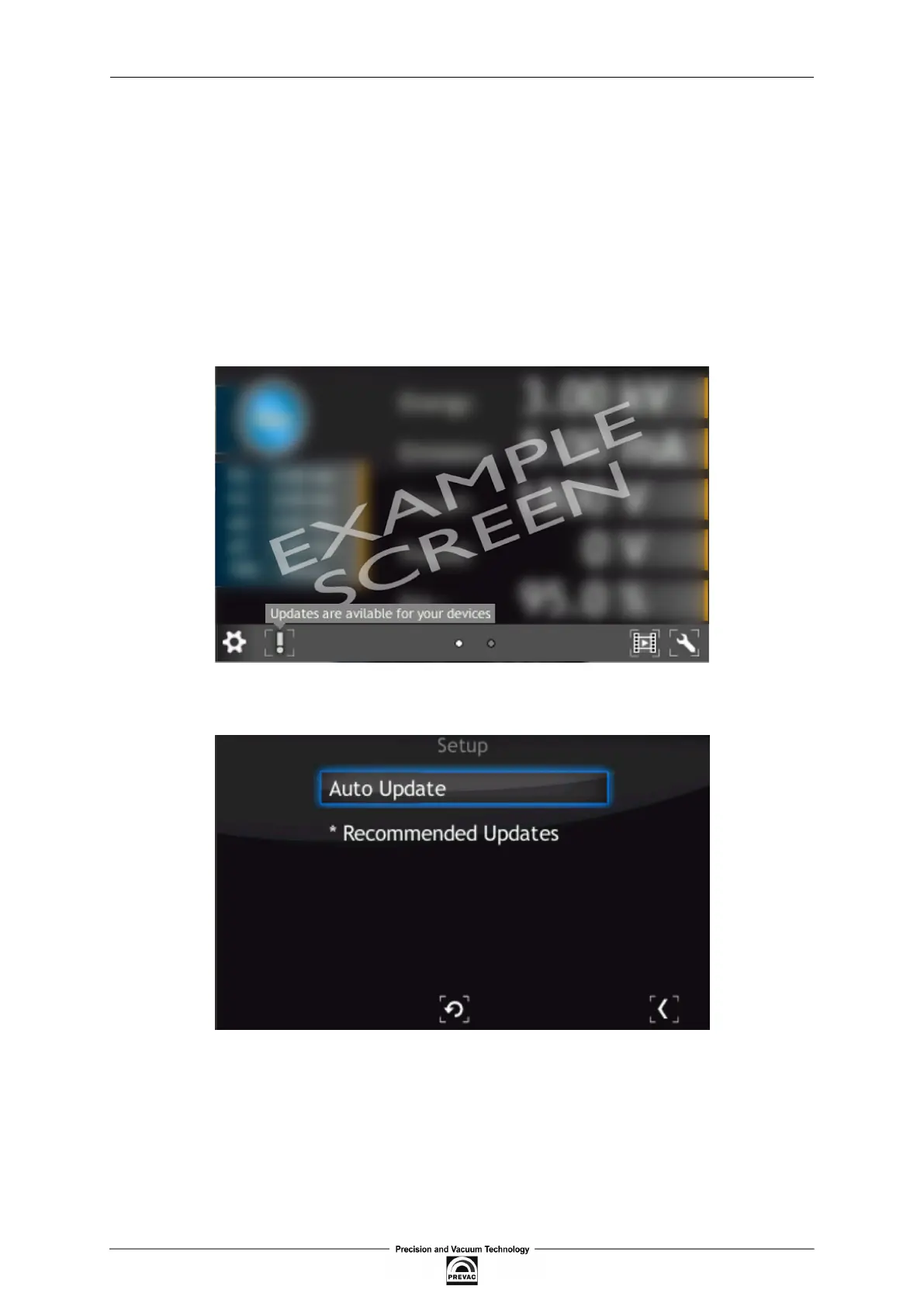
informed with a blinking exclamation icon.
• To synchronize the irmware, select the exclamation icon.
• The screen below is displayed. If the “Recommended Updates” message is visible, tap the
“Auto Update” button in order to synchronize irmware and software. Then follow the proce-
dure from the previous section Upgrading irmware via USB.
Figure 7.7: Auto update 1
Figure 7.8: Auto update 2
User manual rev. 03 Page 115



 To Next Page