OPERATION MULTI GAUGE CONTROLLER
5. SELECTING FILAMENT
Most of the available B-A gauges have two ilaments. In the Filament menu the user can
choose between them - the MG15 will use the ilament selected in this menu. Also the de-
gassing procedure applies to this ilament.
Note
EXTRACTOR IE514/515 and B-A IE414/415 gauges have only one ilament.
3.6.1.3 USER-DEFINED PASSIVE GAUGE
After selecting a gauge enabling setting of all gauge parameters - Setup menu →Sensor →IG1 or IG2
or IG3 →Gauge: current gauge →Deined apart from the standard parameters, set out in 3.6.1.2 it
is possible to set the parameters described below. This enables almost any gauge to be connected
if their parameters are within the following ranges.
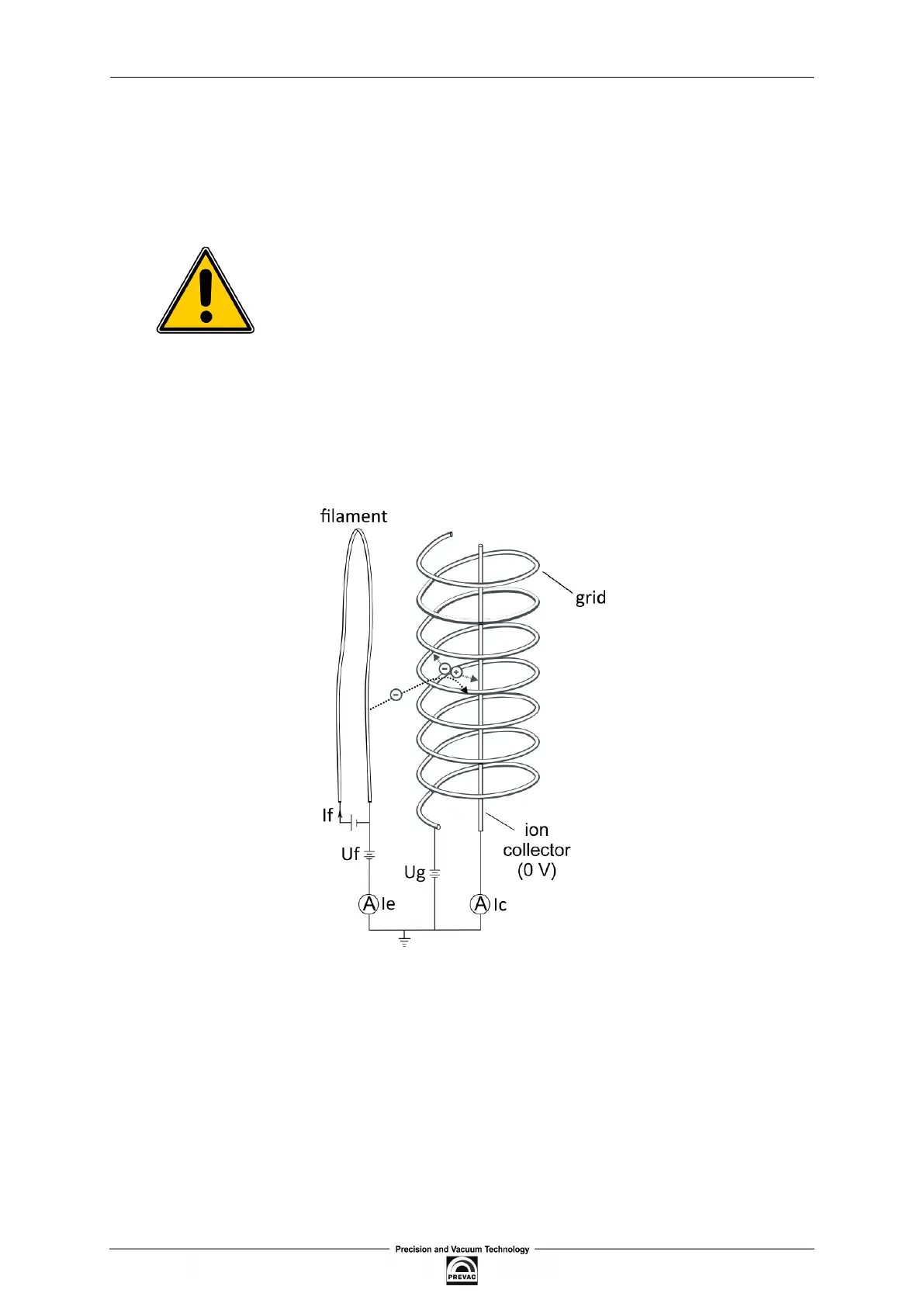
Figure 3.40: Bayard Alpert Gauge
• Grid voltage (Ug) - also called anode voltage. May be set between 20 and 250V
• Filament voltage (Uf) - also called Ubias voltage. May be set between 0 and 120V
• Relector voltage - may be set between 0 and 250V. The voltage is not used in Bayard Alpert
gauges and should be set at 0V
• Maximum Filament Current (If) - can be set from 1 to 6A. It is important to set this current
correctly according to the maximum current speciied by the gauge manufacturer. Otherwise,
the ilament may burn out.
Page 62 User manual rev. 03



 To Next Page