OPERATION MULTI GAUGE CONTROLLER
3.4.7 SETUP SHORTCUTS
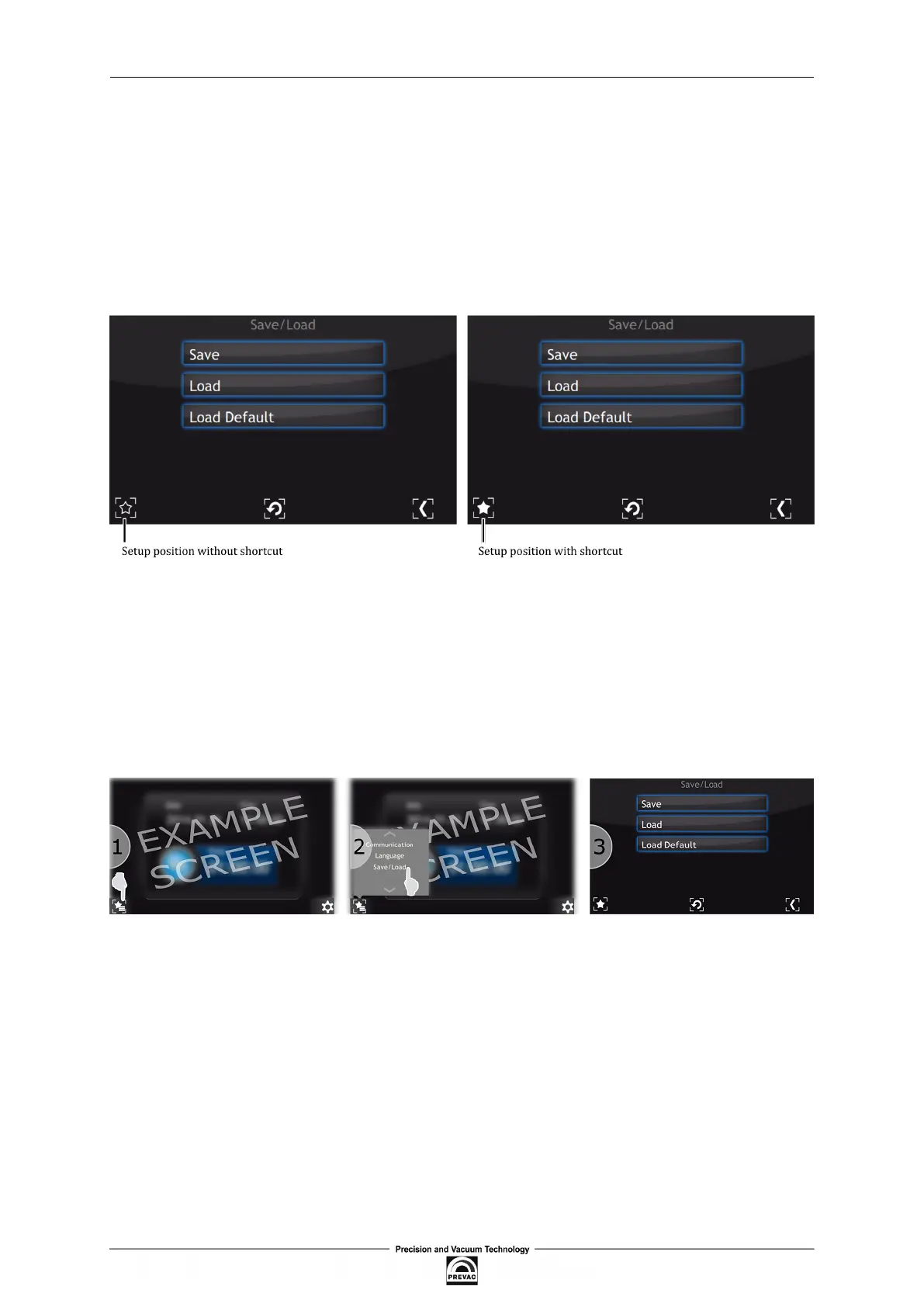
Frequently used commands/settings can be conveniently accessed by creating shortcuts.
To create a shortcut:
1. Navigate to the setup position where a shortcut should be created.
2. Press on the Setup shortcut, icon to add the position to shortcuts. To remove position from
shortcut list tap again on the Setup shortcut icon.
Figure 3.27: Set up shortcut in the setup menu
To use a shortcut:
1. Press on the Setup shortcut icon on the main window.
2. Select setup shortcut to enter (e.g. Save/Load).
3. Current setup menu item should be displayed.
Figure 3.28: Example use of shortcut
Page 48 User manual rev. 03



 To Next Page