MULTI GAUGE CONTROLLER OPERATION
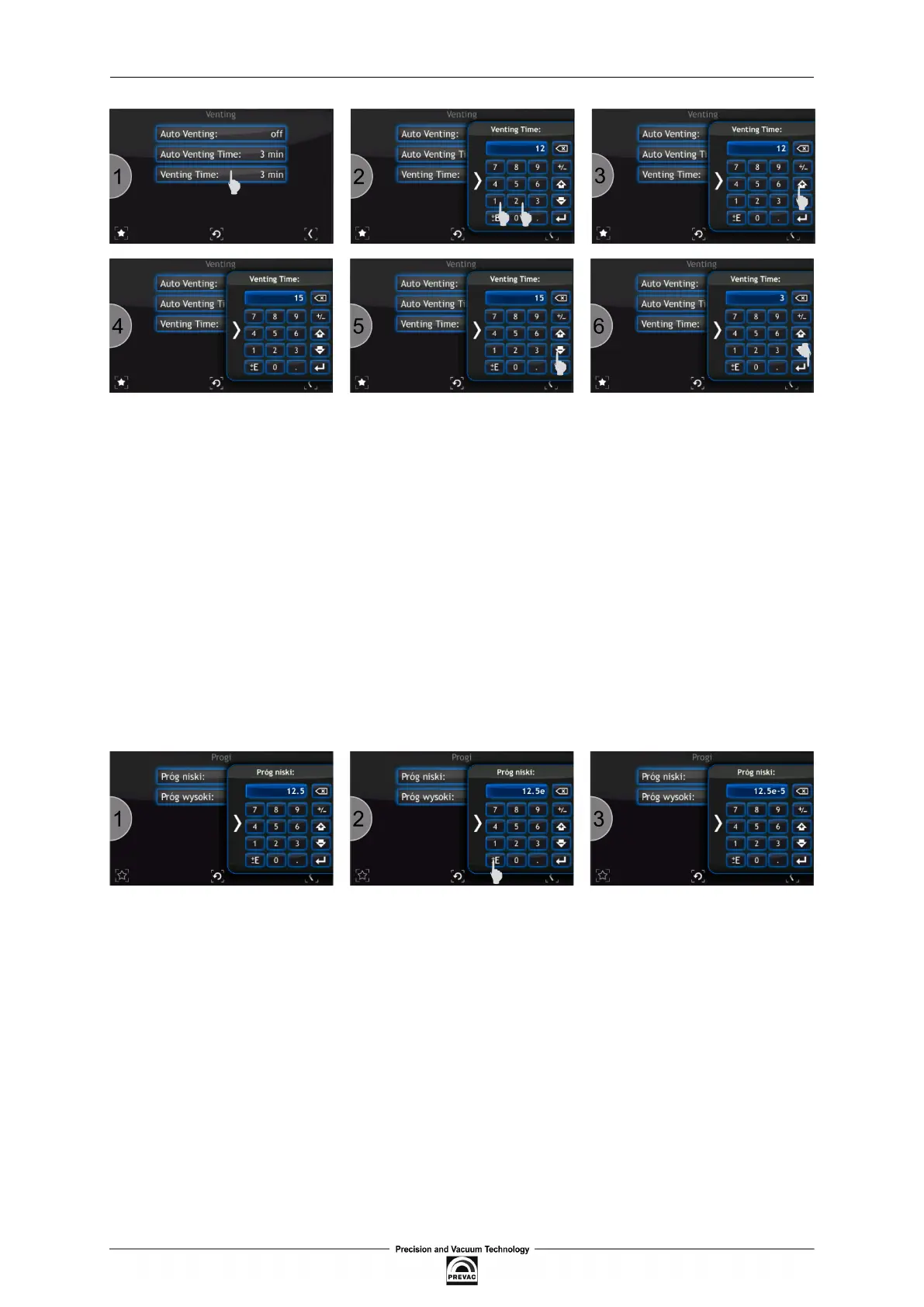
Figure 3.23: Increasing/Decreasing value via numeric keypad
To enter a number in the exponential form:
1. Enter the value of the mantisee with an appropriate character via the numeric keypad (e.g.
12.5).
2. Press the Exponent key. The index character can be changes by clicking it twice.
3. Enter the exponent value.
4. After entering the value, it is still possible to modify the sign of mantissa and the sign of ex-
ponent by using the Exponent key or the Change sign key (see 3.22 Figure).
5. Conirm the value with the Accept value key.
Figure 3.24: Number in exponential form
User manual rev. 03 Page 45



 To Next Page