OPERATION MULTI GAUGE CONTROLLER
3.4.4 NUMERIC KEYPAD
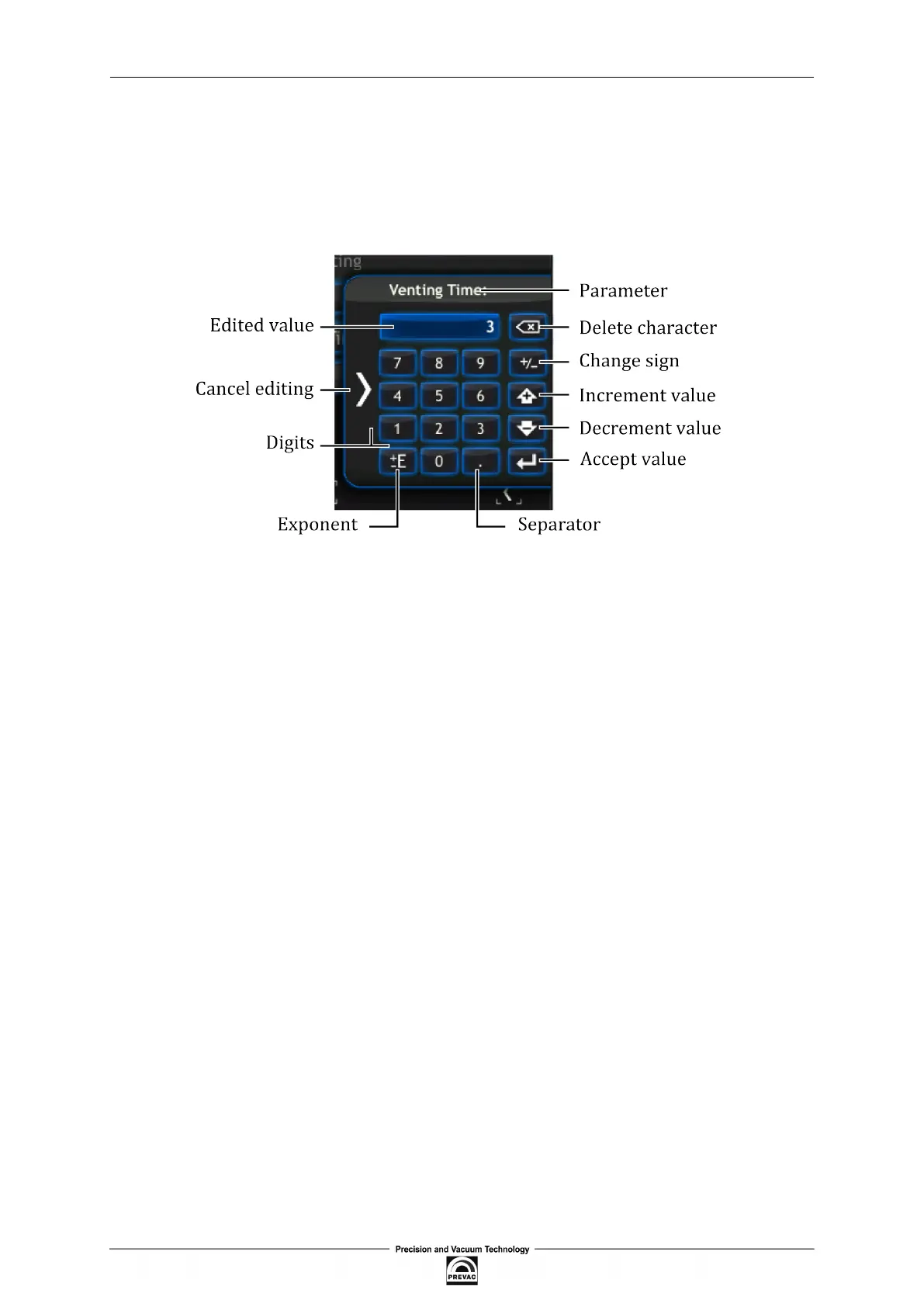
Numerical values in the device can be edited via the numeric keypad. It consists of basic numbers
from 0 to 9 and function keys to enter new data and update the existing ones. The numeric keypad
is shown in ig. 3.22.
Figure 3.22: Numeric keypad
Data can be entered directly from the numeric keypad by entering and conirming the value entered
using the following three methods:
• by entering data as decimal values.
• by entering data as a mantisaa and exponent.
• by increasing/decreasing the current value by a given step.
To increase/decrease the current value:
1. Select the value for edition (e.g. Venting Time).
2. Press 1 and 2, to increase the value by 12.
3. Press the Increment value key (every press of this key increase the value by 12).
4. The value has been increased.
5. To decrease the value press the Decrement value key (every press of this key decreases the
value by 12).
6. Value is decrement.
7. Conirm the value with the Conirm value key.
Page 44 User manual rev. 03



 To Next Page