MULTI GAUGE CONTROLLER OPERATION
3.4.1 MAIN WINDOW
The device has one main view on which the most important parameters controlled by the device
are displayed.
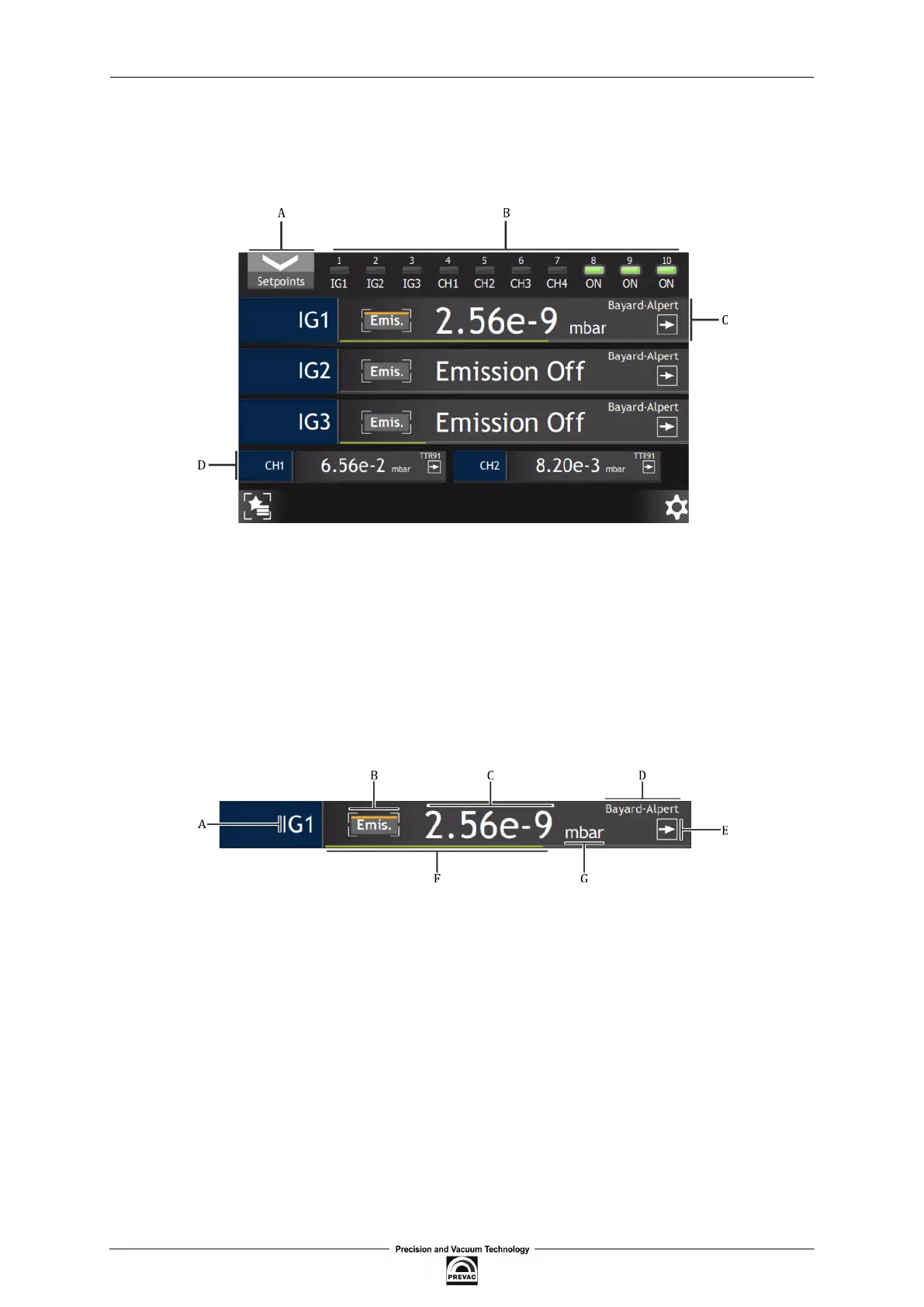
Figure 3.5: Description of main window
• A - Setpoints coniguration button
• B - Diodes indicating active Setpionts
• C - Single large vacuum channel
• D - Single small vacuum channel
Figure 3.6: Description of single vacuum channel
• A - Name of vacuum channel
• B - Emission activation button
• C - Vacuum value
• D - Type of vacuum gauge
• E - Trend indicator
• F - Graphic indicator of gauge range
• G - Vacuum value unit
User manual rev. 03 Page 35



 To Next Page