OPERATION MULTI GAUGE CONTROLLER
3.4.2.2 EDITING OF CHART PARAMETERS
To change the chart drawing parameters follow the procedure presented in ig. 3.13:
• A - Click on top ield, with currently drawn data series
• B - Click on a selected parameter to be edited
Parameters that can be edited:
• Sampling period - the parameters determines time intervals at which another data is added
to the chart. Increasing this parameter extends the maximum time of recording but simulta-
neously decreases precision.
• Recording time - the parameter determines time window during which data are recorded.
3.4.2.3 CLEARING OF CHART
To clear all to date recorded data and start recording from scratch press the Clear chart shown in
ig. 3.13.
Remember that pressing the button Clear chart deletes all the data recorded so far.
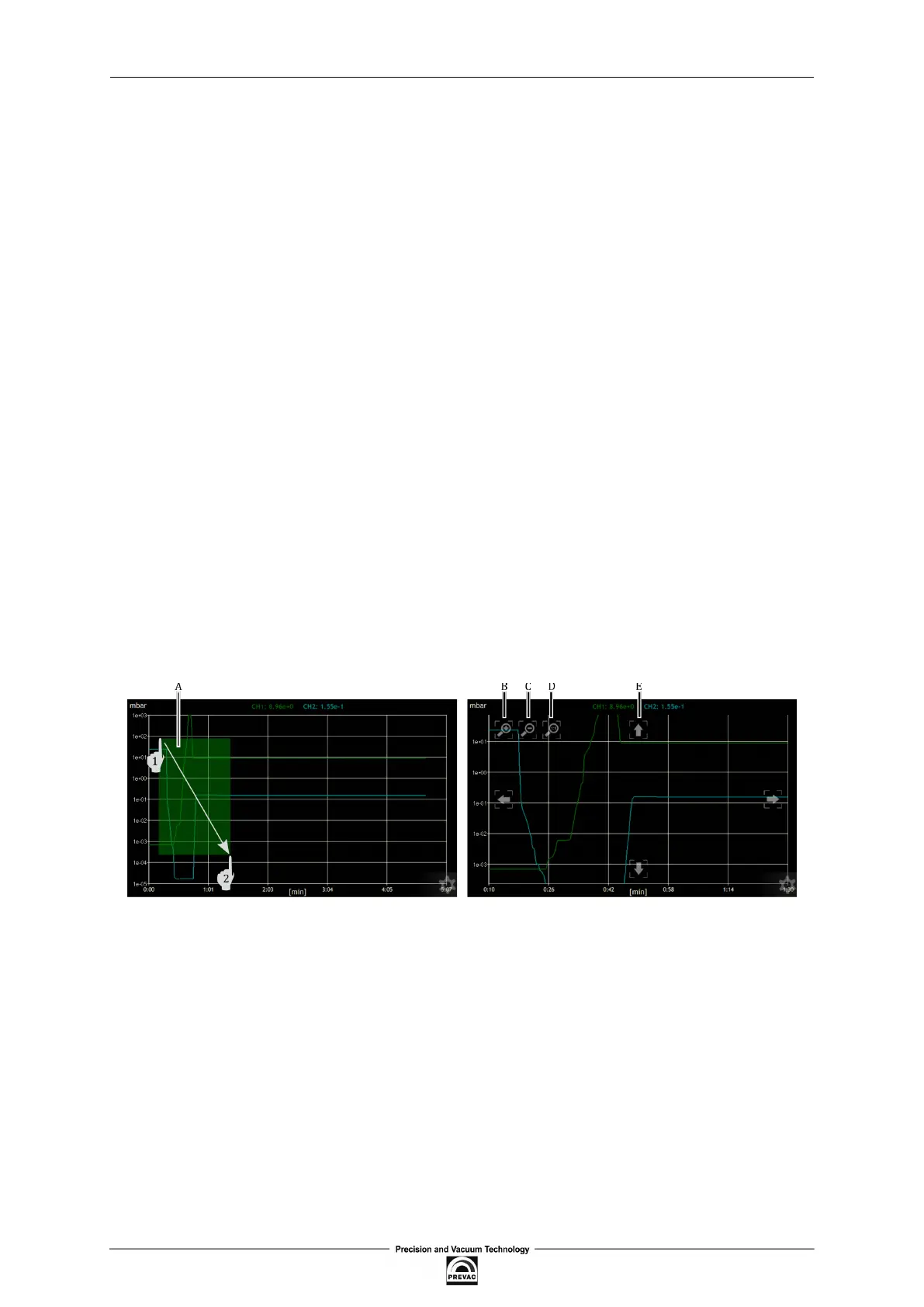
3.4.2.4 VIEW OF PART OF CHART
The chart module enables viewing a selected part of the chart on full screen. For this purpose, as
shown in ig. 3.14 (marker A), press the screen at a given place and mark the selected part to view
by dragging.
Figure 3.14: View of selected fragment of chart
After enlarging the selected fragment of the chart additional buttons will appear to perform other
manipulations:
• B - Enlarging the current chart area
• C - Reducing the current chart area
• D - Returning to normal recording mode
• E - Four arrows to scroll the chart in any direction.
Page 40 User manual rev. 03



 To Next Page