OPERATION MULTI GAUGE CONTROLLER
3.4 USER INTERFACE
The MG15 is equipped with a colour display with touch screen. All control operations, entering
settings and data are carried out only via the touch screen.
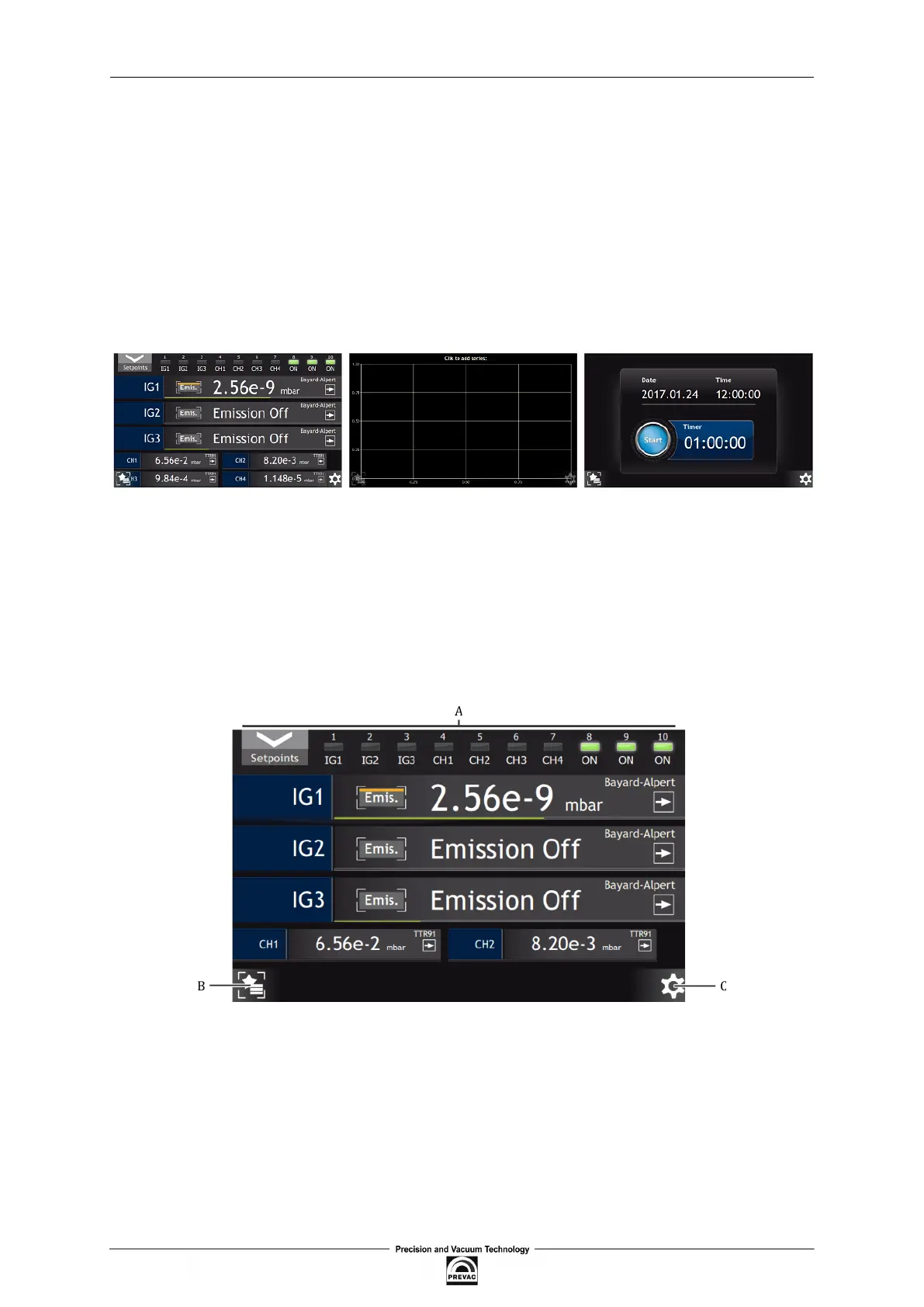
Information displayed by the device are grouped in three separate windows:
• main window
• chart window (option)
• timer window
Figure 3.3: Three main device windows
Navigation between the screens is done via the scroll buttons located at the side edges of the device.
These buttons are hidden during normal operation.
To move to the next screen press the display near the left or right edge. The scrolling between the
screens is looped - it means that from the last screen we move to the irst one and, analogically, the
other way round.
The main view contains 3 elements:
Figure 3.4: Description of main window
• A - Main view
• B - Menu shortcut - list of favourite positions of the main setup menu (see chapter 3.4.7). The
shortcut icon appears after adding at least one shortcut.
• C - Main menu - access button to main setup menu.
Page 34 User manual rev. 03



 To Next Page