MULTI GAUGE CONTROLLER STEP BY STEP
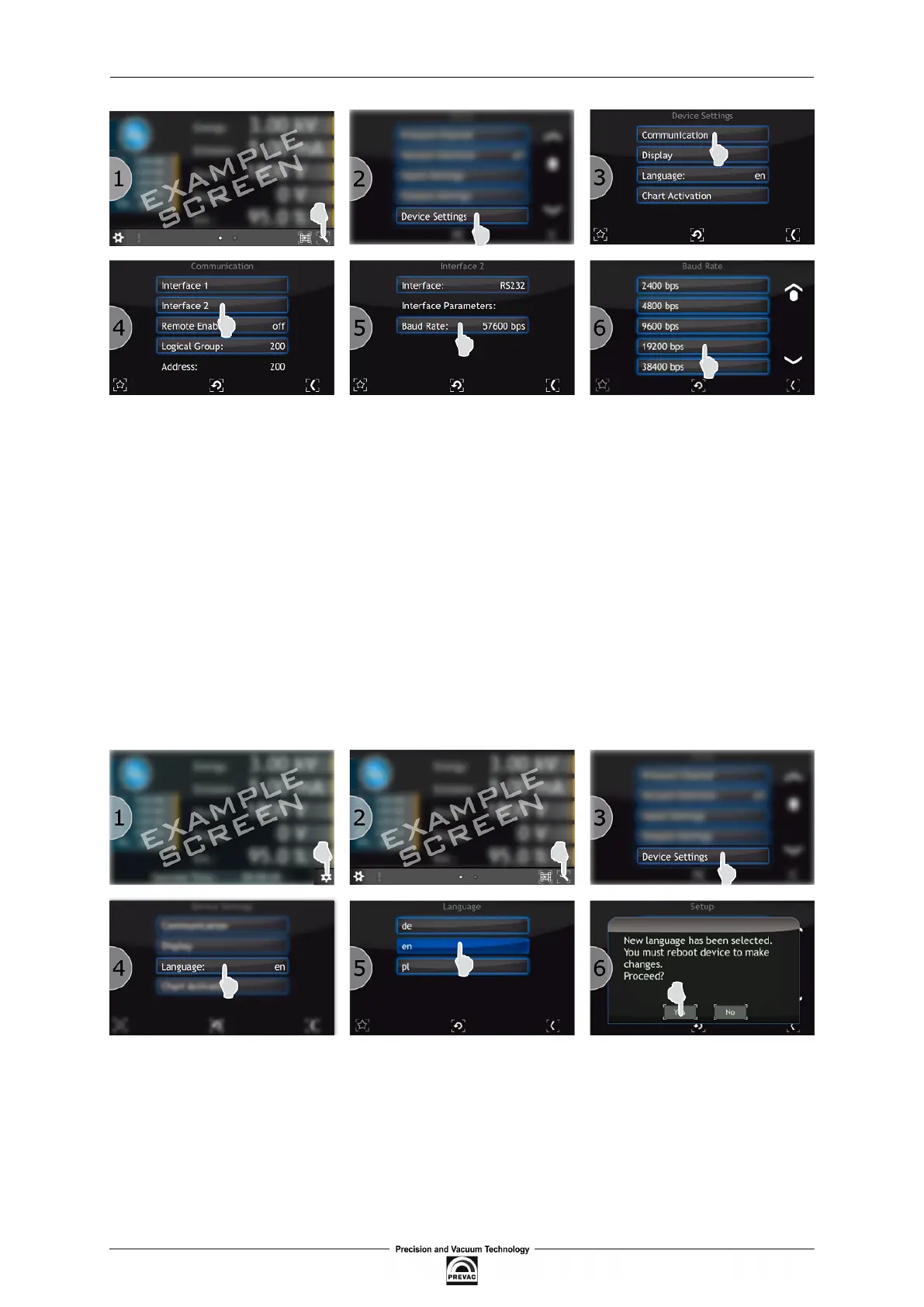
Figure 4.1: Communication interface coniguration
4.3 LANGUAGE SELECTION
In order to change the language the following steps should be taken:
1. Press the Menu button.
2. Click on the Setup menu.
3. In the Setup menu select the Device Settings -> Language
4. Choose the required language
5. Click YES to restart the device
Figure 4.2: Language selection
User manual rev. 03 Page 75



 To Next Page