MULTI GAUGE CONTROLLER MAINTENANCE AND SERVICE
7.4.1 BOOT MENU
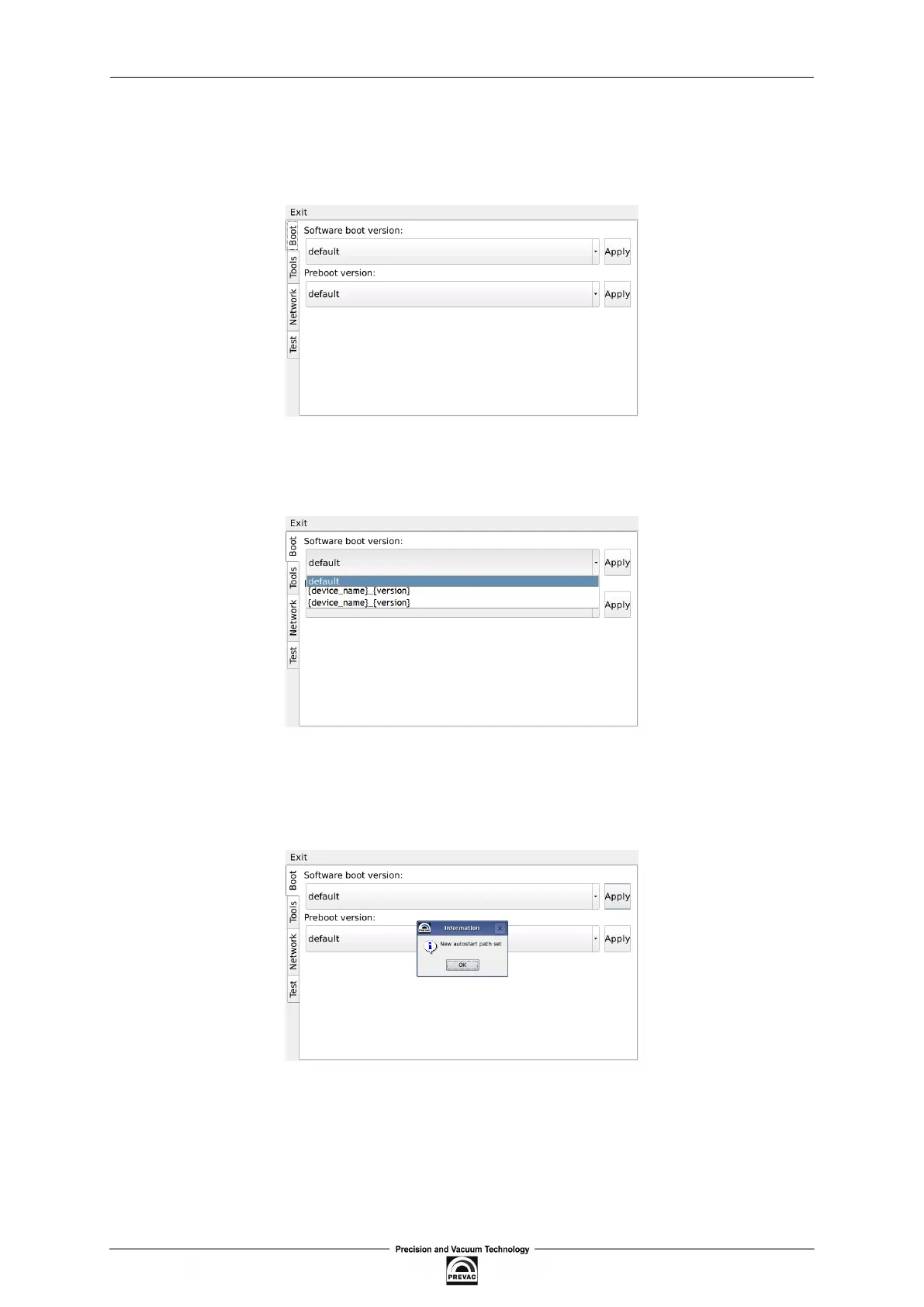
Boot menu allows the user set which version of the MG15 and Preboot Environment will be run after
the start of device. In order to switch software version, click on “Software boot version” combo box.
Figure 7.10: Boot menu
Then select one of the available versions, for example default.
Figure 7.11: Switch software version
To apply changes press Apply button. From now the default version will be automatically run after
restarting MG15 .
Figure 7.12: Message box conirming the changed settings
User manual rev. 03 Page 117



 To Next Page