COMMUNICATION MULTI GAUGE CONTROLLER
6.1.1.1 GENERAL WIRING RULES
1. Communication cables should be laid separately and as far as possible from the power supply
cables or cables supplying power to external equipment such as contactors, relays or motors.
2. Communication cables may be laid together with signal cables if those cables are not exposed
to sources of interference. Signal cables are cables connected with analogue or logic inputs
and outputs of any control instruments.
3. Do not use the remaining conductors in a communication cable for other signals.
4. Ensure suficient slack of the laid cable so that its movement do not damage the insulation.
5. Make sure that the cable is connected in series with the devices. This means that the cable
runs from one instrument to the next one and so on, until the last device in the chain.
Device 1 Device N-1 Device N
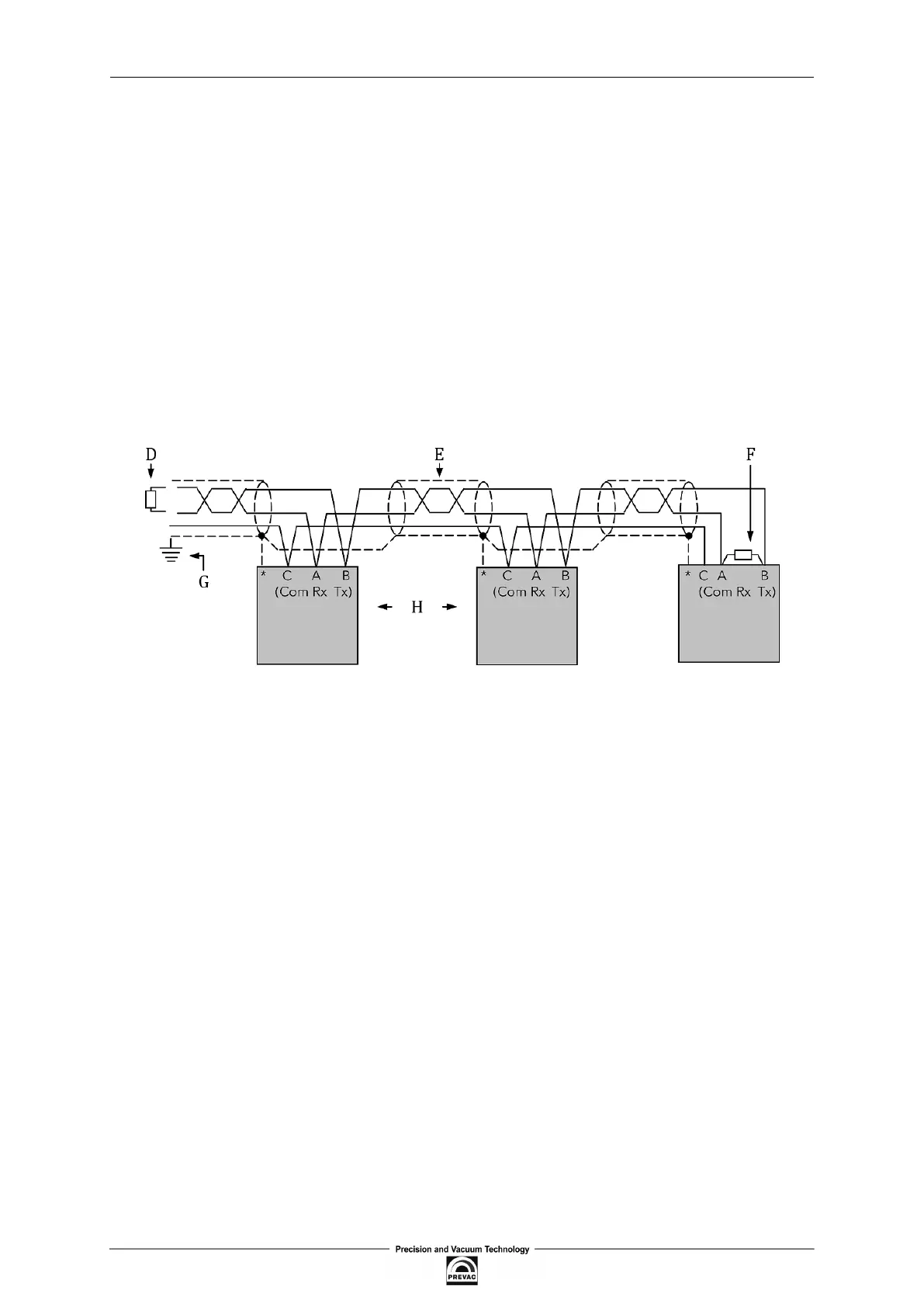
Figure 6.1: Example of 3-conductor (+ screen) EIA485 connection
* Some devices are equipped with a terminal for connecting screen. If the terminal is not available,
ignore this connection.
• A,B - Differential communication terminals (A+, B-)
• C - Terminal C is usually an insulated device ground (GND)
• D - Resistor 220Ω at the irst device in the bus
• E - Screened conductor - twisted pair
• F - Resistor 220Ω at the last device in the bus
• G - Single grounding - see chapter 6.1.3
• H - Intermediate device connected in series
6.1.2 PRECAUTIONS
In some applications with excessive static accumulation it is recommended to add high-resistance
resistor (e.g. 1MΩ) between the chassis ground (terminal C) and ground. In the case of connecting
devices via RJ45 interfaces, a cable must have plugs with metal shield connected with the cable
shield (metal casing clamped on the braided cable shield).
Page 82 User manual rev. 03



 To Next Page