MULTI GAUGE CONTROLLER OPERATION
3 OPERATION
The MG15 multi gauge controller can be interacted via the touch panel.
3.1 SWITCHING ON THE DEVICE
In order to turn on the device make sure that all of the connections on the rear panel are made
correctly and that the AC connection meets the AC source requirements. If these conditions are
met, set Power Switch into ON position on the rear panel. The instrument is on when the logo
appears. The Introduction screen displays and the main application will start. The instrument is
ready to use. After connecting and switching on the MG15 the outputs are not active.
3.2 FRONT PANEL - STANDARD
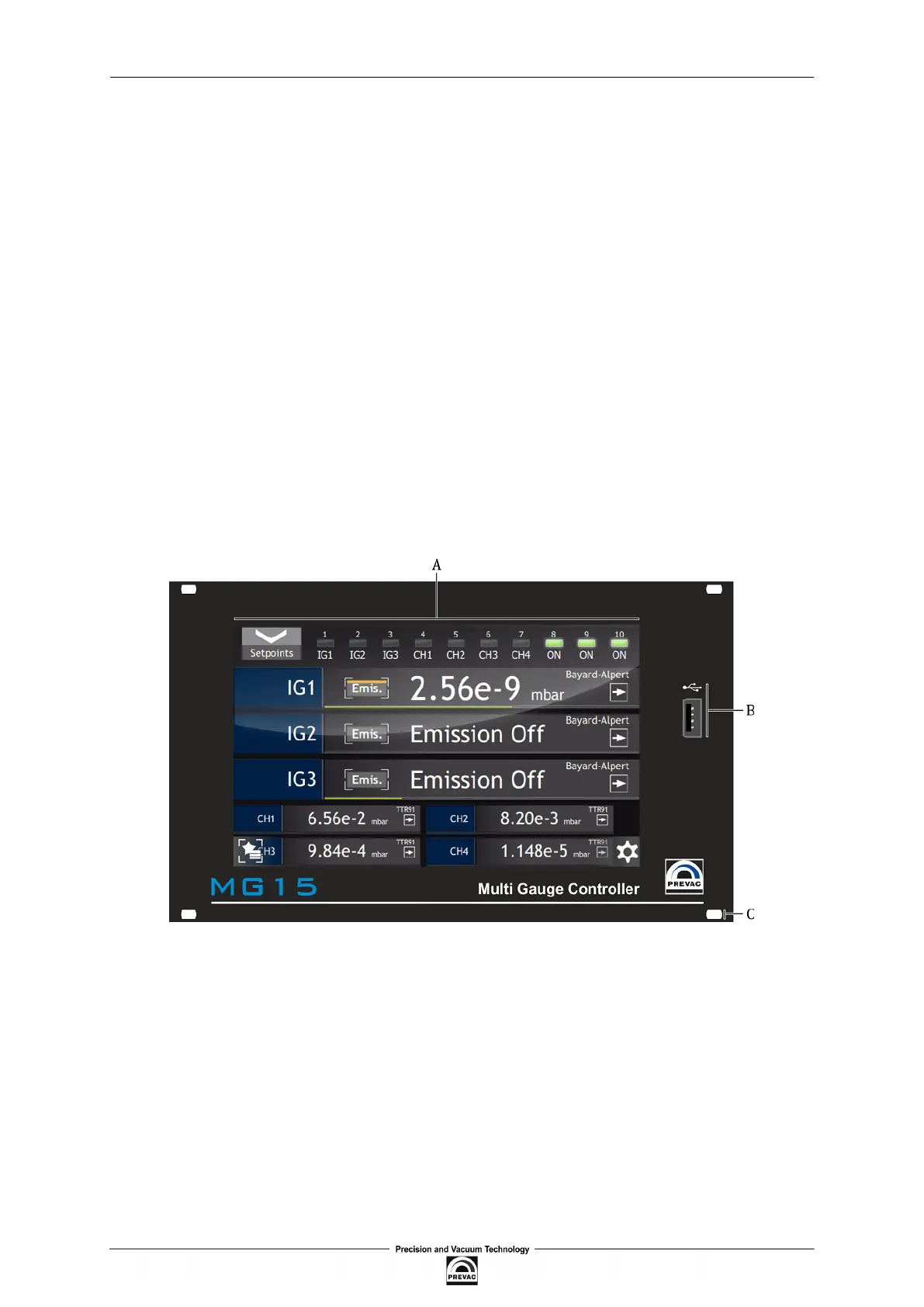
Fig. 3.1. below shows the front panel of the MG15 . The user interface of the MG15 consists of the
following elements:
Figure 3.1: Front panel
• A - Touch panel display
• B - USB port
• C - Mounting holes
User manual rev. 03 Page 31



 To Next Page