3-46 Overcurrent, Voltage, Synchronism Check, and Frequency Elements Date Code 990430
SEL-351P Manual Técnico
F
REQUENCY
E
LEMENTS
Six frequency elements are available. The desired number of frequency elements are enabled
with the E81 enable setting:
E81 = N (none), 1 through 6
as shown in
Figure SECTION 3: .28. Frequency is determined from the voltage connected to
voltage input VA.
Frequency element 1 at the top of
Figure SECTION 3: .28 is the frequency element used in the
factory-default EZ settings (see Figure 1.19 in Section 1: Factory-Set Logic in this manual and
the Underfrequency loadshedding setting in Table 8 and subsection Settings Descriptions in the
Settings section in the SEL-351P Quick-Start Installation and User’s Guide).
For various connections, Figure 1.31 through Figure 1.34 and associated text in subsection
Reclose Supervision Logic in Section 1: Factory-Set Logic discuss possible changes necessary
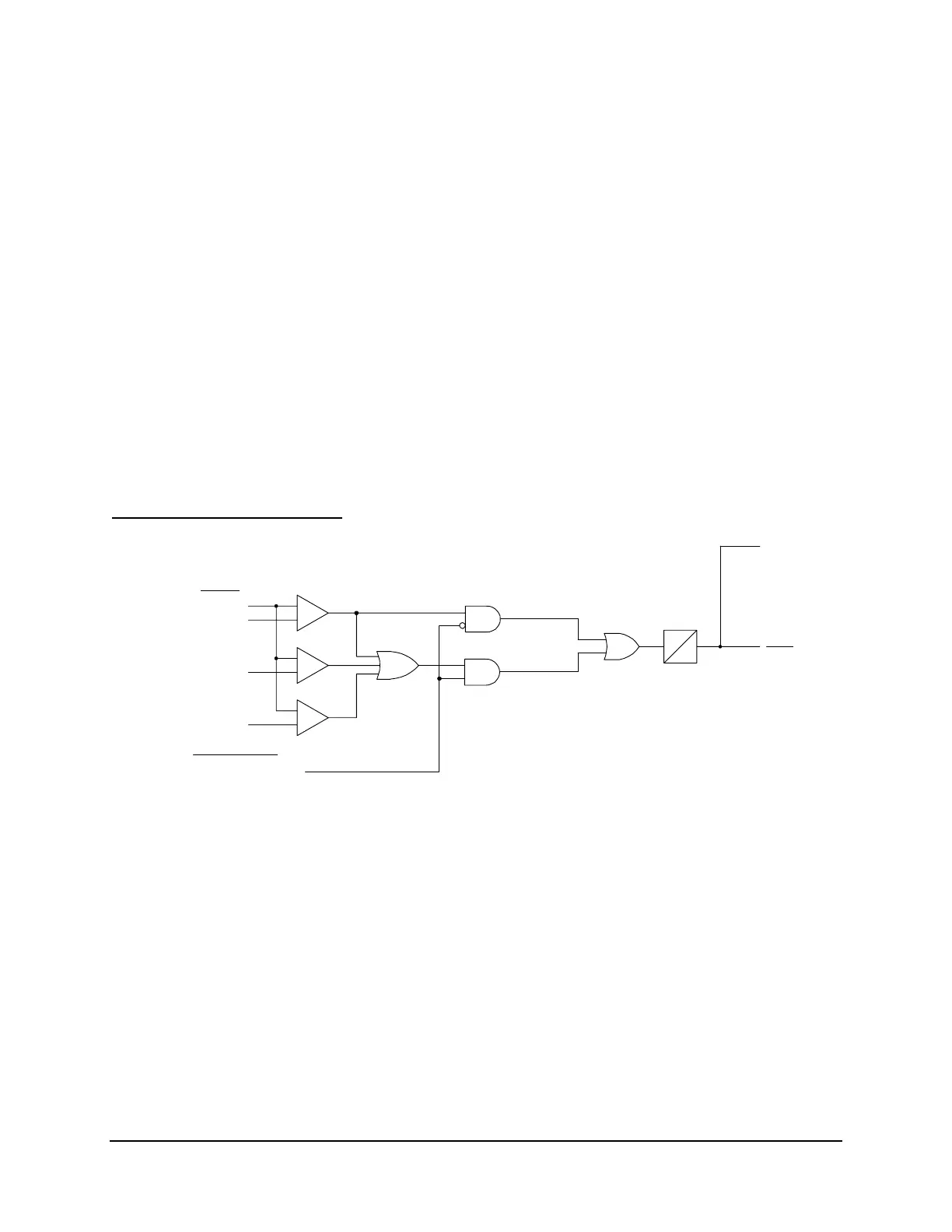
to the factory default undervoltage block setting 27B81P (see
Figure SECTION 3: .27 and
Table SECTION 3: .10).
Frequency Element Settings
DWG: M351R087
+
_
+
_
+
_
Setting/
Voltages
To Frequency
Element Logic
(Figure 3.28)
V
A
V
B
V
C
VA low
VA, VB, or
VC low
Relay
Word
Bit
27B81
27B81P
Global EZ setting
True three-phase
voltage connected = Y
0
5
CYC
Figure SECTION 3: .27: Undervoltage Block for Frequency Elements



 To Next Page