7-6 Inputs, Outputs, Timers, and Other Control Logic Date Code 990215
SEL-351P Manual Técnico
Table SECTION 7: .1: Correspondence Between Local Control Switch Positions and
Label Settings
Switch Position
Label
Setting
Setting Definition
Logic State
not applicable NLBn Name of Local Control
Switch
not applicable
ON SLBn “Set” Local bit LBn logical 1
OFF CLBn “Clear” Local bit LBn logical 0
MOMENTARY PLBn “Pulse” Local bit LBn logical 1 for one processing
interval
Note the first setting in Table SECTION 7: .1 (NLBn) is the overall switch name setting. Make
each label setting through the serial port using the command SET T. View these settings using
the serial port command SHO T (see Section 9: Setting the SEL-351P Recloser Control and
Section 10: Serial Port Communications and Commands).
Local Control Switch Types
Configure any local control switch as one of the following three switch types:
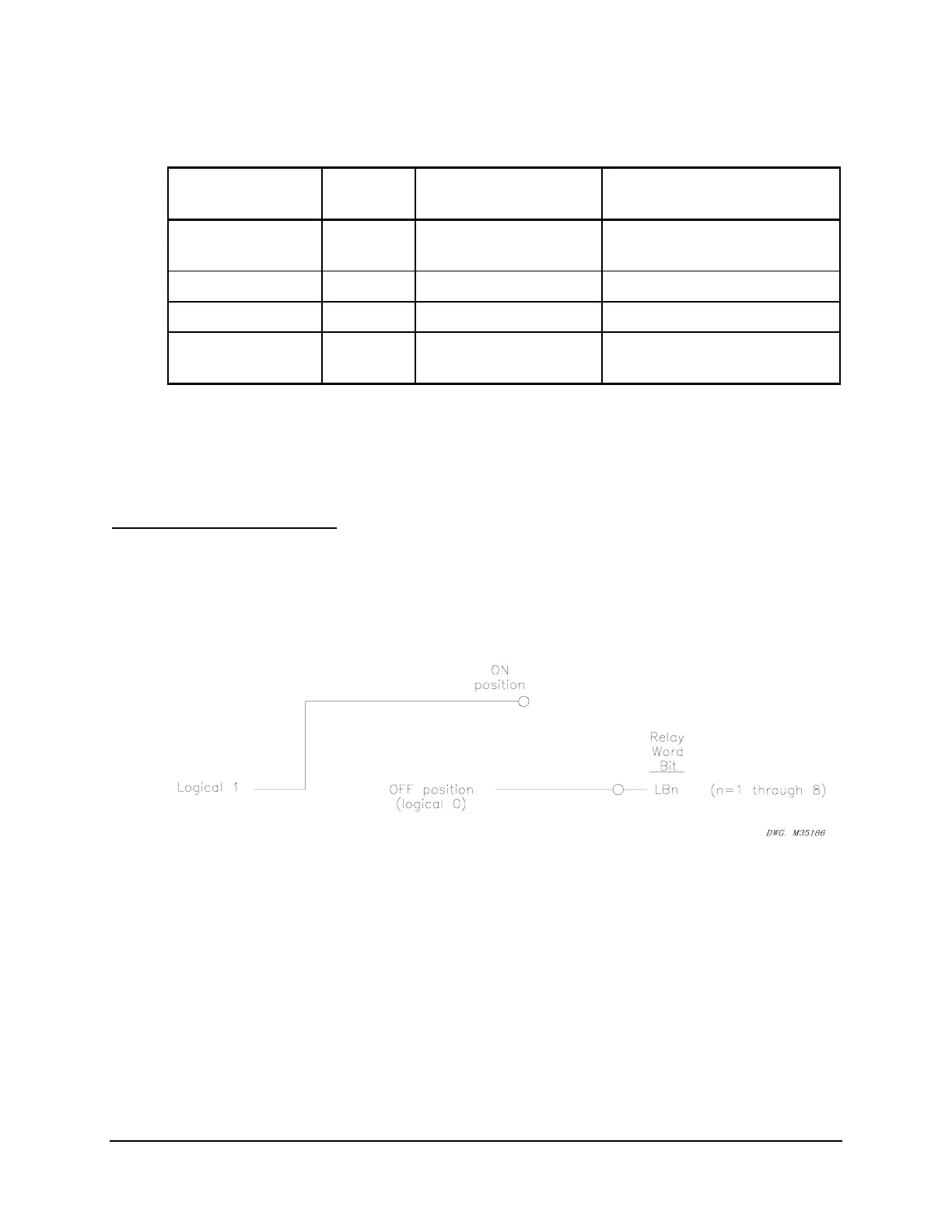
ON/OFF Switch
Local bit LBn is in either the ON (LBn = logical 1) or OFF (LBn = logical 0) position.
Figure SECTION 7: .4: Local Control Switch Configured as an ON/OFF Switch
OFF/MOMENTARY Switch
The local bit LBn is maintained in the OFF (LBn = logical 0) position and pulses to the
MOMENTARY (LBn = logical 1) position for one processing interval (1/4 cycle).



 To Next Page