Testing
68 SEL-351P Quick-Start Installation and User's Guide (Portuguese)
See the Voltage Connections subsection in Section 2: Additional
Installation Details in the SEL-351 P Manual Técnico for explanation
about settings affecting the FONTE CA LED.
Recloser Simulator
If the recloser simulator can provide both 52a and 52b recloser auxiliary
contact operation, then connect as per
Figure 4 in the Installation
section (terminals 1, 5, and 13 of CONTROL connector J5). The 52a
and 52b contacts have to be dry contacts (terminal 1 of CONTROL
connector J5 provides the whetting voltage).
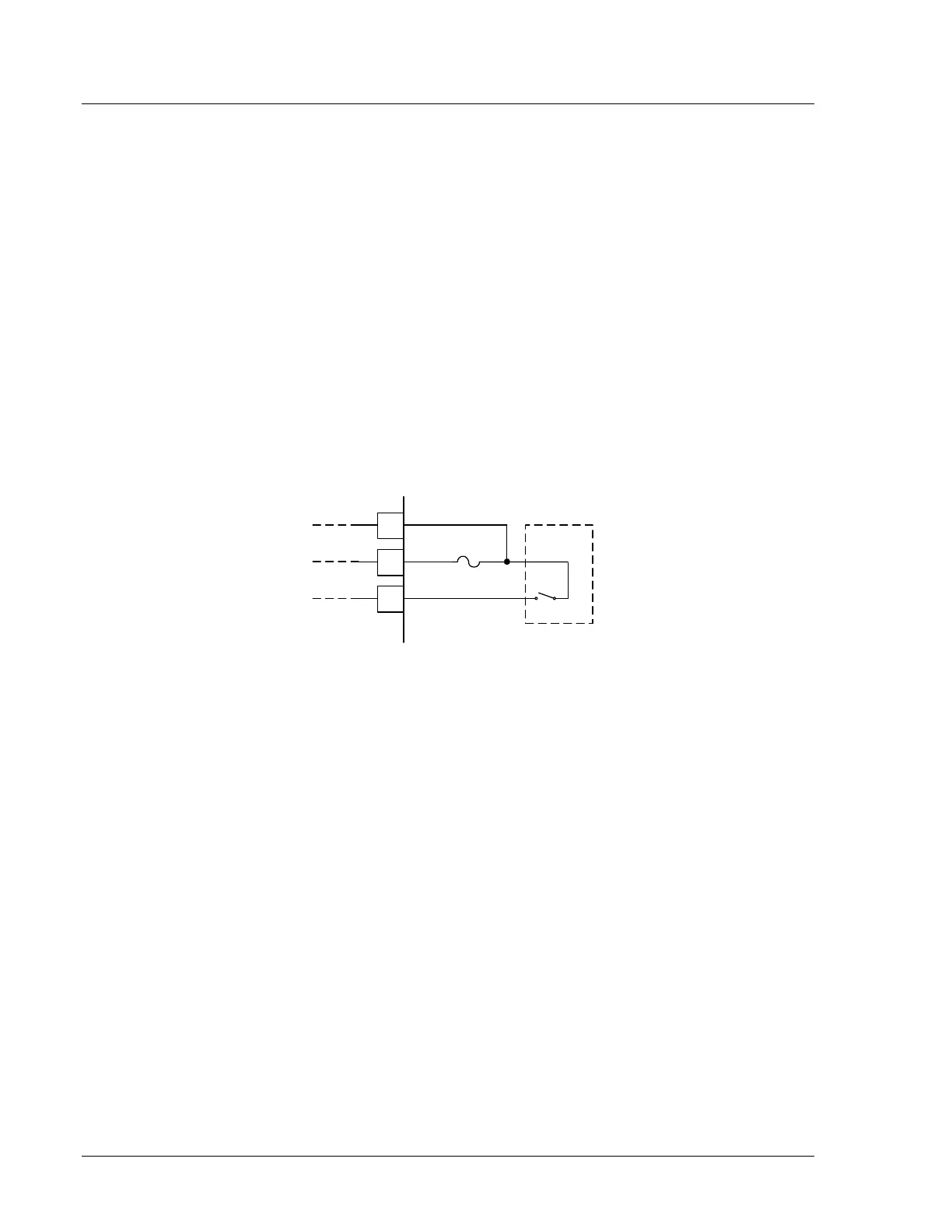
If the recloser simulator can provide only 52a recloser auxiliary contact
operation, then connect as per Figure 10 (terminals 1, 5, and 13 of
CONTROL connector J5). The 52a contact has to be a dry contact
(terminal 1 of CONTROL connector J5 provides the whetting voltage).
13
1
5
52a
CONTROL
connector
J5
recloser
simulator
(partial)
see Note
Note : Terminal 1 has a load
limit of 0.1 A and should be
fused for protection (Bussman
GMD-0.125 fuse or
equivalent).
DWG: M351P054
Figure 10: Recloser Simulator Connections to SEL-351P (only a
52a available)
Output Contacts
Unless the recloser simulator is designed to accept the same trip/close
output that the GVR recloser accepts from the SEL-351P outputs
(terminals 7, 8, and 15 of CONTROL connector J5; see
Figure 3 and
Figure 4), program two of the programmable output contacts for the trip
and close function, respectively and connect these output contacts to the
recloser simulator:
OUT101 = TRIP
OUT102 = CLOSE
Program additional output contacts as needed (e.g., program an extra trip
contact for overcurrent element timing: OUT103 = TRIP). Program the
output contacts with the SET L command.
Refer to the SEL-351 P Manual Técnico, Section 10: Serial Port
Communications and Commands, specifically the SHO and SET
commands. Factory default logic settings are listed under the SHO L
command.



 To Next Page