Programming and Operating Manual (Milling)
250 6FC5398-4DP10-0BA1, 01/2014
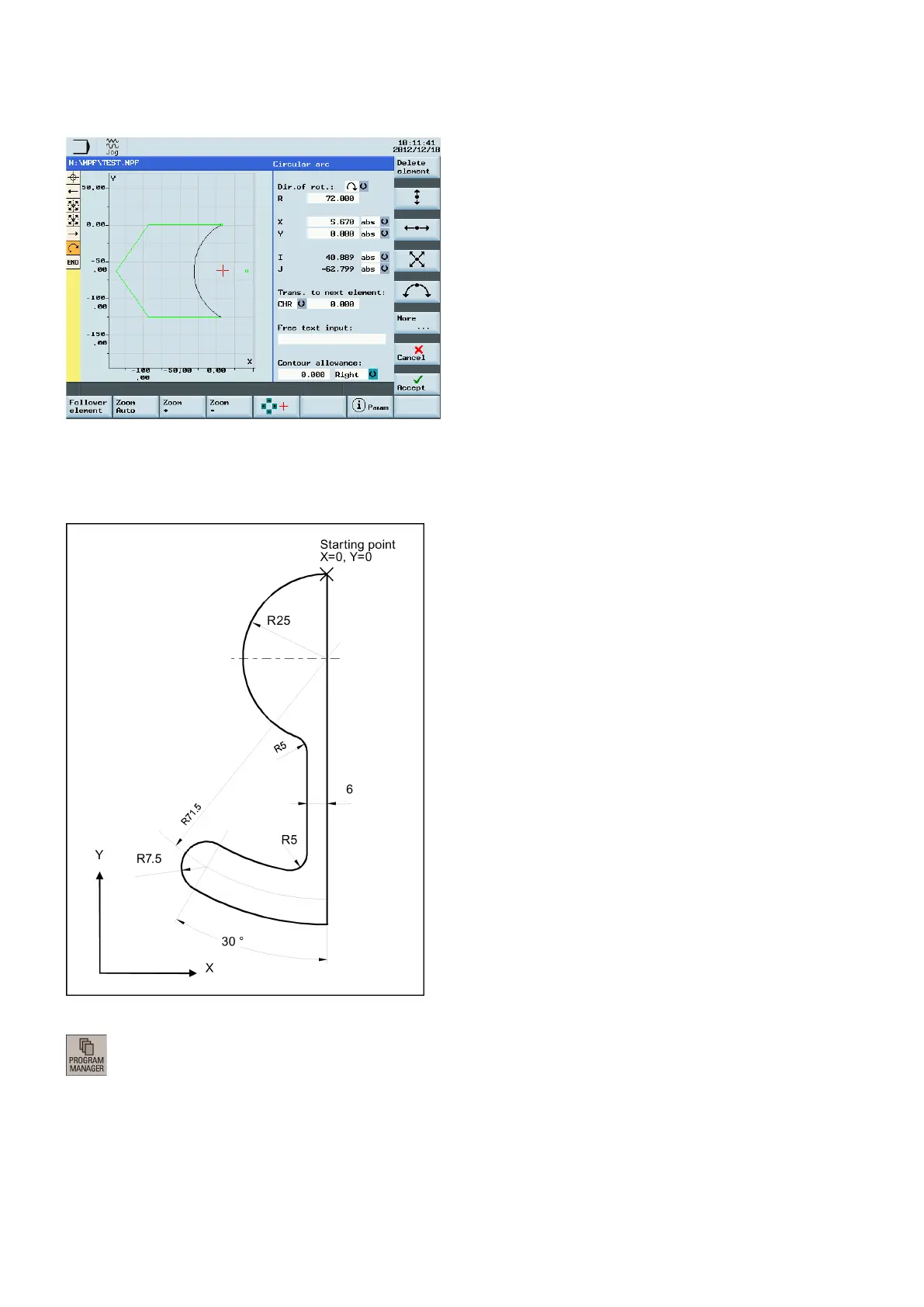
Now you can see the programmed contour in the graphics window:
Starting point: X=0 abs., Y=0 abs., machining plane G17
The contour is programmed in the clockwise direction with dialog selection.
Operating sequence:
1. Select the desired operating area.
2. Enter the desired program folder.


 To Next Page
 Loading...