SWT 3000 Equipment Manual Chapter 3: Service program PowerSys
© SIEMENS AG 2008 Edition p3_3_2x 08/09 Page - 39
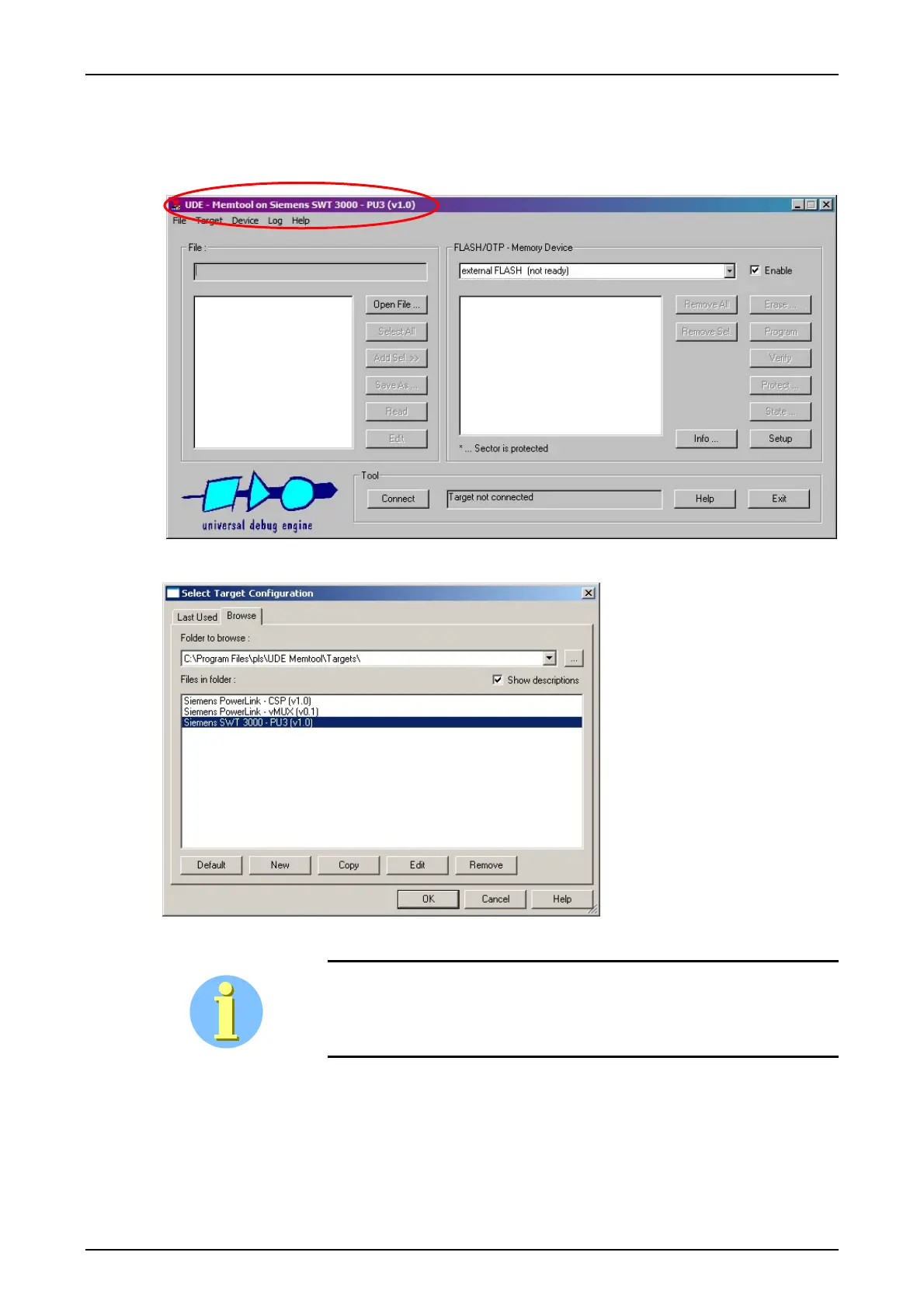
Starting MemTool
To launch MemTool as a stand-alone tool, execute Memtool.exe via the Windows Main menu
Start - Programs -UDE MemTool.
Figure 55: Start up from Memtool program with the target Siemens SWT 3000-Pu3
Figure 56: Selecting the target file Siemens SWT 3000-PU3
Wrong target selection will result in unsuccessful flash programming. Ver-
ify that the target selected is the device physically connected.
When starting MemTool for the
first time, the Select Target
Configuration dialog is dis-
played. Otherwise, this dialog
can be reached via menu Tar-
get – Change.
Select Siemens SWT 3000-
PU3 and click Okay.










 To Next Page