SWT 3000 Equipment Manual Chapter 3: Service program PowerSys
© SIEMENS AG 2008 Edition p3_3_2x 08/09 Page - 43
Trouble Shooting
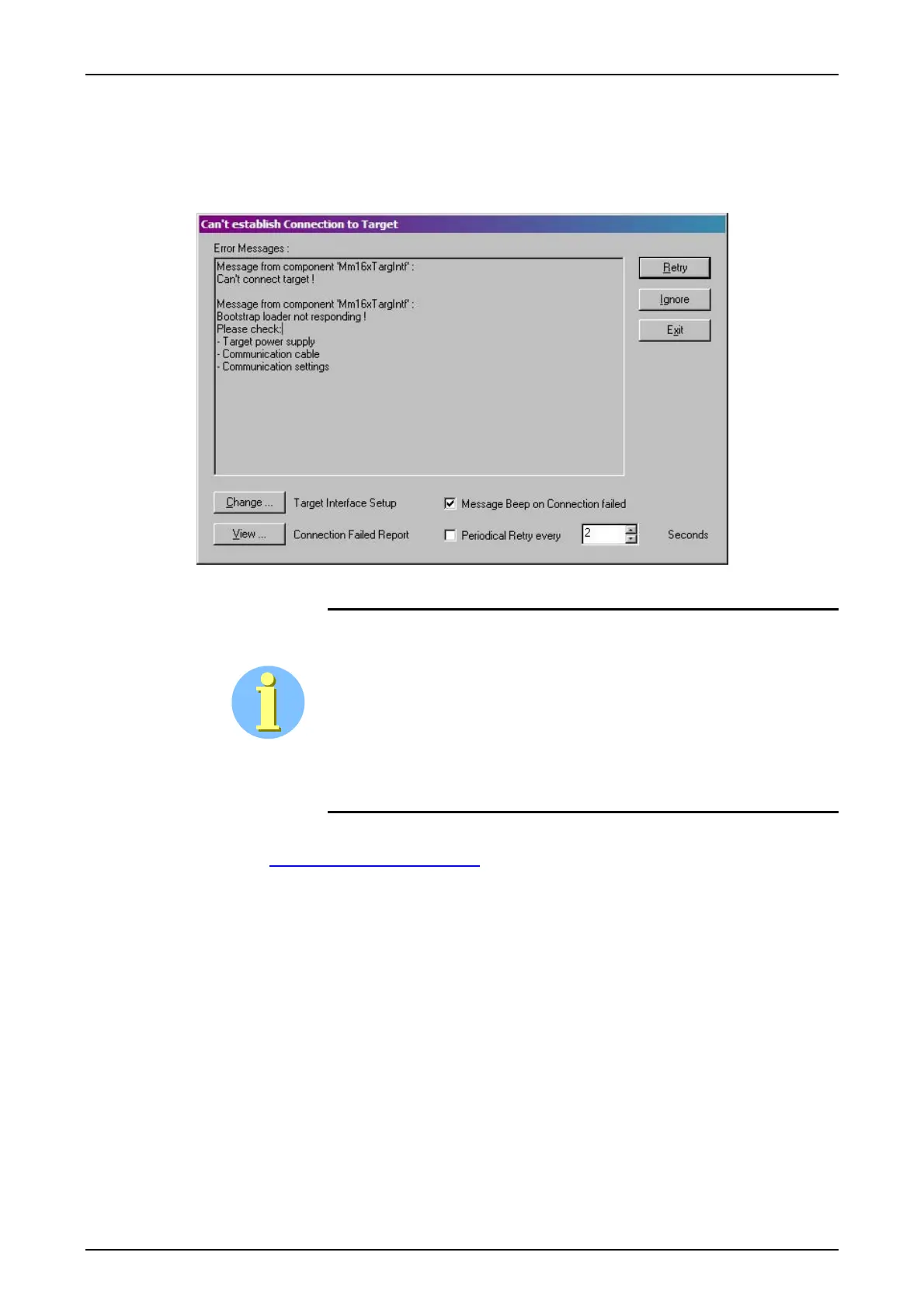
In case no connection to the target is established click View and verify the connection failed re-
port. Reset the device with S1 on the PU3 and / or S5 on the CSP and press retry for the con-
nection to the device.
Figure 63: Display in case no connection to the target device is established
MemTool always starts with the last used target selection. If the up-
grade fails kindly check that the target (menu Target>Change) and the
file selection (menu File >Open) do correspond to the device physi-
cally connected (Target is PowerLink-CSP and the file is AllI-
nOne_CSP_P*.jnk for PowerLink resp. target is PowerLink-vMUX and the
file is AllInOne_VMUX for the vMUX. The file AllInOne_PU3_P*.jnk for
protection signaling system SWT 3000-PU3). In case of wrong combina-
tion repeat the download after correct selection.
Hotline Support
Please contact support.energy@siemens.com
and add a detailed description of your trouble.










 To Next Page