Chapter 3: Service program PowerSys SWT 3000 Equipment Manual
Page - 16 Edition p3_3_2x 08/09 © SIEMENS AG 2008
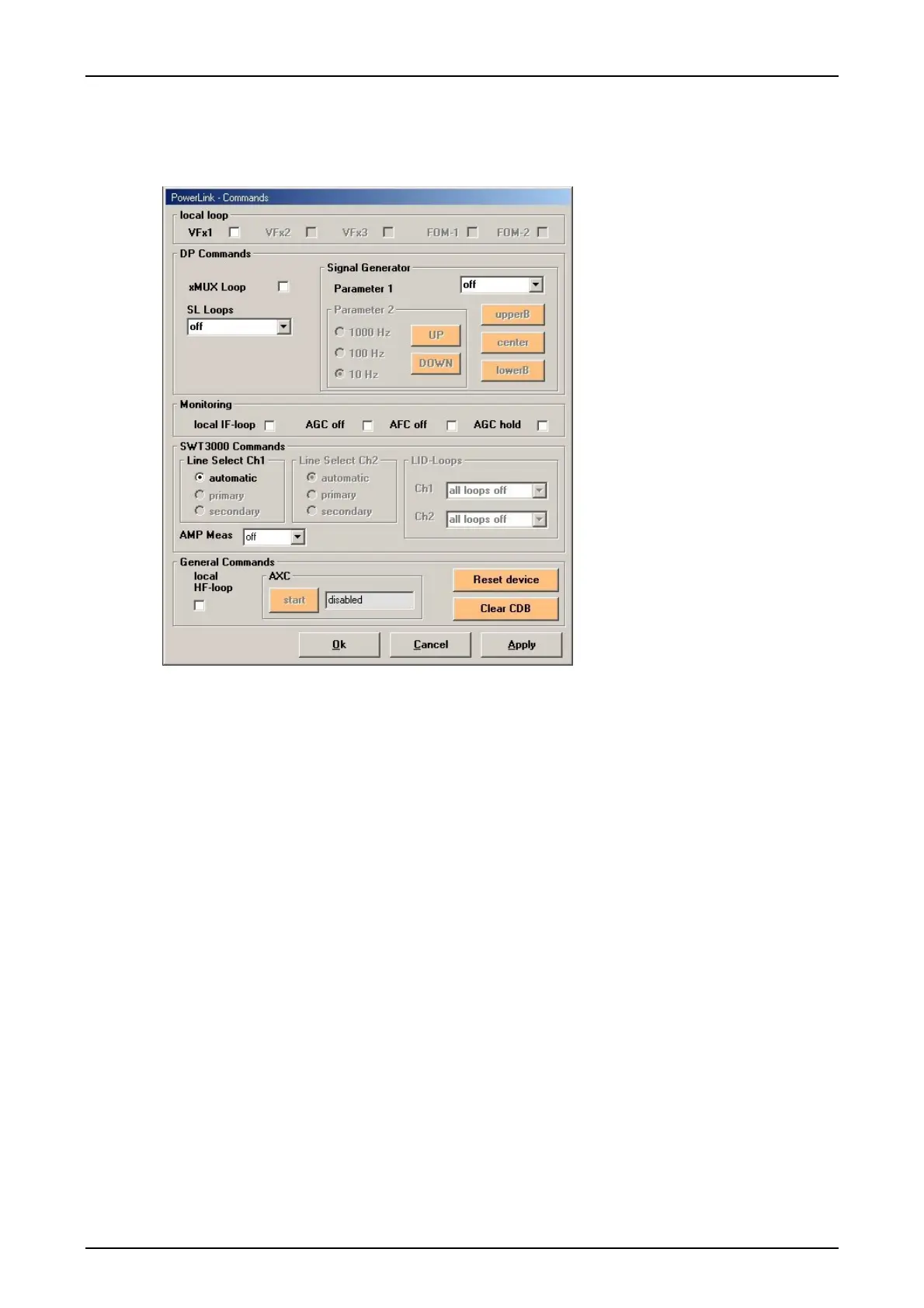
The form <Commands>
In the PowerSys form <Commands>, it is possible to activate the DP signal generator, to switch
test loops or to enable the AMP measuring.
Figure 22: The PowerSys form commands
The form is only online available and divided into the following sections:
Remote test loops VFx resp. FOM if the service is enabled:
Reflection of the received signals from the corresponding service to the transmission
line
DP commands Signal <Generator>:
Activation of the DP signal generator when selecting “on[sine]” and pushing the but-
ton “center”. The corresponding HF frequency is displayed in the PowerSys form <In-
formation/Services>. For more details please ref. to chapter 4 commissioning.
With the button “upperB” resp. “lowerB” the signal generator is adjusted to the upper
resp. lower band limit of the DP. With the buttons <UP> resp. <DOWN> the signal
generator can be adjusted upwards resp. downwards in steps of 10, 100 or 1000 Hz.
DP commands xMUX:
Setting a local test loop for the xMUX
SL Loops, setting StationLink loops (off, local loop, remote loop) for more details re-
fer to chapter 4 resp. 5
Monitoring:
Possibility to switch a local IF loop. AGC resp. AFC switch OFF for test purposes
only! Activation of the AGC hold for switching the AGC to a fixed value.










 To Next Page