Installation and Commissioning SWT 3000 Equipment Manual
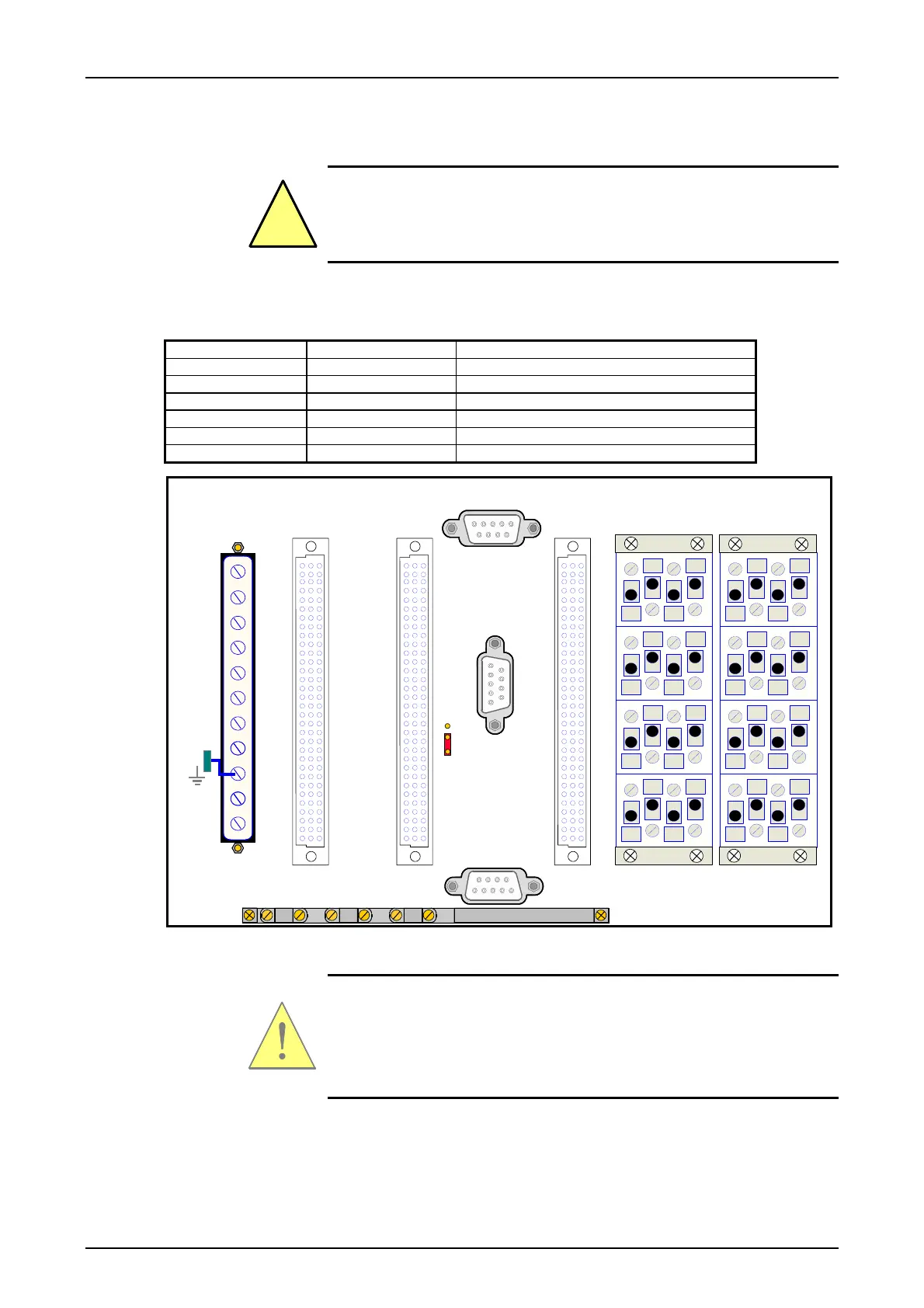
Connecting the device without FOM modules
!
An easy accessible separator in the supply circuit with a contact distance
of min. 3mm must be available.
Connecting plugs
Table 1: Arrangement of the connecting plugs of the SWT 3000
Connecting plug Module Pin assignment
IFC-1 IFC D/P/S Page 12
IFC-2 IFC D/P Page 12
X4 PU3F Page 13
X3 CLE Page 17
X2 ALRS Page 18
X1 Power supply PS next Fig.
1
2
3
4
1
2
3
4
1
2
3
4
1
2
3
4
1
2
3
4
1
2
3
4
1
2
3
4
1
2
3
4
N(+)
X1
L1(-)
SV
2
5
8
11
14
17
20
23
26
29
32
ALRS
X2
CLE
X3
C1
A1
C1
A1
C32
A32
C32
A32
C32
A32
C1
A1
IFC-1
IFC-2
X4
PU3
SSB
SC
SSR
X41
*
* loop position / Modul ausblenden
Figure 1: View of a SWT 3000 backplane without FOM slots
The power supply cables have to be tied additional immediately at the
terminals.
Please follow the performance details on the back plane
Page - 8 Edition p3_3_2x 08/09 © SIEMENS AG 2008










 To Next Page