Page 125
22. Secondary Language
Selection
The ventilator has the option of displaying the user
interface in a second language. The ventilator can
be toggled between the two languages as described
in section 10.6.7 on page 40. The user now has the
option of changing the secondary language via the
Language Selection Program.
22.1 Activation of Language Selection
Program
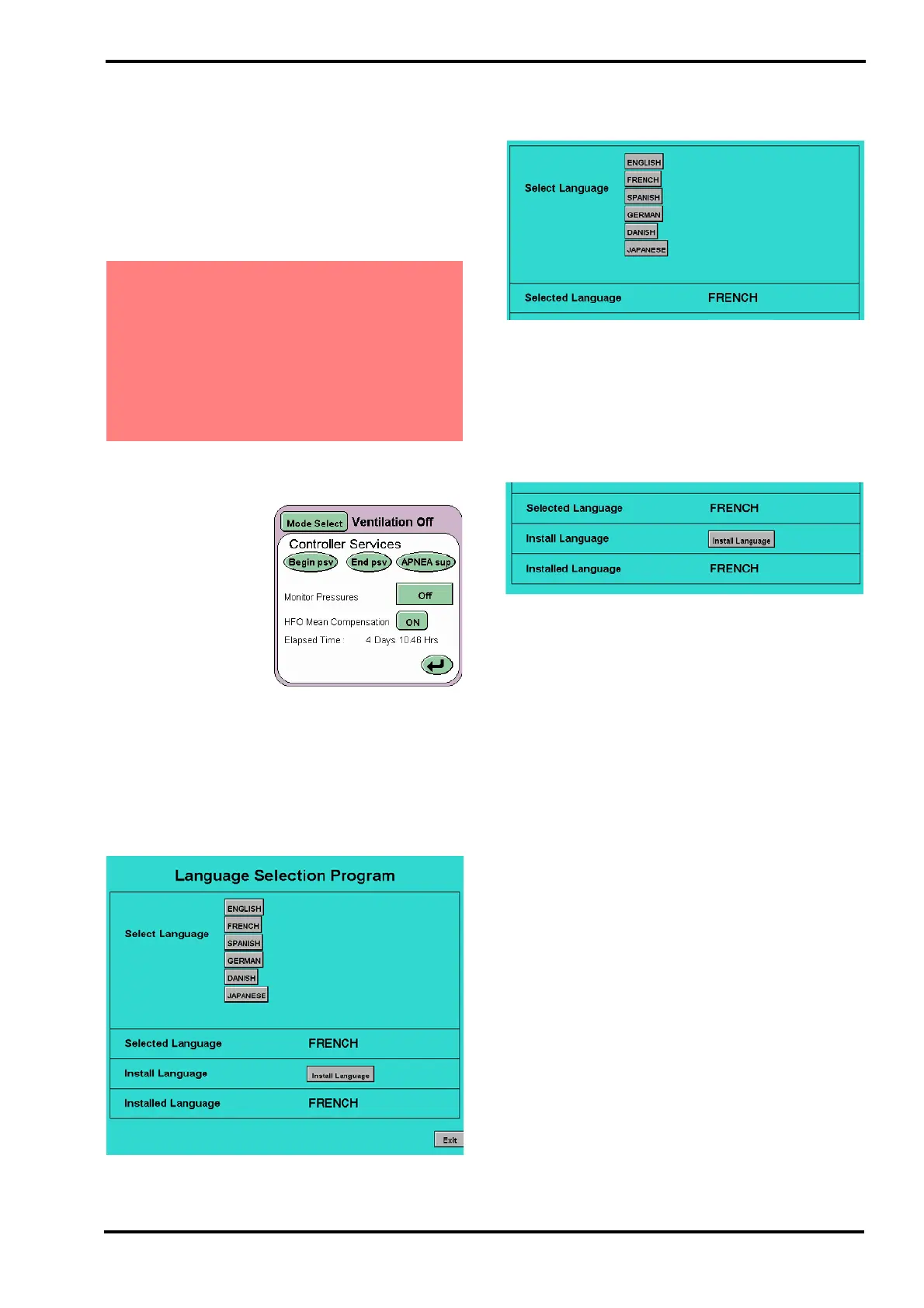
Enter the following
code AABBCC into the
ventilator via the
controller services
panel to activate the
Language Selection
Program.
Begin psv is the A button.
End psv is the B button.
Apnea sup is the C button.
On entering the activation code the “Language
Selection Program” will be displayed.
The Select Language area of the screen will display
a number of buttons. The number of buttons will
vary according to the release of foreign languages.*.
* Please contact SLE or your distributor for
information on the availability of secondary
languages.
To install a secondary language select the language
required.
The name of the selected language will be
displayed in the selected language area.
Press the “Install Language” button. When the
name of the installed language is displayed in the
Installed Language area the installation is complete.
Press “Exit” and restart the ventilator.
Warning: Changing the secondary language
can only be carried when the ventilator is
NOT in use. The process requires the
ventilator to exit the user interface and enter
the Language Selection Program. The
ventilator will need to be restarted. If the
ventilator was not already toggled to the
secondary language, this will also require a
restart.



 To Next Page