Page 175
31.1.17 Functional Test of HFO+CMV Mode
Step 57. For the functional test set the following
parameters in the HFO+CMV preview mode
BPM 30
Ti 1 sec.
HFO Rate 10Hz
PEEP 4mbar
PIP 30 mbar
Delta P 4mbar
O
2
% 21%
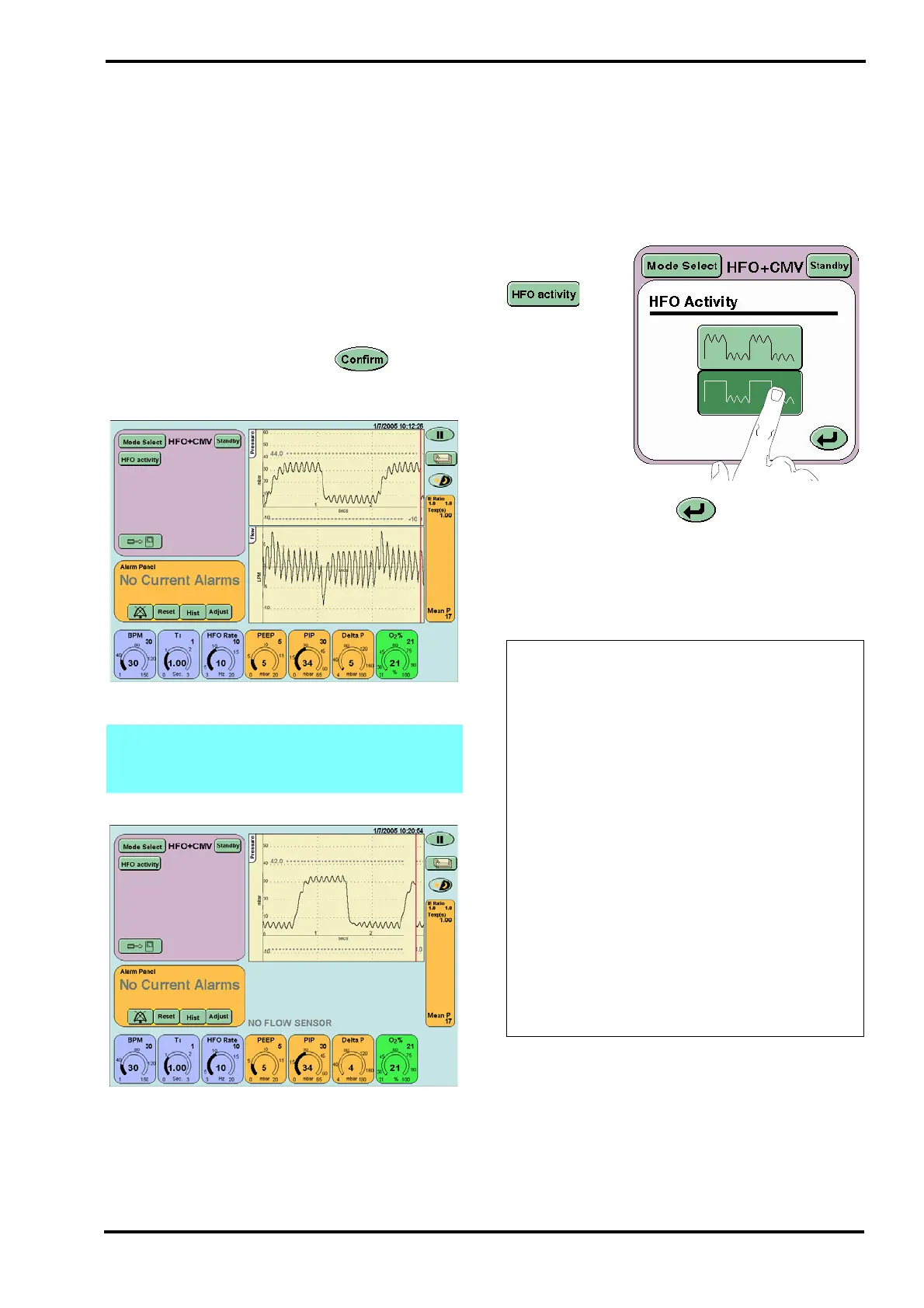
After pressing the confirm button the user
will be presented with the HFO + CMV screen.
Step 58. Verify that:
the ventilator cycles with oscillations in both the
inspiratory and expiratory phases,
the waveforms appear in the waveform windows,
the I:E ratio in the breath parameter panel reads
1.0 : 1.0.
Step 59. Press
the HFO Activity
button on the
Mode panel to
activate the
HFO Activity
Panel.
Press the
Expiratory Only
button.
Press the Return button .
Verify that:
the ventilator cycles with oscillations in the
expiratory phase only.
Step 60. Reset the HFO activity to continuous.
Note: If functionally testing the ventilator
without a flow sensor fitted Flow/Time & Tidal
Volume/Time windows will not appear.
Action: perform the following actions in the
order suggested below. After each action,
retest the ventilator. If the ventilator
successfully passes all these tests, after
performing one of these actions, go to Step
61.
• Check patient circuit is set up correctly as
shown in Section 12: Ventilator Set-up. If
you cannot find a fault, then replace the
components of the patient circuit and try
again.
• Check the test lung and replace if
necessary.
• Ensure threshold settings are correct.
• Re-calibrate system.
If the fault continues after checking all the
possible causes, remove the ventilator from
service and contact an SLE approved
engineer.



 To Next Page