Page 33
9. Description of Symbols and
Buttons
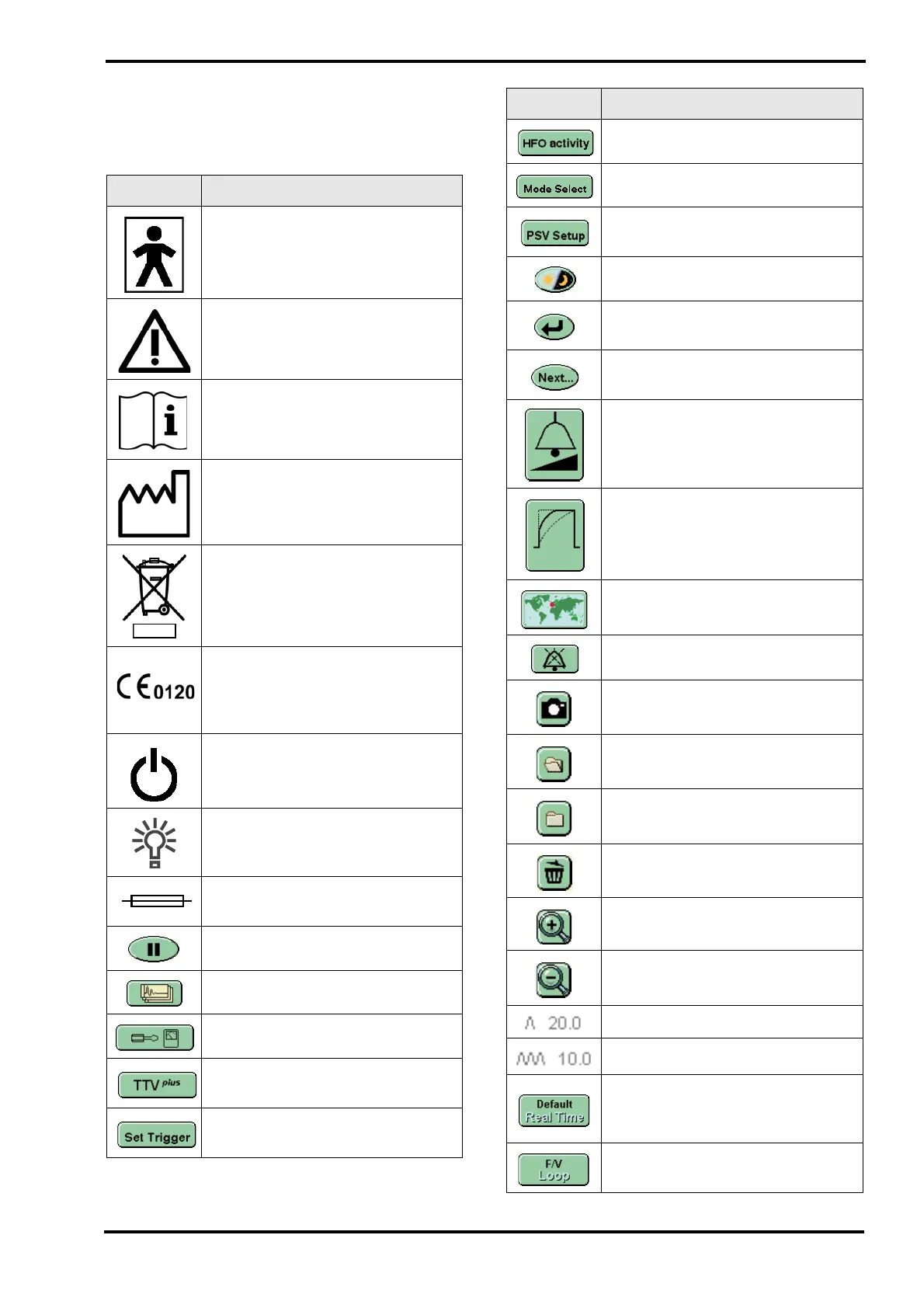
Symbol Description
Type BF connection (Situated on
front panel).
Caution: Consult instructions for
use for warnings and cautions.
(Situated on rear panel).
Consult instructions for use.
(Situated on rear panel).
Date of Manufacture (Appears on
the serial number label).
Do not dispose of as general waste
(WEEE directive).
(Appears on the serial number
label).
EEC conformity marking showing
compliance with the Medical
Devices Directive (Appears on the
serial number label).
Indicates the power switch.
Mains Power present, (Situated on
front panel).
Fuse (Situated on rear panel and
fuse holder).
Screen pause.
Waveform display options.
Display options and service data.
Enables the Targeted Tidal Volume
Panel.
Enables the breath detection
threshold in the flow window.
Enables the HFO activity panel.
Enables the Mode Select panel.
Enables the Pressure Support
panel.
Night mode and Screen Lock.
Return button. Returns the user to
previous panel.
Next Button. Advances user to the
next panel.
Alarm volume control.
Wave shaping controls.
Language selection.
Alarm mute & Alarm pre-mute.
Loop capture button.
Stored Loop (Loop on display).
Stored Loop (Loop in memory).
Delete stored loop
Zoom in.
Zoom out.
High Tidal Volume Alarm in mbar
Cycle Fail Alarm in mbar.
Returns the waveform windows to
their default settings of: Pressure,
Flow and Tidal volume.
Pressure wave window with Flow
versus Volume loop display.
Symbol Description



 To Next Page