Page 50
10.12 Ventilation Parameters
Each ventilation mode has a number of parameters
that have to be changed to meet the clinical
requirements. The interface displays the user
definable parameters at the bottom of the
touchscreen. On power up the ventilator defaults to
the Ventilation Off mode and only displays the O
2
%
parameter.
When changing from Ventilation Off to another
mode of ventilation the parameters are displayed in
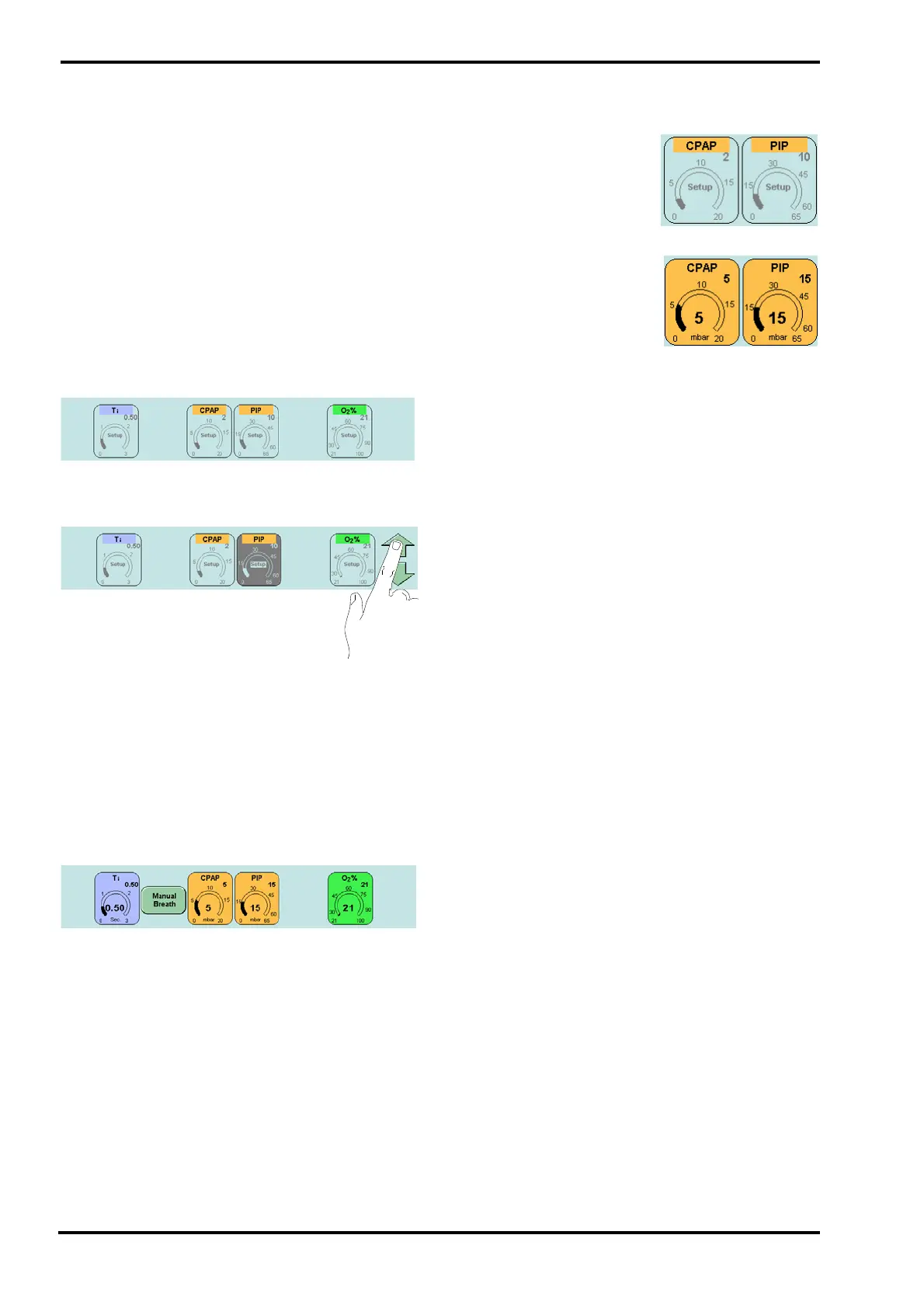
preview mode. (The example shown below is
CPAP). This allows the user to set the ventilator so it
will not start at inappropriate settings when the
mode is confirmed.
Preview Mode
The parameters can be selected and modified by
touching the appropriate panel and using the arrow
buttons.
The user will be unable to select parameters that
would cause a dangerous condition in the
ventilation mode from the preview mode. On
pressing the Confirm button the ventilator controls
change to the ventilation mode and the ventilator
starts to ventilate at those settings. Any parameter
that could not be selected in the preview mode now
becomes selectable. (These parameters default to
safe values).
Ventilation Mode
In the ventilation mode the manual breath button is
displayed. The Manual breath button does not
appear in all modes of ventilation.
The parameters can be selected and modified in the
same way as in the preview mode.
In the preview mode the
parameters panel displays
the set value.
In the ventilation mode the
parameters panel displays
the measured value in the
centre of the eyebrow and
the set value in the right
hand corner.



 To Next Page