Page 61
12.4 Battery indicator
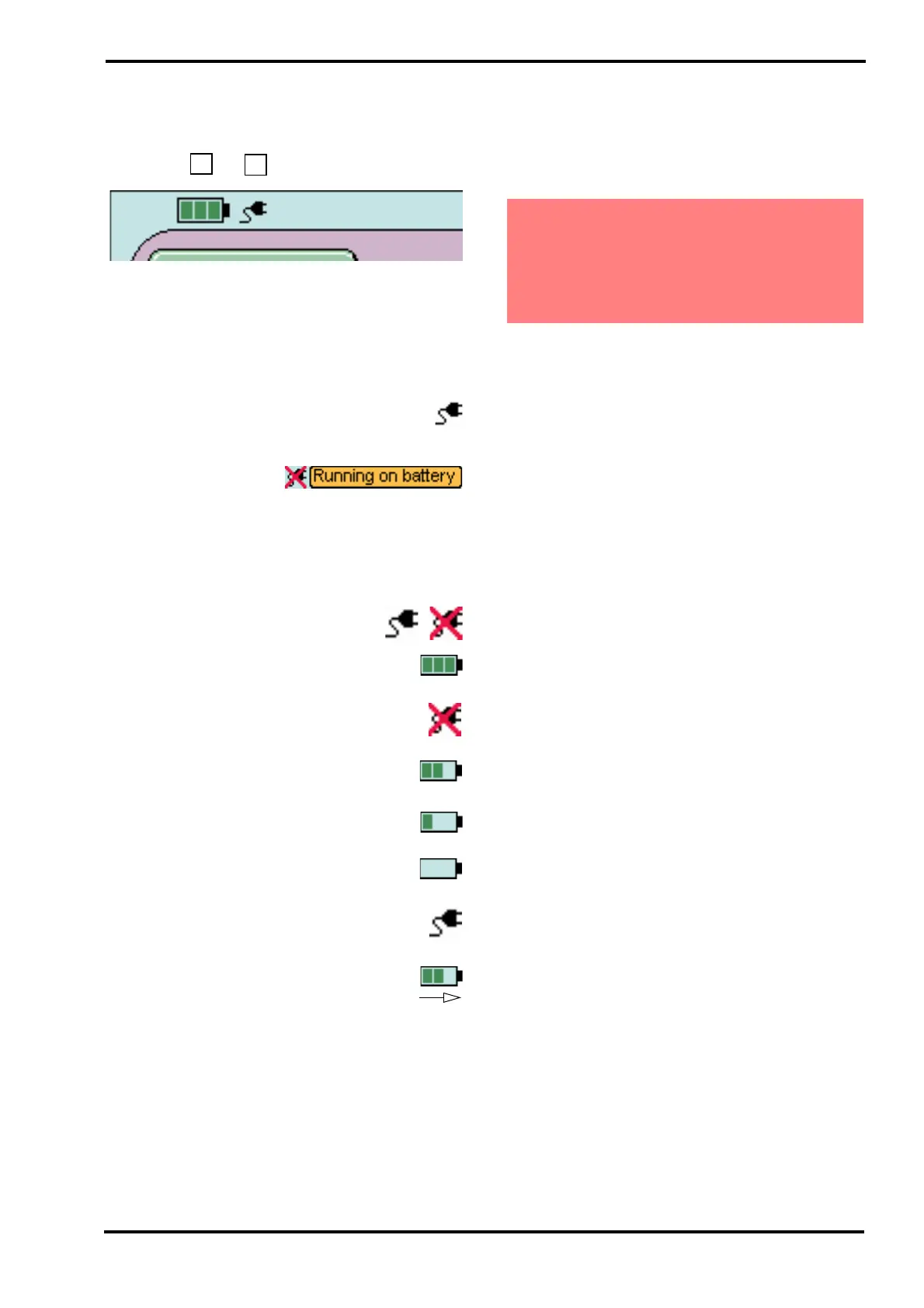
The software now has two icons in the top left hand
corner of the screen.
The first is the battery status icon (A) and the
second is the mains power connected icon (B). The
battery status icon operates in two different ways,
dependant on model of ventilator. The mains power
connected icon functions the same way on all
models of ventilator.
When mains power is connected, the
ventilator displays the mains power connected
icon.
When mains power is
disconnected, the
ventilator displays the mains power disconnected
icon with the flashing text running on battery.
12.4.1 Explanation of battery charging.
The battery status icon has seven states.
With mains power connected or
disconnected
a) Charged to 75% or greater, the battery
icon displays three green blocks.
With mains power disconnected
b) Discharged to between 50% and 75% of
battery capacity.
c) Discharged to between 25% and 50% of
battery capacity.
d) Discharged to between 0% and 25% of
battery capacity
With mains power connected
e) Charging, where the blocks cycle from left
to right.
12.5 Suspension of the “Main Power
Fail” alarm.
The user can suspend the Mains Power fail alarm
by pressing the Reset button when the “Main Power
Fail” alarm is present.
Restoration of mains power will re-enable the alarm.
Warning. If the user suspends the “Main
Power Fail” alarm, the next power related
alarm that will trigger will be the “Battery
Low” alarm. The user shall remove the patient
to an alternative form of ventilation at this
point if mains power cannot be restored.



 To Next Page