Page 89
16.5 PTV Set-up
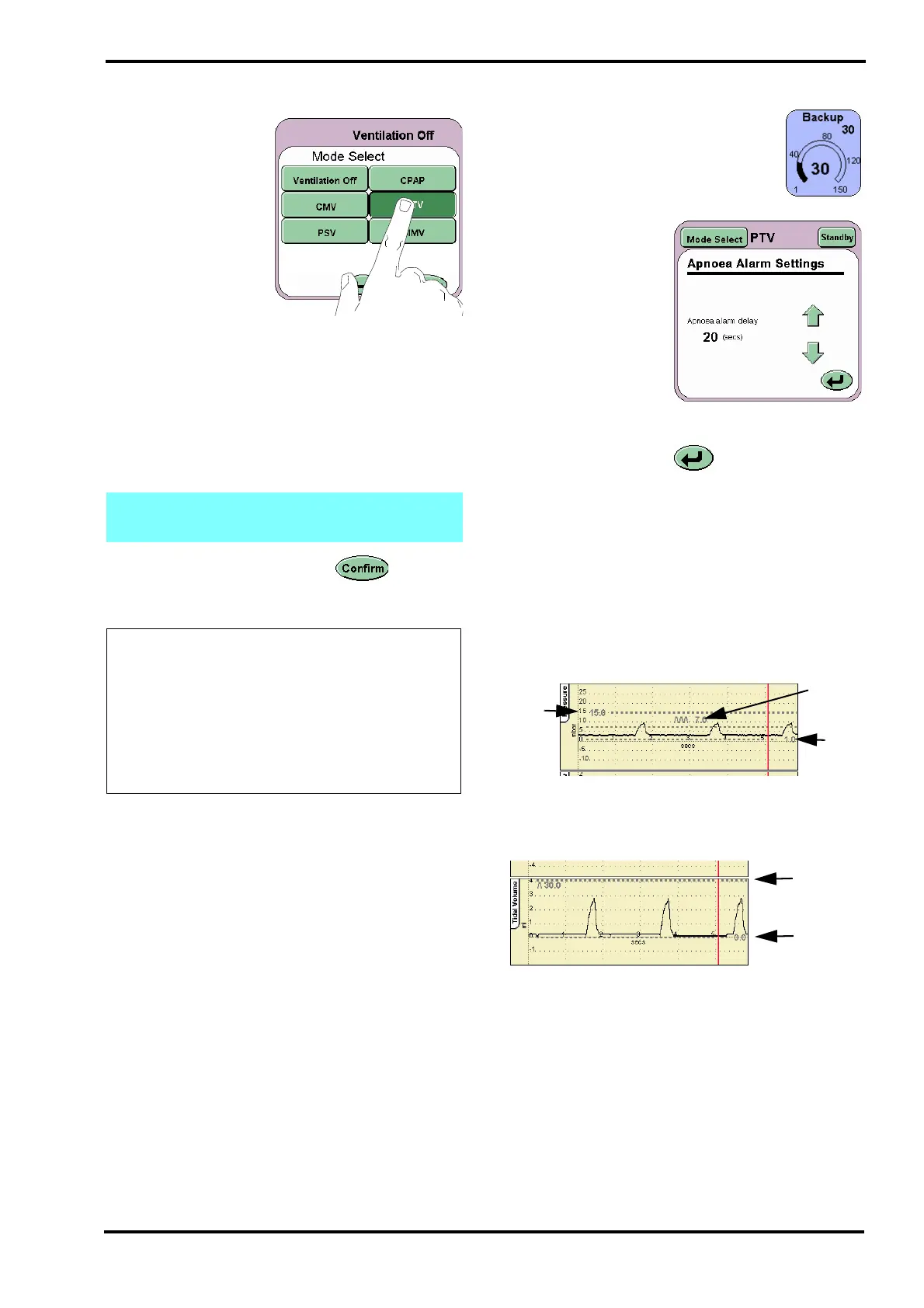
Step 1. From the Mode
Select panel select
PTV.
Step 2. Default parameters in the preview mode:
Backup 30 BPM
Ti 0.4 sec.
PEEP 2 mbar
PIP 10 mbar
O
2
% As per prescription
Step 3. Press the Confirm button to enter
the PTV mode. The ventilator will now start to
ventilate at the set parameters.
16.5.1 Actions after connection to patient in PTV
Step 4. Adjust the Backup parameter to
the desired BPM rate.
Step 5. If the backup
breath rate is 9 BPM
or lower the Apnoea
setup is activated.
Press the Apnoea
Setup button on the
Mode Panel.
The Apnoea Alarm
Settings panel should
now be displayed.
Set the Apnoea alarm delay.
Press the Return button to return to the mode
panel.
Step 6. The High and Low Pressure Alarm
thresholds auto track the pressure waveform by 5
mbar. The alarm thresholds can be adjusted if
required. The thresholds are found in the pressure
waveform window.
Step 7. The Cycle Fail Alarm threshold auto tracks
the PIP setting. The alarm threshold can be
adjusted if required. The threshold is found in the
pressure waveform window.
Step 8. Set the High and Low Tidal Volume
thresholds. These thresholds are found in the Tidal
Volume waveform window. (This waveform will not
appear when operating without a flow sensor).
Note: Ti and PIP parameters are for the
manual and backup breaths.
The ventilator is now ready to be
connected to the patient under user
supervision. Prior to and after
connection it is the users
responsibility to adjust and monitor
the ventilation parameters to suit the
patients medical condition.
Low
Tidal
High
Tidal
Volume
Volume



 To Next Page